ATA Web user guide
76 / 114 2015/1/8
9.4 STUN (STUN & Froce configuration)
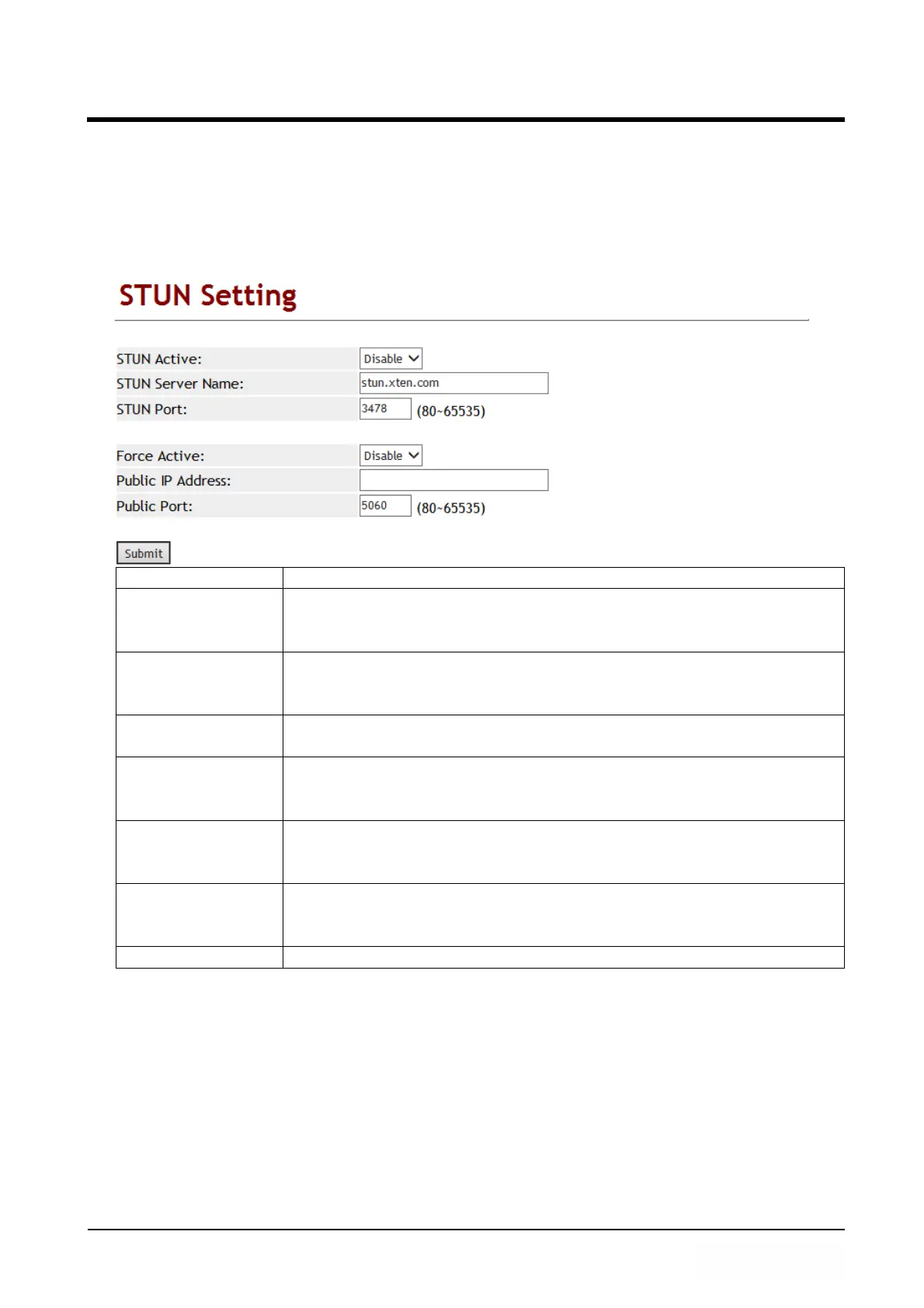
9.4.1 Function
STUN Provides function to set up STUN and Force feature.
9.4.2 Instruction
Item Description
STUN Active Default: Disable; When this function is on, STUN functions
Enable.
Provide options: Disable, Enable.
STUN Server
Name
Default: stun.xten.com; This column can enter IP or Domain
Name with the format of xxx.xxx.xxx.xxx; maximum length is
63 bytes.
STUN Port Default: 3478; This column can only enter numbers; maximum
length is 5 bytes with the range 80~65535.
Force Active Default: Disable; When this function is on, the IP of [SIP infor] in
[Ethereal] will replace by the assigned IP address.
Provide options: Disable, Enable.
Public IP Address Set up Router’s public IP address; This column can only enter IP
with the format of xxx.xxx.xxx.xxx; maximum length is 63
bytes.
Public Port Default: 5060; Set up Router’s public Port.
This column can only enter numbers; maximum length is 5 bytes
with the range of 80~65535.
Submit [Button] Save the settings.
9.4.3
Operate Instruction
Example 1: STUN
Step 1: Please Set up the SIP account first.
Step 2: In [STUN Setting] web page, Set up [STUN Active: Enable, STUN Server Name:
stun.xten.com, SUTN Port: 3478] (See Figure 1).



 To Next Page