ATA Web user guide
40 / 114 2015/1/8
7. Network environment
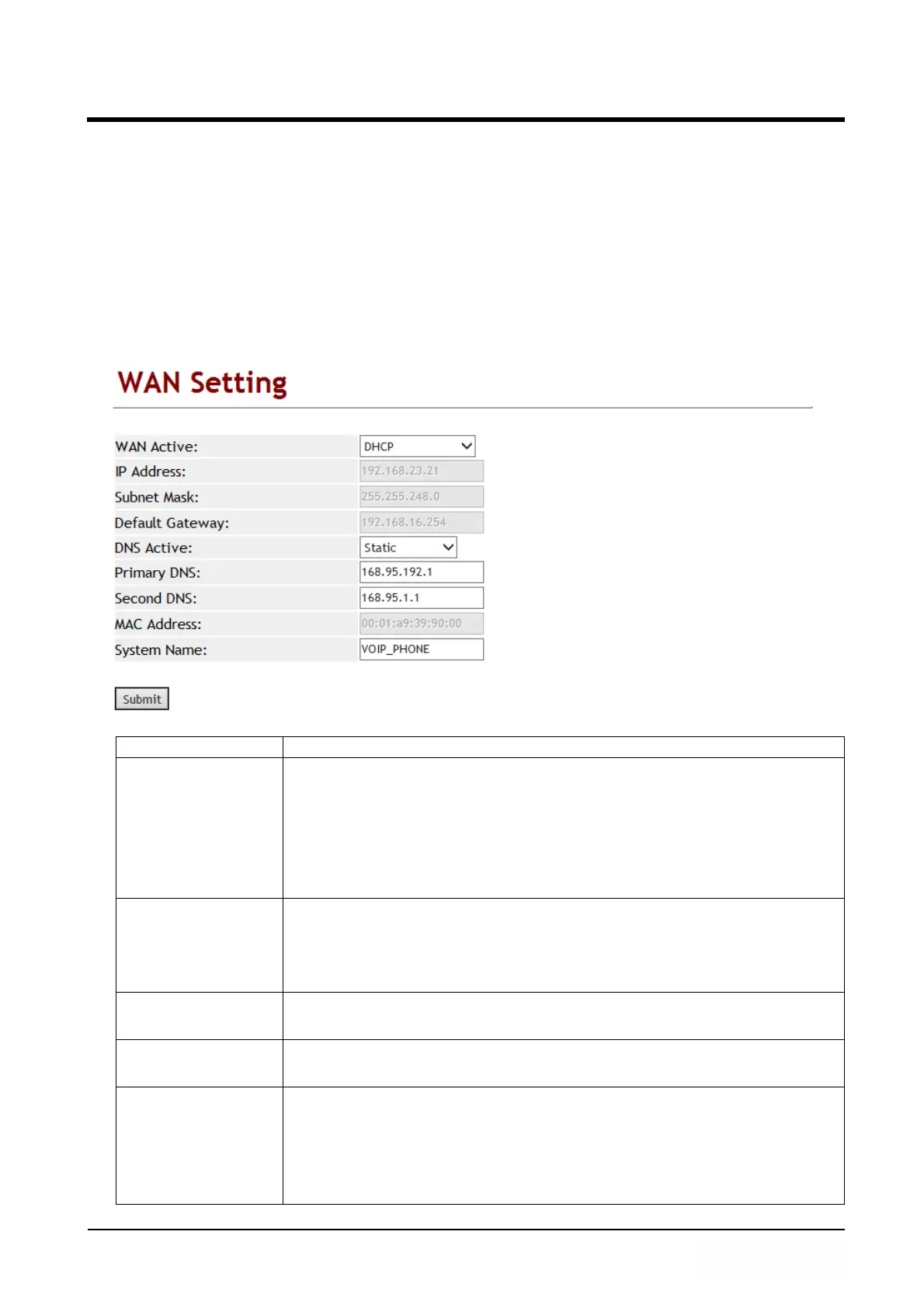
Provide [WAN, DDNS, VLAN, VPN, SNTP] function setting.
7.1 WAN (network setting)
7.1.1 Function
WAN provides function to set up WAN port network IP address with fixed IP, DHCP
Client and PPPoE.
7.1.2 Instruction
Item Decription
WAN Active Default: DHCP Client. Setup the network connecting type
including fixed IP, DHCP Client and PPPoE.
Fixed IP: Enter a static IP address.
DHCP Client: Get IP address from DHCP server.
PPPoE: Uses PPPoE to connect IP network.
Provide options: Fixed IP, DHCP Client, and PPPoE.
IP Address Show the current IP address, enter type is xxx.xxx.xxx.xxx of 15
bytes.
*If you want to setup the IP address, please Setup [TYPE] to
[Fixed IP] first. Then you can enter IP address.
Subnet Mask Shows the current Subnet Mask IP Address, the enter type is
xxx.xxx.xxx.xxx of 15 bytes.
Default Gateway Shows current Default Gateway IP Address, the enter type is
xxx.xxx.xxx.xxx of 15 bytes.
DNS Active Default: Auto.
Fixed: Setup DNS Server address.
Auto: Get DNS Server address from DHCP Server and this option
only supports DHCP Client and PPPoE.
Provide options: Fixed, Auto.



 To Next Page