ATA Web user guide
61 / 114 2015/1/8
9.2 Codec (Voice Format)
9.2.1 Function
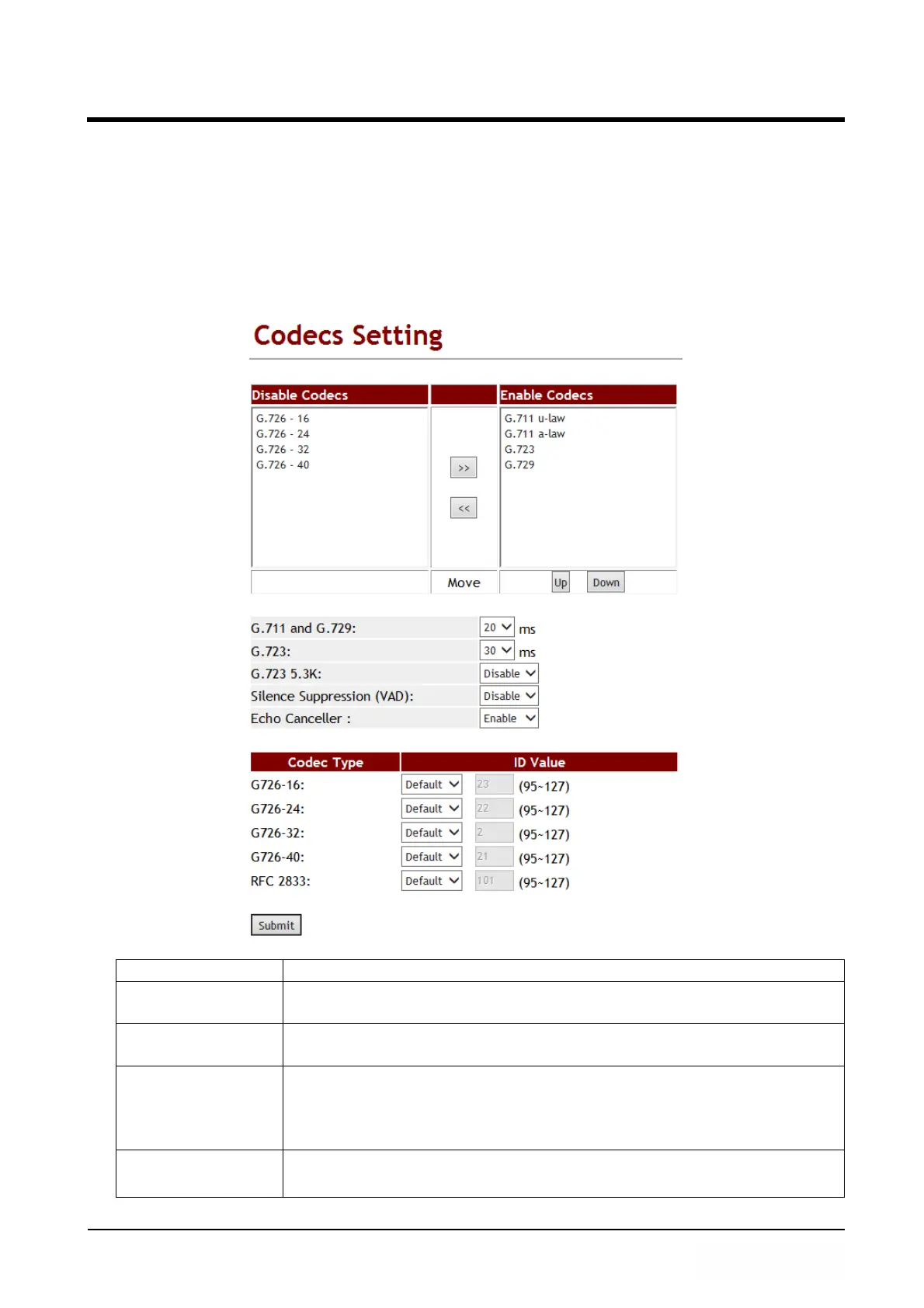
Provide Voice Codec priority, RTP payload type and Codec ID setting.
9.2.2 Instruction
Figure 1: G.723 voice codec.
Item Decription
Disabled Codecs Default: G.726.16, G.726.24, G.726.32, G.726.40.
Disable these voice Codecs.
>>
<<
>>: Move to Enable Codec area.
<<: Move to Disable Codec area.
Enabled Codec Default: G.711 u-law, G.711 a-law, G.723, G.729.
Provide using Codec items.
The priority is according to the order of the screen. The default
Setting of the first priority is G.729.
Move >>: Select [Disable Codecs] item, press [>>] button, can move
to Enable Codec area.



 To Next Page