ATA Web user guide
43 / 114 2015/1/8
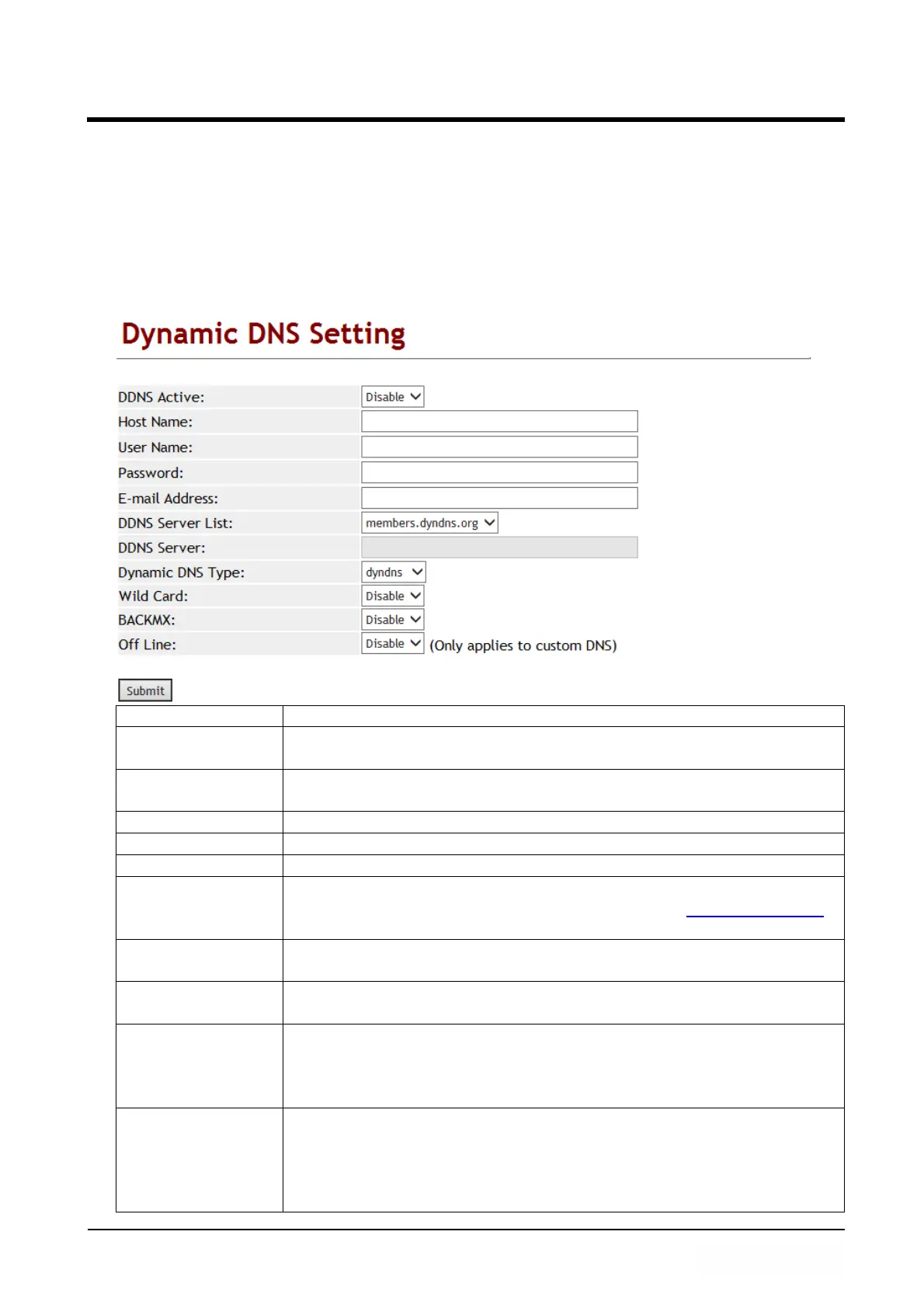
7.2 DDNS (Dynamic DNS Settings)
7.2.1 Function
Dynamic DNS provides a residential user's Internet gateway that has a variable,
often changing IP address with a well known hostname resolvable through standard DNS
queries.
7.2.2 Instruction
Item Decription
DDNS Active Default is Disable; The DDNS function will be enabled when you
set to Enable.
Host name Enter Host name which can be IP Address or Domain Name.
Format: xxx.xxx.xxx.xxx. Length is 63 digits.
User Name Enter user’s name for registering to DDNS Server.
Password Enter the password. Maximum length is 63 digits.
E-mail address Enter E-mail address. Maximum length is 63 digits.
DDNS Server List Default is Disable; Configure your service provider here. Provide
option: User input, members.dyndns.rog and www.dtdns.com
mode.
DDNS Server Enter DDNS Server which can be IP Address or Domain Name.
Format: xxx.xxx.xxx.xxx. Maximum length is 63 digits.
Type Default is dyndns. Provide 3 options: dyndns, statdns and
customer mode.
Wild Card Default is Enable. Provides 3 options: Enable, Disable and
Nochg.
NOTE: Please make sure your DDNS provider supports this
feature when you set it to enable.
BACKMX Default is Disable; The backup MX function will was activate
when you set it to enable. It provides two options: Disable and
Enable.
NOTE: Please make sure your DDNS provider supports this
feature when you set it to enable.



 To Next Page