ATA Web user guide
47 / 114 2015/1/8
7.5 NTP (Time Environment)
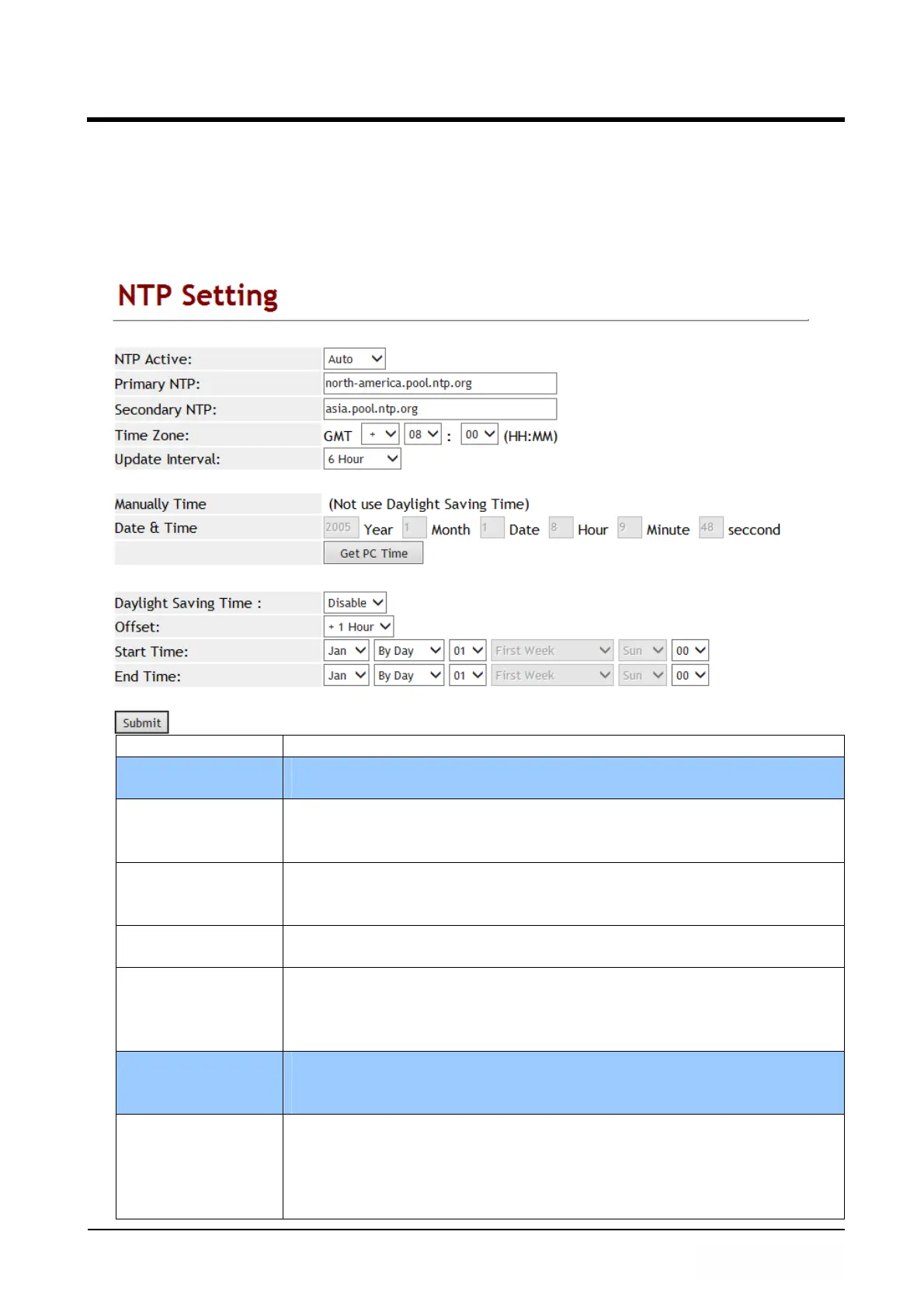
7.5.1 Function
Provide time synchronization and daylight saving function.
7.5.2 Instruction
Item Decription
NTP Active Default: Enable; When Enable this function, the SNTP is on.
Provide options: Disable, Enable.
Primary NTP Default: north-america.pool.ntp.org.
This column can enter IP or Domain Name with the format of
xxx.xxx.xxx.xxx; maximum length is 63 bytes.
Secondsondary
NTP
Default: asia.pool.ntp.org.
This column can enter IP or Domain Name with the format of
xxx.xxx.xxx.xxx; maximum length is 63 bytes.
Time Zone Default: GMT + 08:00 (hh:mm) and the format is (+/-, hh:mm).
Provide options: +/-, 0~13(hh), 00, 15, 30, 45(mm).
Update Interval Default: 6; Sync. Time will be checked with NTP Server
according to the interval you have setup.
Provide options: 1 min., 5 min., 30 min., 1 hour, 3 hour, 6 hour,
12 hour, 24 hour.
Manually Time When enable this time function manually, Daylight Saving Time
function will be disabled.
Note: If ATA electric power was removed, this time will be lost.
Date & Time Year; Setup the Year; Only use number, Data Settings
secondstion is 2011~2022, maximum length is 4 bytes.
Month; Setup the Month; Only use number, Data Settings
secondstion is 1~12, maximum length is 2 bytes.
Date; Setup Date; Only use number, Data Settings secondstion



 To Next Page