ATA Web user guide
51 / 114 2015/1/8
8. NAT
Provide [LAN, DMZ & MAC Clone, Virutal Server] function.
8.1 LAN
8.1.1 Function
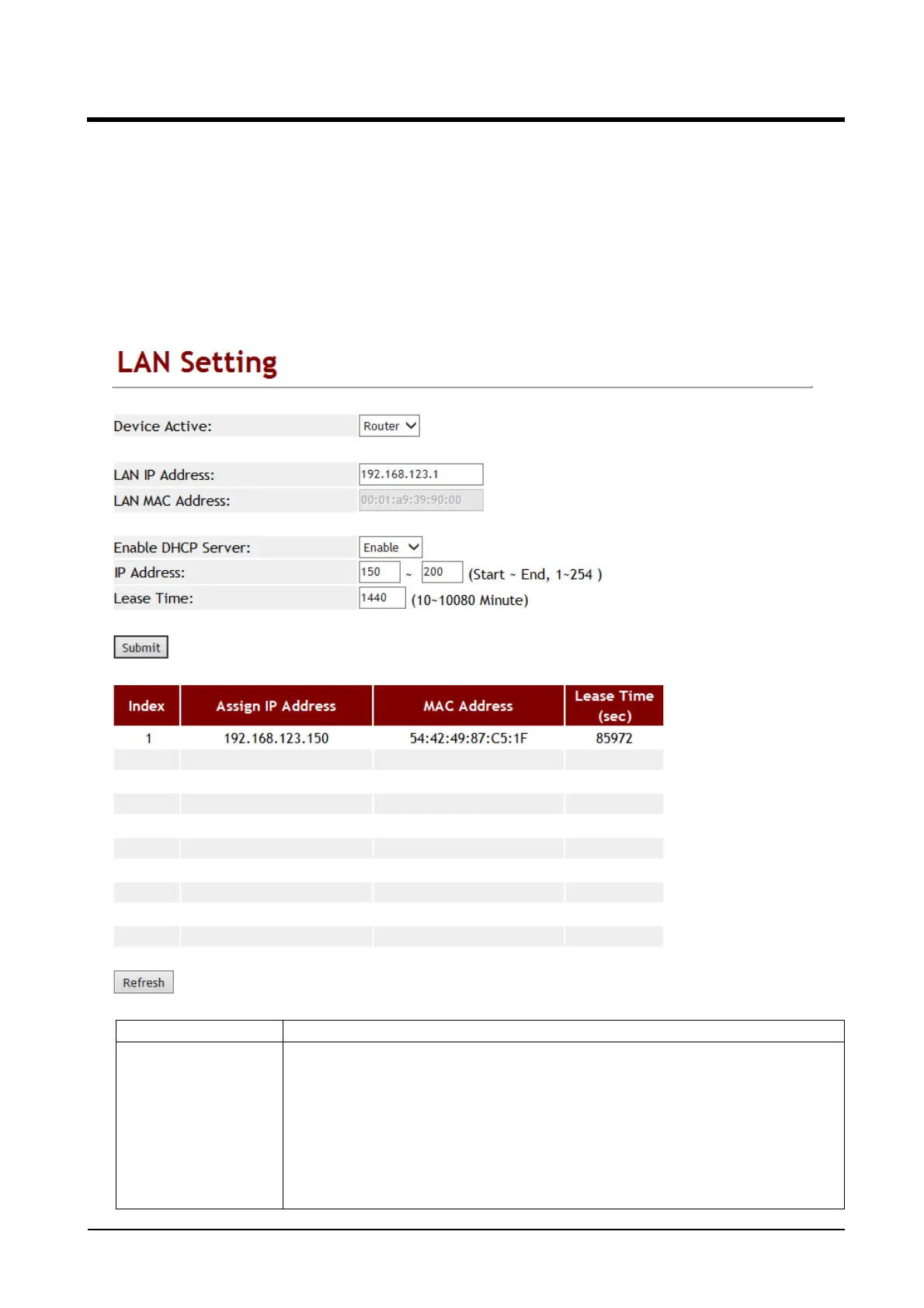
Provide LAN port configuration setting including DHCP server function.
8.1.2 Instruction
Item Decription
Device Active Default: NAT.
Setup the routing function of LAN Port.
Provide options: Bridge, NAT.
Bridge: When you Setup Bridge, [WAN & LAN] Port are all in the
same IP domain, just like in the same network switch.
NAT: When you Setup NAT, [WAN & LAN] Port are in the different
IP domain. LAN Port work as DHCP server when you Enable
DHCP Server Active function.



 To Next Page