ATA Web user guide
45 / 114 2015/1/8
7.3 VLAN
7.3.1 Function
Provide Network, SIP and RTP VLAN function. This feature needs to work with VLAN
Router.
7.3.2 Instruction
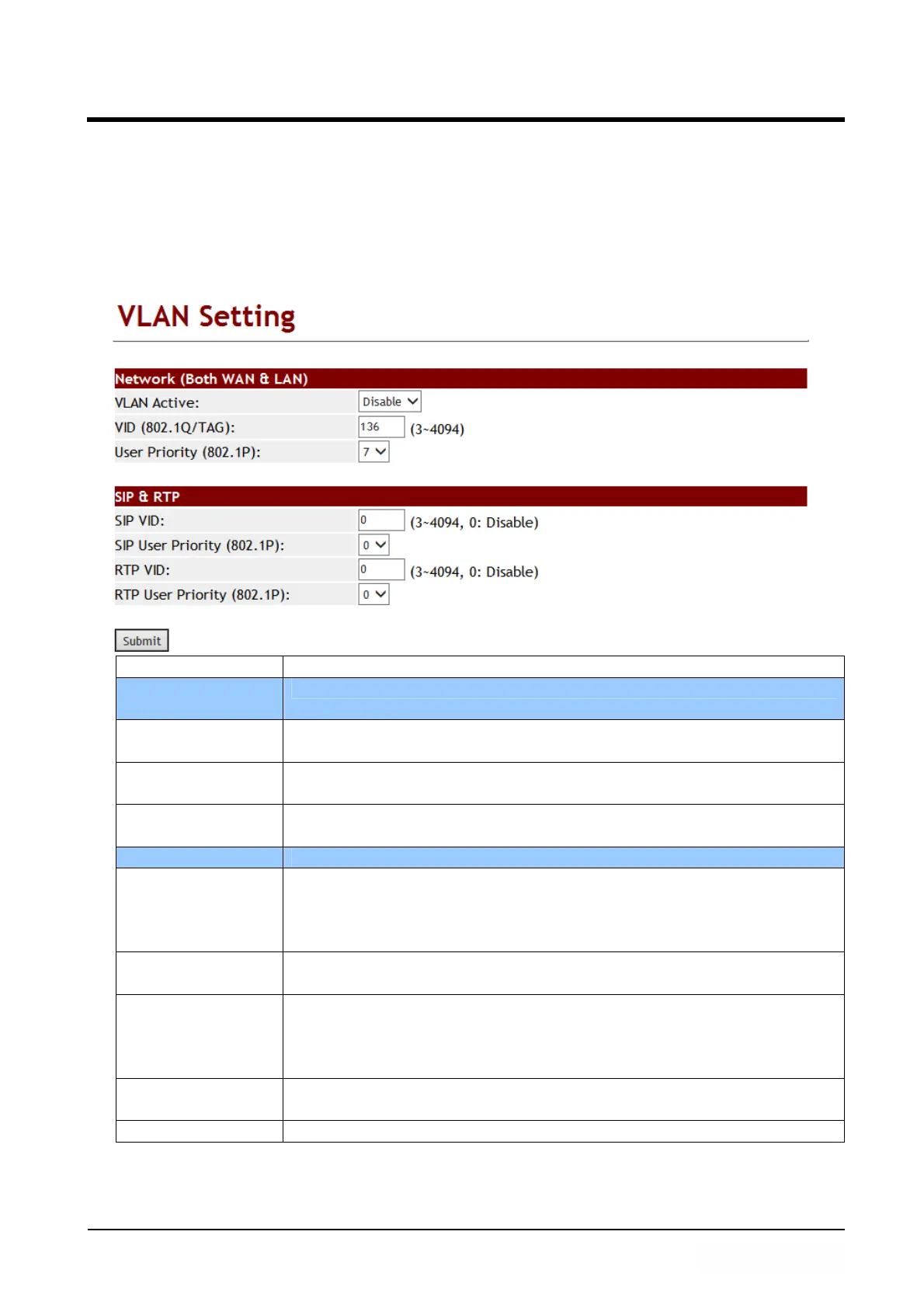
Item Decription
Network (Both
WAN & LAN)
Configure VLAN function of both WAN and LAN ports.
VLAN Packets Default is Disable. ATA supports VLAN function (accept VLAN
packets) when you set it to enable.
VID (802.1Q/
TAG)
Default: 136. Provide Virtual LAN ID (VLAN or VID) for VLAN
Server. Data range: 3~4097. Maximum length is 4 digits.
User Priority
(802.1P)
Default: 0. Set the user’s priority. Data range: 0 to 7.
SIP & RTP Define SIP & RTP VLAN feature.
SIP VID Default is 0 (disable). This feature is to define SIP VLAN ID.
Range is 3~4094. This feature is an independent one which do
not need to Enable [VLAN Packets] if you want to enable this
feature. Data length is 4 digits.
User Priority
(802.1P)
Default is 0 (disable). Define SIP package priority. Range is 0~7.
RTP VID Default is 0 (disable). Define SIP VLAN ID. Range is 3~4094.
This feature is an independent one which do not need to Enable
[VLAN Packets] if you want to enable this feature. Data length is
4 digits.
User Priority
(802.1P)
Default is 0 (disable); Define RTP package priority. Range: 0~7
Submit [button] Save the configuration.



 To Next Page