ATA Web user guide
42 / 114 2015/1/8
(Figure 2)
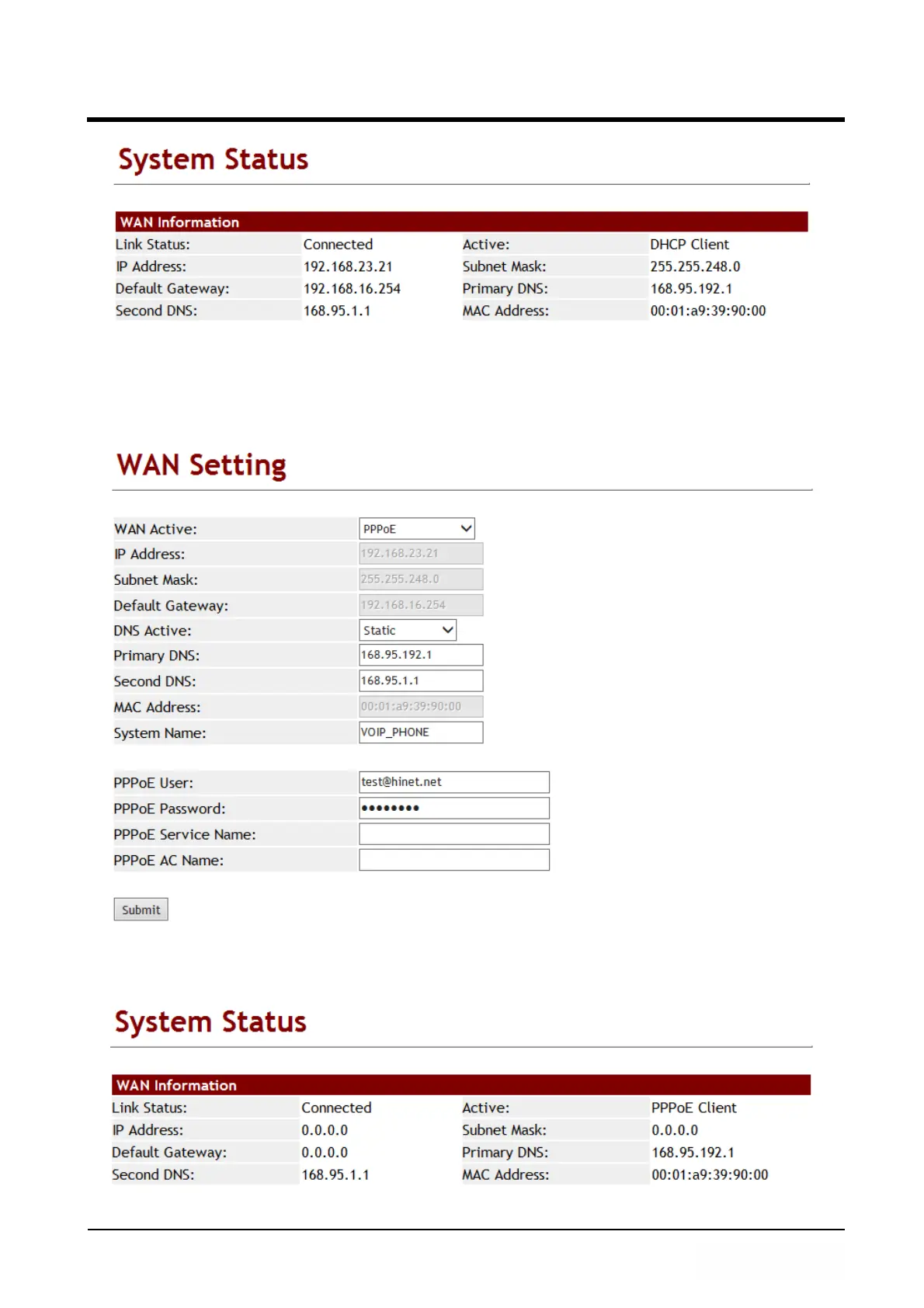
Example 2: Check PPPoE Service Name & AC Name
Step 1: In [WAN Setting] web page, Setup [WAN Active: PPPoE, PPPoE User:
test@hinet.net, PPPoE Password: test] (See Figure 3).
(Figure 3)
Step 2: In [System Status] web page, User can view [WAN] port network status [Type:
PPPoE Client] (See Figure 4).
(Figure 4)



 To Next Page