ATA Web user guide
41 / 114 2015/1/8
Primary DNS Default: 168.95.192.1.
The enter type is xxx.xxx.xxx.xxx of 15 bytes.
Secondsond DNS Default: 168.95.1.1.
The enter type is xxx.xxx.xxx.xxx of 15 bytes.
MAC Address Shows the MAC ID address.
System Name Default: VOIP_Phone.
This column can enter numbers and strings; maximum length is
15 bytes.
PPPoE User This column can enter numbers and strings; maximum length is
32 bytes.
PPPoE Password This column can enter numbers and strings; maximum length is
32 bytes.
PPPoE Service
Name
This column can enter numbers and strings; maximum length is
32 bytes.
*The information of this column is provided by ISP, if you don’t
known what is the data, do not Setup it.
PPPoE AC Name This column can enter numbers and strings; maximum length is
32 bytes.
*The data of this column is provided by ISP, if you don’t known
what is the data, do not setup it.
Submit [Button] Save the settings.
7.1.3 Operate Instruction
Example 1: Check Host Name
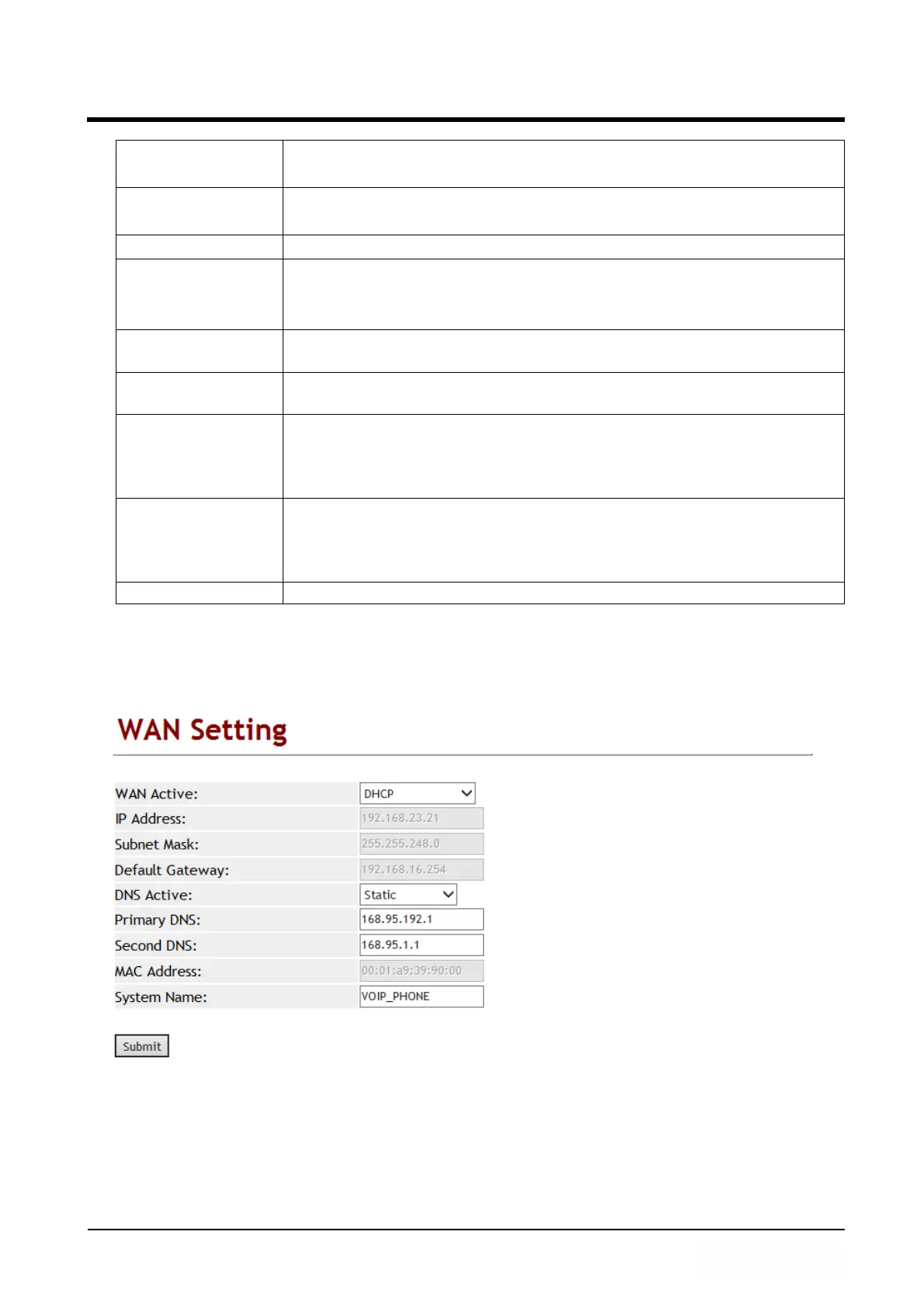
Step 1: In [WAN Setting] web page, Setup [WAN Active: DHCP, System Name:
VOIP_PHONE] (See Figure 1).
(Figure 1)
Step 2: In [System Status] web page, User can view [WAN] port network status (See
Figure 2).



 To Next Page