ATA Web user guide
29 / 114 2015/1/8
Item Decription
phone 1 Default is From 0:0(start time) To 0:0(end of time). The time
format is 24 hours system (hh/mm, Hours/Minutes). Each field
has 2 digits number only.
Alarm Type of
phone 1
Default is Disable. Configure Phone 1 alarm function. When you
set to enable, phone 1 will Ring according to pre-configured (see
next row how to configure alarm time) alarm time. The alarm
Ring last for 1 minute. To cancel alarm setting, simply pickup
handset and hand up. The default ring time is 1 minute.
Alarm Time for
phone 1
Default is 0:0(Hour/Minute). The time format is 24 hours
system(hh/mm). Each field allows to enter 2 digits number only.
Submit Save the configuration.
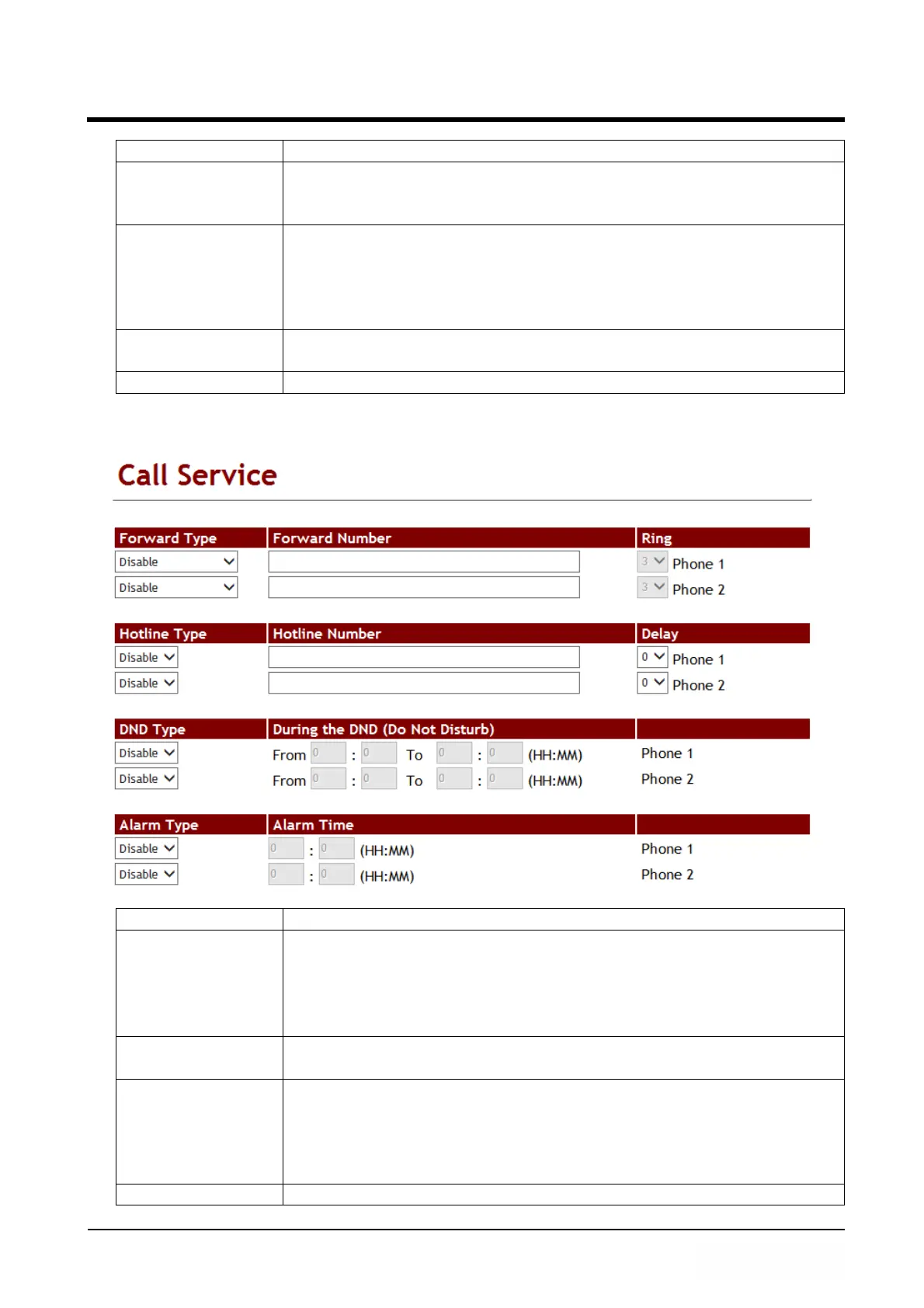
Figure 2: 2FXS for ATA172plus and ATA-172.
(Figure 2)
Item Decription
Forward Type of
phone1
Default is Disable. To configure Phone 1 forward type.
Here provides 5 options: Disable, All (unconditional), Busy, No
Answer, Busy or No Answer.
NOTE:Please make sure your service provider support this
forward function.
Forward Number
of phone1
To configure Phone 1 forward number, simply dial [number or
digit string]. The maximum digit length is 63.
Rings of phone 1 That feature is used for no answer forward only. Default is 3
rings. When there is no answer after configured rings, ATA
forward to pre-configured number automatically. The
configuration ring range is 1 to 6 rings. This mode only supports
Forward Type: No Answer.
Forward Type of Default is Disable. To configure Phone 2 forward type.



 To Next Page