ATA Web user guide
58 / 114 2015/1/8
Item Decription
special Port Address is needed, please add it behind. For
instance: nat.voiptalk.org:5065.
Subscribe of MWI Subscribe for MWI function (message waiting indicator).
Your Register SIP Proxy server must support this function.
Submit [button] Save the configuration.
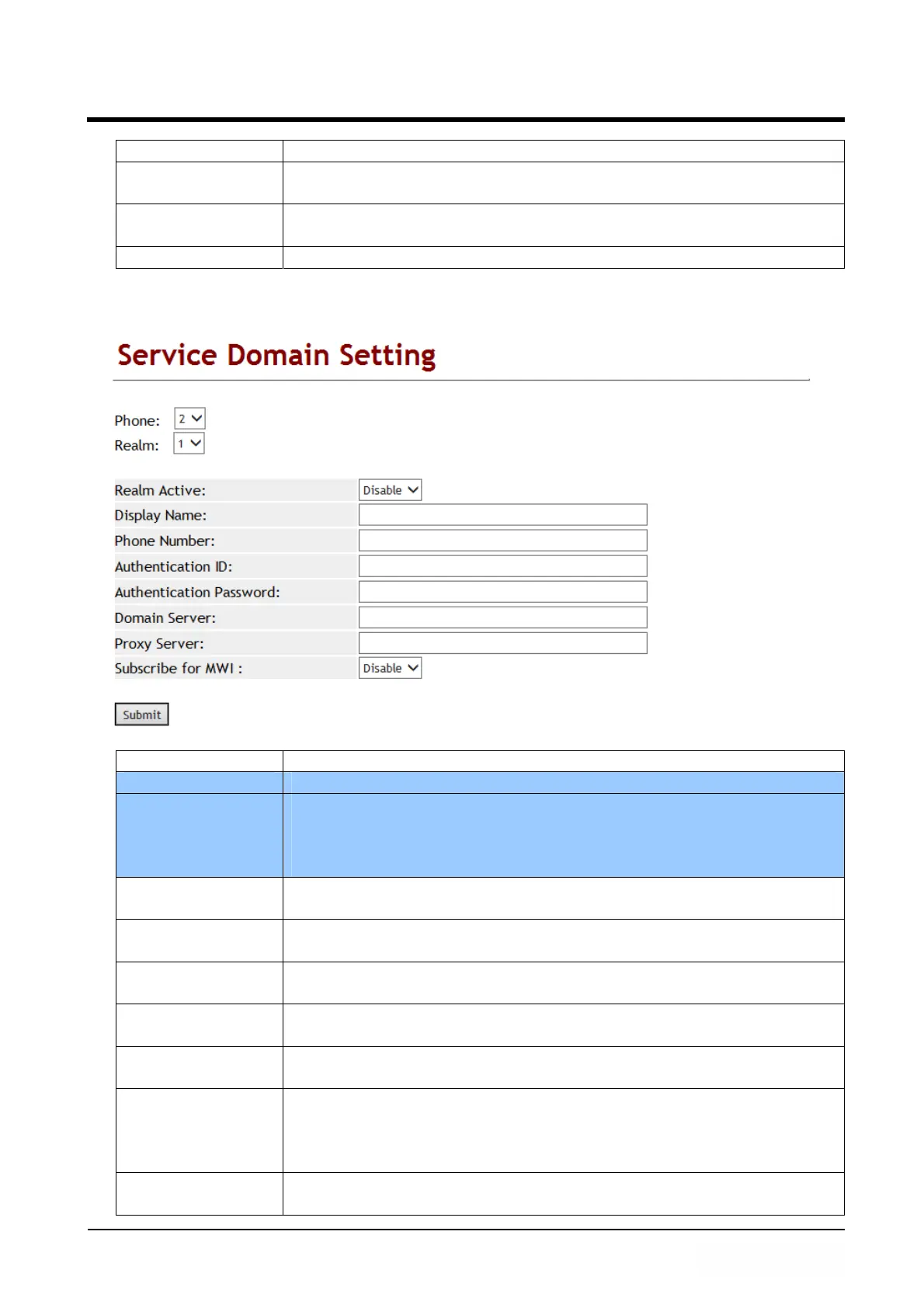
Figure 2: 2FXS (ATA172plus or ATA-172)
(Figure 2)
Item Decription
Phone No Default is Phone 1. Define phone 1~2 configuration.
Realm No. Default is 1 (The first register account).
If you want to switch to 1
st
account, please dial [1*] then hang
up phone. Please refer to [Phone – Dial Plan Setting] -> [Realm
1~5 prefix].
Active Default is Disable. This account will be active when you set to
enable.
Display Name Account’s display name which can be numbers or strings.
Maximum length: 31 digits.
Phone Number Account’s phone number which can only be numbers. Maximum
length: 31 digits.
Authentication ID Account’s register ID which can be numbers or strings.
Maximum length: 47 digits.
Authentication
Password
Account’s register password which can be numbers or strings.
Maximum length: 31 digits.
Domain Server Enter Domain Server which can be IP Address or Domain Name.
Format is : xxx.xxx.xxx.xxx. Maximum length is 63 digits. If
special Port Address is needed, please add it behind. For
Example: nat.voiptalk.org:5065.
Proxy Server Enter Proxy Server information which can be IP Address or
Domain Name. Format is : xxx.xxx.xxx.xxx. Maximum length is



 To Next Page