ATA Web user guide
63 / 114 2015/1/8
9.2.3
Operate Instruction
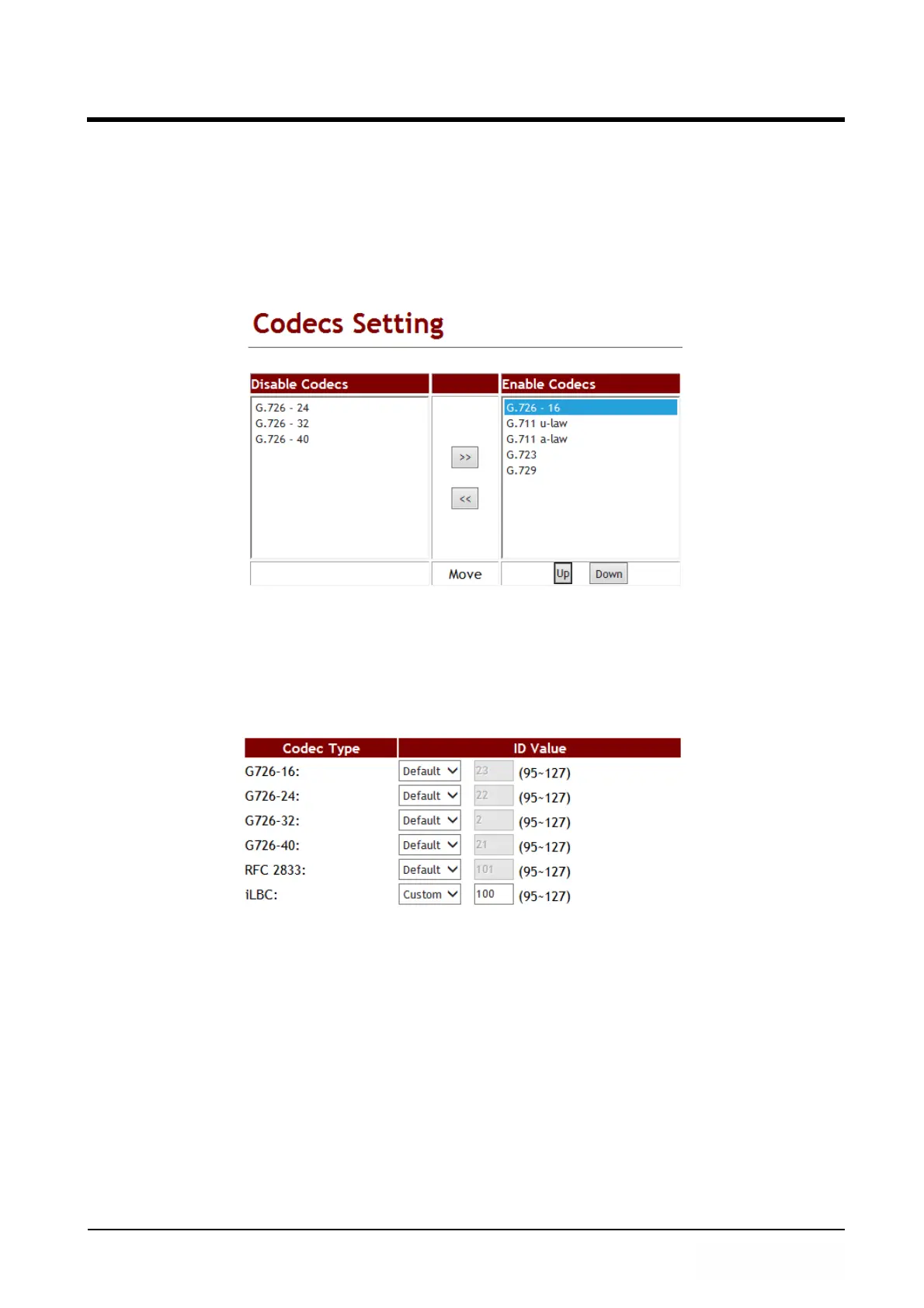
Example 1: Adjust Codec Order
Step 1: In [Code Setting] web page, Setup G.726 - 16 enable, move mouse on [Disabled
Codecs: G.726 -16], then press [>>] button, can move to [Enabled Codecs] area,
move mouse on this Codec, can use [Up] or [Down] button, adjust codec
negotiation priority during call was established (See Figure 1).
(Figure 1)
Step 2: The other site makes a call to you, when you pick up the call, LP399 will use this
codec as the first priority to talk.
Example 2: Change Codec ID
Step 1: In [Code Setting] web page, Setup [RFC2833, Custom: 100] (See Figure 2).
(Figure 2)
Note: If the other side sends you RFC-2833 not 100, LP399 will modify it to adjust the
other side to communicate.



 To Next Page