EasyManua.ls Logo

Wen GN4500 - User Manual

Wen GN4500
36 pages
Print Icon
To Next Page IconTo Next Page
Loading...
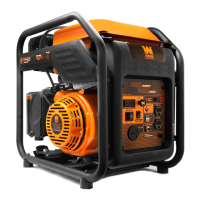
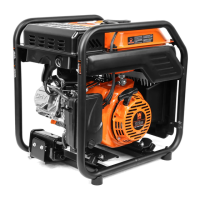
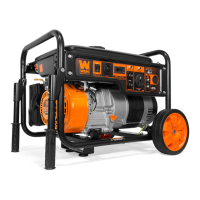
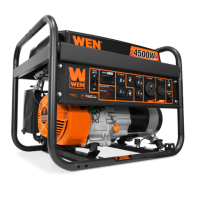
4500-WATT
PORTABLE GENERATOR
Instruction Manual
MODEL GN4500
IMPORTANT: Your new tool has been engineered and manufactured to WEN’s highest standards for dependability,
ease of operation, and operator safety. When properly cared for, this product will supply you years of rugged,
trouble-free performance. Pay close attention to the rules for safe operation, warnings, and cautions. If you use
your tool properly and for its intended purpose, you will enjoy years of safe, reliable service.
NEED HELP? CONTACT US!
Have product questions? Need technical support? Please feel free to contact us:
TECHSUPPORT@WENPRODUCTS.COM1-800-232-1195 (M-F 8AM-5PM CST)
For replacement parts and the most up-to-date instruction manuals, visit WENPRODUCTS.COM
EPA III CERTIFIED CARB COMPLIANT

Questions and Answers

  • L
    lisawilliamsJul 28, 2025
    Why is my Wen GN4500 Portable Generator running but there is no electrical output?
    • J
      Judy MyersJul 28, 2025
      Several factors could cause this. First, the circuit breaker might have tripped due to an overload. To resolve this, turn off and unplug the electrical devices, wait for 5 minutes, and then press the circuit breaker to reset it. Check the total wattage of the devices and reduce the load if it exceeds the generator's capacity. Also, inspect the power and extension cords for damage, replacing them immediately if necessary. A faulty electrical device connected to the generator could also be the issue; try connecting a different device to check. Finally, the voltage regulator may be bad and need replacement after checking with a multimeter, or the carbon brushes may be worn or need adjustment to ensure they extrude the same length.
  • E
    Elizabeth ThomasAug 7, 2025
    What to do if my Wen Portable Generator engine will not start?
    • S
      sloankaraAug 7, 2025
      If your Wen Portable Generator engine won't start, there are several potential causes to investigate. Begin by checking if the engine switch is set to OFF and set it to ON. Ensure the fuel valve is turned to ON. Check the oil level and add or replace oil if it's low. Verify that the engine has fuel. If the engine is filled with contaminated or old fuel, drain the tank and fill it with fresh fuel. Inspect the spark plug for dirt or damage, and clean or replace it as needed. Lastly, the carburetor may be air locked. To resolve this, shut off the fuel valve, remove the bolt from the bottom of the carburetor, and take off the carburetor bowl to allow it to reset. Replace the carburetor bowl and reinstall the bolt.
  • E
    Edward MorrisNov 16, 2025
    How to fix a Wen GN4500 Portable Generator that runs but does not support all electrical devices connected?
    • M
      marie63Nov 16, 2025
      This issue can arise from several causes. The generator might be overloaded. Turn off and unplug all electrical devices, wait 5 minutes, then press the circuit breaker to reset. Reduce the load as necessary, then plug devices back in one by one. There might be a short circuit in one of the devices; try disconnecting any faulty or short-circuited electrical loads. A dirty air filter can also cause this; clean or replace the air filter element. Also, make sure that the fuel is properly and consistently going through the fuel valve. If the air filter or the muffler or spark arrestor is blocked, turn off the generator and wait for it to cool down. Check the air filter for any blockage and clean it as necessary. Also check if the spark arrestor is blocked and clean with metal brush as necessary...

Summary

Safety Information

Generator Safety Warnings

Danger: Carbon Monoxide

Highlights the extreme danger of carbon monoxide poisoning from generator exhaust in enclosed spaces.

Warning: Risk of Explosion

Warns about the high flammability of gasoline vapors and explosion risks.

Operating Environment

Unpacking & Packing List

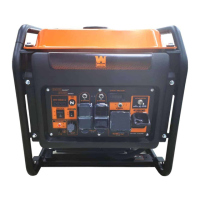
Control Panel

Generator Preparation

Step 1 - Add;Check Oil

Provides instructions for adding and checking the engine oil level.

To Check Oil Level

Details the procedure for checking the oil level before each start.

To Add Gasoline

Instructions for safely adding gasoline to the fuel tank.

Step 2 - Add;Check Fuel

Guides on how to add and check the fuel level for operation.

Step 3 - Ground the Generator

Explains the critical safety procedure for grounding the generator.

Starting Your Generator

Starting the Generator

Provides step-by-step instructions for starting the generator engine.

Using Your Generator

Shutting Off Your Generator

Maintenance

Recommended Maintenance Schedule

Outlines the schedule for routine checks and maintenance tasks.

Draining;Changing Oil

Step-by-step guide for changing the engine oil.

Transportation & Storage

Troubleshooting Guide

Wiring Diagram

Exploded View & Parts List

Wen GN4500 Specifications

General IconGeneral
ModelGN4500
Starting Wattage4500 Watts
Running Wattage3700 Watts
Fuel TypeGasoline
Engine Type4-Stroke OHV
Engine Displacement212 cc
Starting SystemRecoil
AC Output120V
DC Output12V, 8.3A
Outlets2x 120V 20A

Related product manuals