23
Ultrasonic Sensors
Function Possible Settings Default
NOTE!
• Sensors in synchronous mode should have the same
sonic cone settings for optimal measurement results.
• The response time of the sensors in synchronous mode
increases to 1.43 × the response time in normal mode
(e.g. filter 0: response time in normal mode = 72 ms;
response time in synchronous mode = 103 ms).
NOTE!
Synchronous mode is designed for direct connection.
Through-Beam Sensor Emitter
Through-Beam Sensor Receiver
In addition to the reflex mode, a through-beam mode is also available.
Two sensors are required to this end.
1. Set a sensor as a "through-beam sensor emitter".
2. Set up another sensor as a "through-beam sensor receiver".
3. If the receiver is operated as a normally closed contact, it is switched
when an object is located between the emitter and the receiver.
Technical Data in Through-Beam Mode:
Range: 1…2000 mm
Switching frequency: 7 Hz
Response time: 72 ms
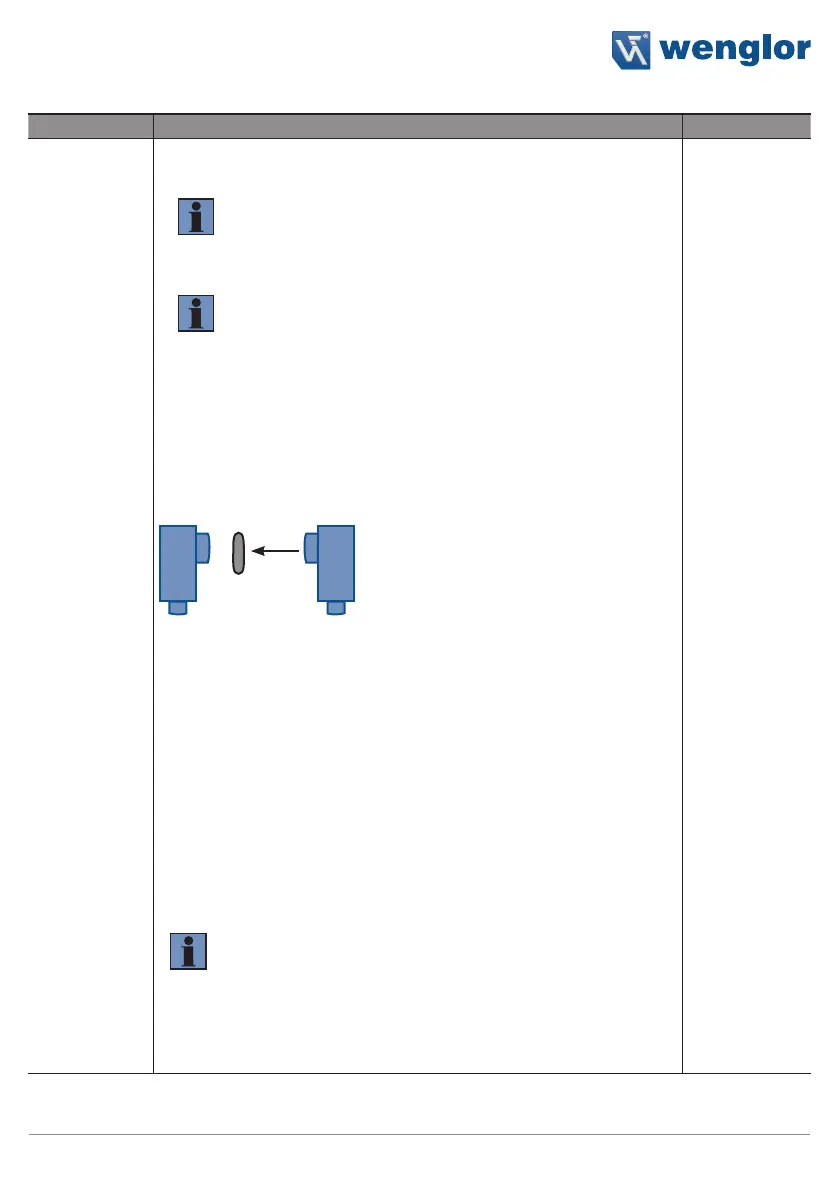
Differentiation between one and two layers of thin material such as
paper or foil is possible in the through-beam operating mode.
1. Position the emitter and the receiver a short distance from each other.
2. Adjust the distance between the emitter and the receiver so that the
receiver continues to switch for one layer but not for two.
NOTE!
• Teach-in via the teach-in key is not possible in the through-
beam operating mode.
• Adjustments can be made by changing the distance be-
tween the emitter and the receiver and with the help of the
sonic cone settings at the emitter.
• With distances of 1…100 mm, the sonic cone must be set
to "extra narrow"
• The influence of reflections from the environment
(e.g. when detecting gaps) can be minimized to "narrow" or
"extra narrow" by the sonic cone setting.












 To Next Page