User Guide
4. Part Replacement
4.3 PSU Replacement
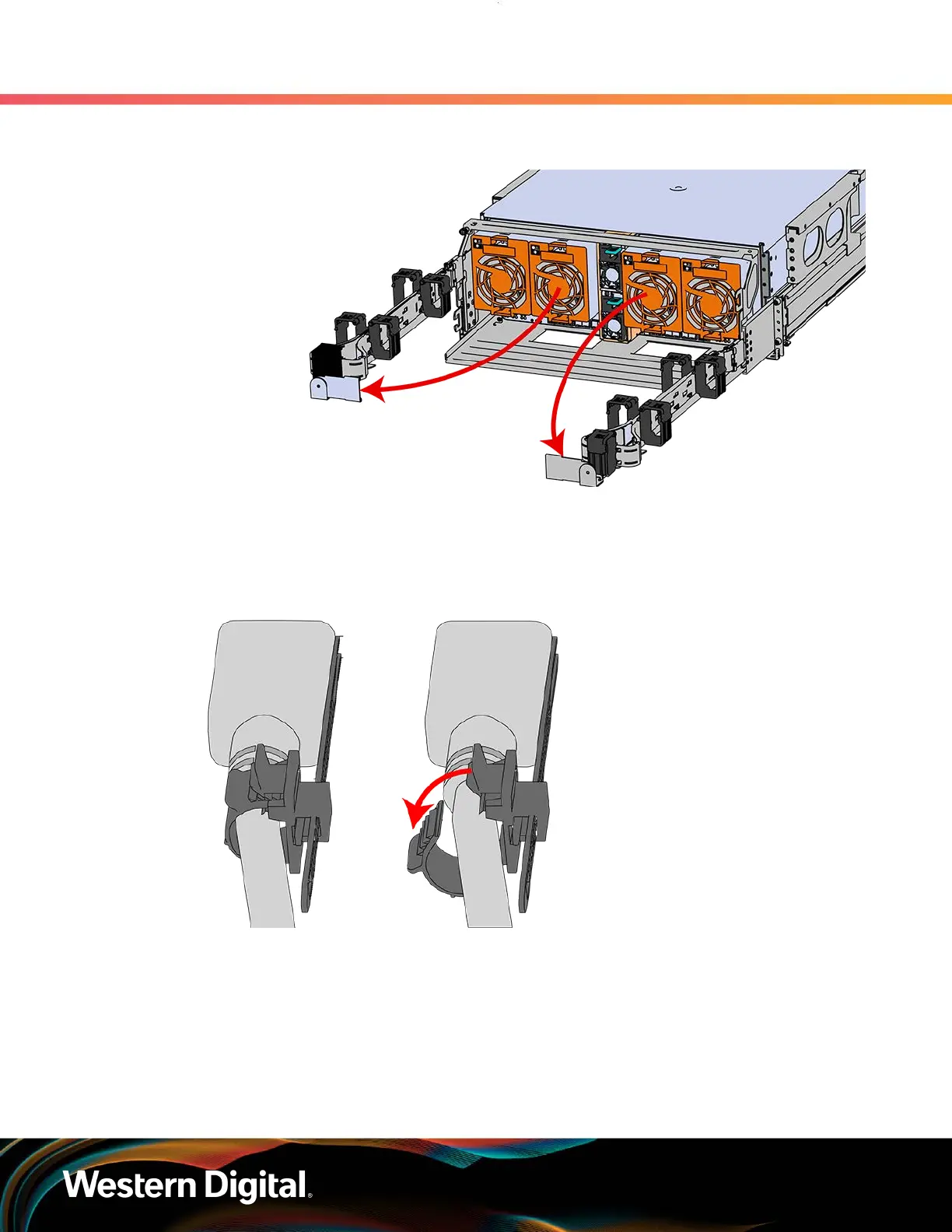
Figure 47: CMA(s) in service position (Cables not shown)
Step 2 : Locate the faulty PSU by finding the amber LED lit at the rear of the enclosure.
Step 3 : Detach the retention clip from the PSU cable.
Figure 48: Cable Retention Mechanism
Step 4 : Remove the power cable from the faulty PSU.
Step 5 : Uninstall the PSU.
a. Grasp the release lever and the metal handle in a downward pinching motion to release
the latching mechanism.
69















 To Next Page