User Guide
4. Part Replacement
4.5 IOM Fan Replacement
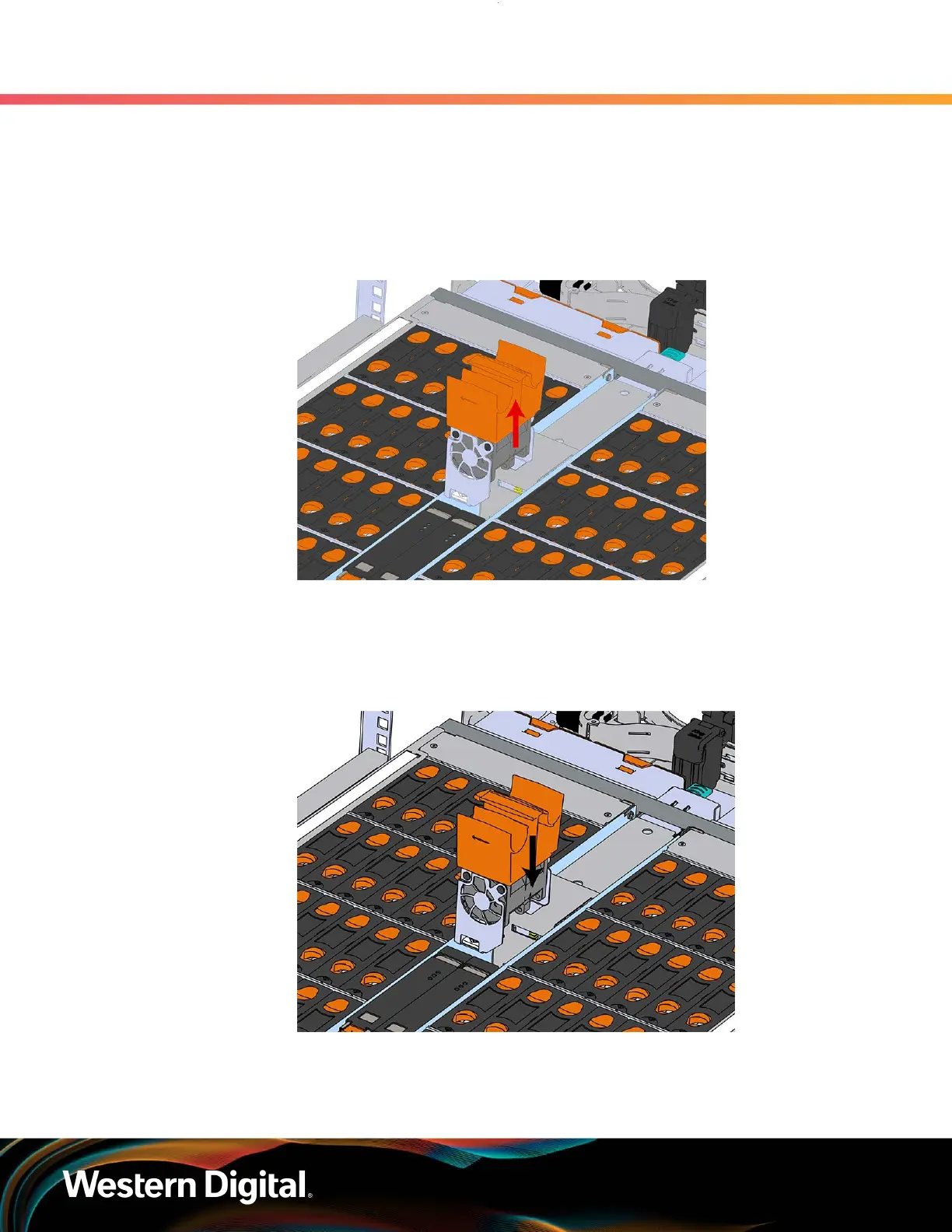
Step 2 : Remove the IOM Fan.
a. With one hand, grasp around the center square of the fan housing as shown in the
following image.
b. Pinch the IOM fan housing to release the latching mechanism and pull it straight out from
the chassis.
Figure 58: Removing IOM Fan
Step 3 : Install the IOM Fan.
a. Align the IOM Fan as shown in the following image.
Figure 59: Installing the IOM Fan
b. Pinch the latch release mechanism slightly and carefully lower the IOM Fan into the slot.
Step 4 : Push the enclosure back into the rack to ensure proper cooling.
75















 To Next Page