CP600 Pivot Operation Manual
POM-EN-December 2018
100
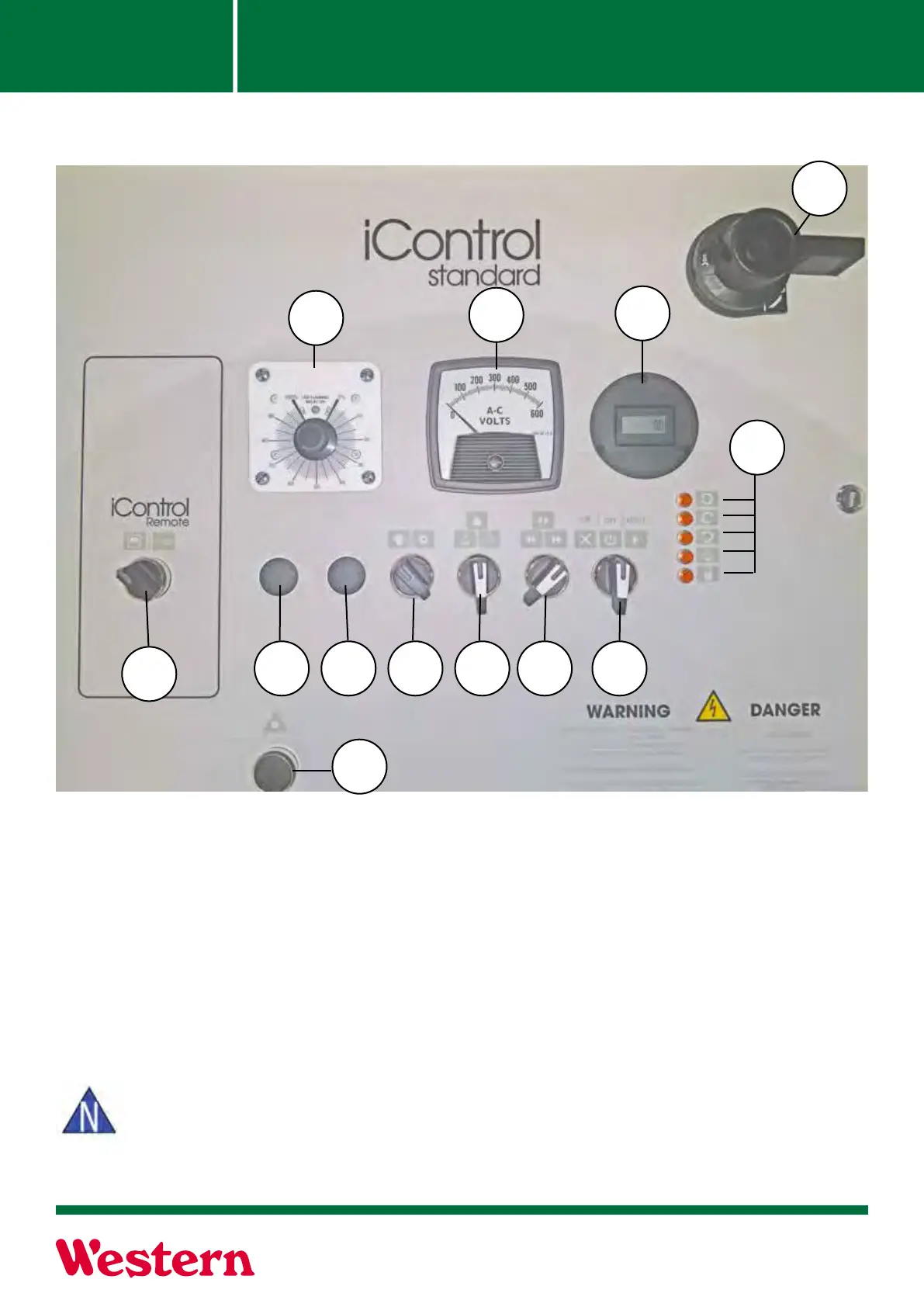
1. Percent Timer: To control the overall speed of the machine by controlling how long the end
tower motor runs in a 60 seconds time period. For example, if the percent timer is set at 50%, the
endtower motor will run for 30 seconds, and then shut o for 30 seconds (50% of one minute. In
eect, the machine will take twice as long to make one revolution around the eld compared to a
100% timer setting.
2. Voltage Meter: Monitors voltage coming into the panel from main power source.
3. Hour Meter: Clocks amount of hours pivot is used.
4. Main Disconnect- Disconnects all incoming power from the machine.
Note: Panel door will not open unless the Main Disconnect is in the “OFF” position.
5. Operation Indicator Lights: Indicates operations currently in use.
Section 4-2
Panel Operation
Panel Identification
1
5
2
3
6
7
13
8 9 10 11
12
4



 To Next Page