Lit. No. 95748/95749, Rev. 04 16 January 1, 2017
OPERATING THE SPREADER – CAB CONTROL
DIAGNOSTIC INDICATOR LIGHT
The diagnostic indicator light located to the right of the
START/BLAST button remains dark unless a problem
with the motor or wiring is detected. The light will ash
a number of ashes in a row, pause, then repeat.
Count the ashes to determine the nature of the
malfunction and refer to diagnostic chart below.
NOTE: Always place cover on the hopper to
prevent moisture buildup. Do not let spreader sit
idle with material in the hopper for an extended
period of time. This can cause material to
compact and reduce or stop the ow of material.
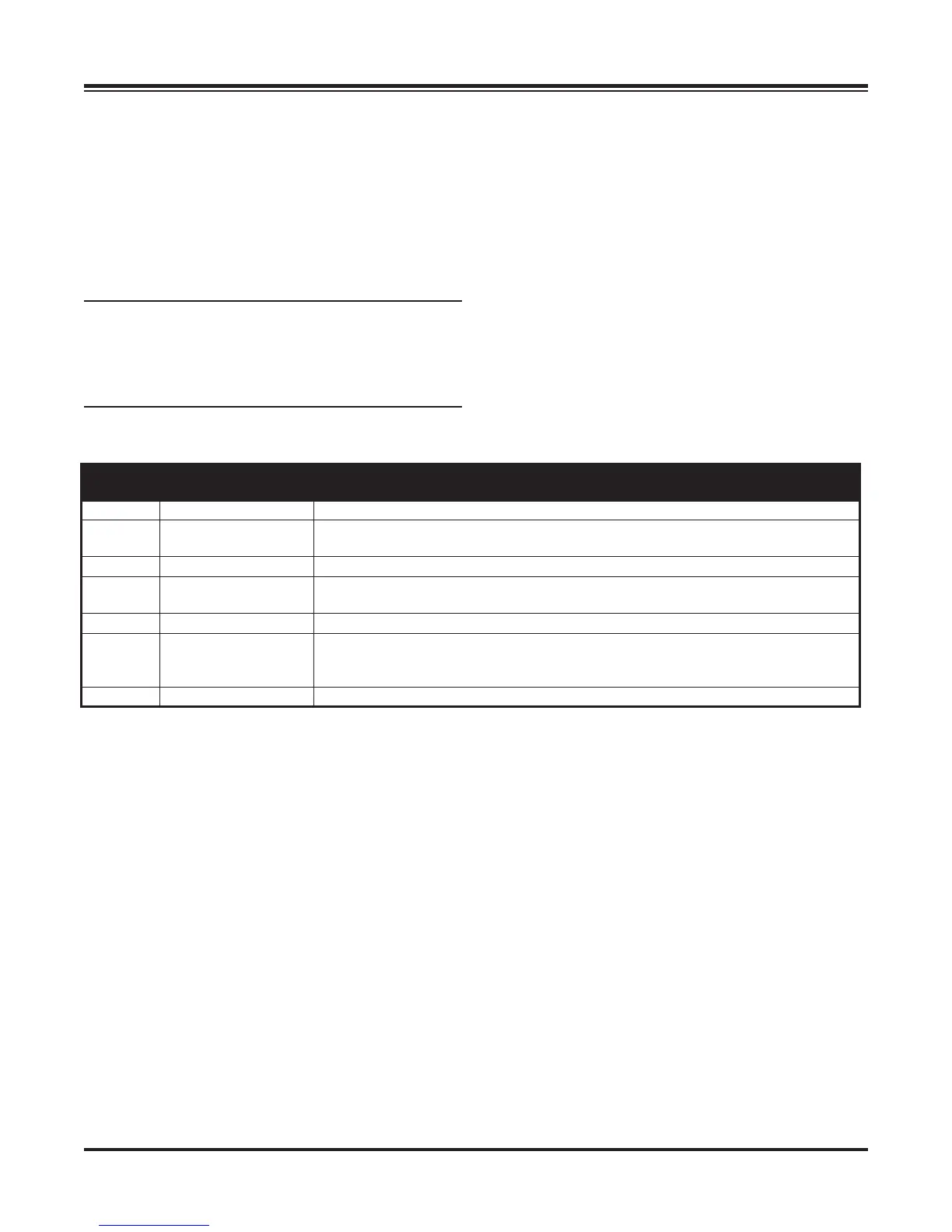
# of
Flashes Problem Possible Cause
0 No Fault
–
1 No Communication Loss of communication between spreader module and cab control.
Vehicle cable assembly is disconnected or faulty.
2 No Material Flow Spreader is empty or material has bridged in the hopper.
3 Excess Current Over 80 amps for 1–2 seconds.
Conveyor belt is stalled.
4 No Power
Battery fuse is blown, or vehicle cable assembly is disconnected or faulty.
5 Over Heated
Motor is OFF due to spreader module over heating.
Possibly due to excessive current draw or poor thermal contact between spreader
module and conveyor sill.
6 Low Voltage
Low battery voltage or poor electrical connection of vehicle cable assembly.


 To Next Page