3-4
Mode
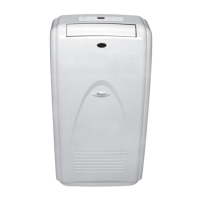
Press MODE to choose ComfortMode
™
control,
Cooling, Dry, or Fan Only.
Cooling Mode
Cools the room. Temperature and fan speed
are set by the user.
1. Press MODE to choose Cooling.
2. Choose fan speed. See “Fan Speed.”
3. Choose temperature. See “Tempera-
ture.”
4.
Press POWER to start the air conditioner.
The RUN indicator light will glow green.
5.
When WATER FULL indicator light glows
red, air conditioner will turn off automati-
cally
. See “Portable Air Conditioner Care”
for directions on draining the air condi-
tioner
.
Dry Mode
Dries
the room. Temperature is set by user.
Fan runs on Low only.
NOTES:
Dry
mode should not be used to cool the
room.
Dry
mode does not require hot air outlet
hose.
1.
Press MODE to choose Dry.
2. Choose temperature. See “Tempera-
ture.”
3.
Press POWER to start the air conditioner.
The RUN indicator light will glow green.
4.
When WATER FULL indicator light glows
red, air conditioner will turn off automati-
cally
. See “Portable Air Conditioner Care”
for directions on draining the air condi-
tioner
.
NOTES:
Press
the minus button once to decrease the
set temperature by 2°F (1°C), or press twice
to decrease set temperature by 4°F (2°C).
Press
the plus button once to increase the
set temperature by 2°F (1°C), or press twice
to increase set temperature by 4°F (2°C).
•
•
•
•



 To Next Page