4-18
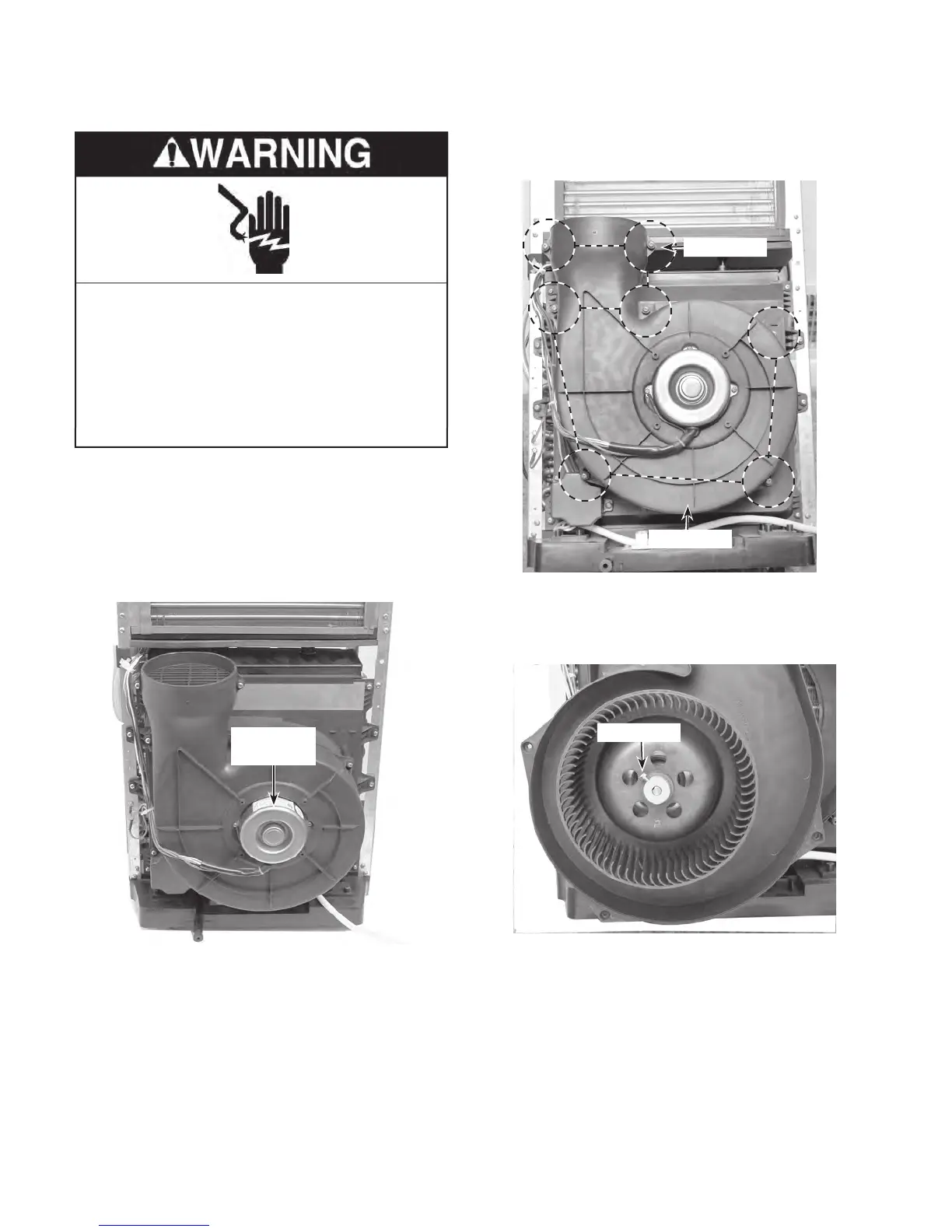
REMOVING THE CONDENSER FAN MOTOR
1. Unplug air conditioner or disconnect power.
2. Remove the cabinet from the unit (see
page 4-2 for the procedure).
3.
Remove the components cover (see
page 4-5 for the procedure).
Cond. Fan
Motor
4. Remove the 7 screws from the fan motor
cover and remove the cover.
Fan Cover
5. Loosen the 5/16˝ hex-head fan screw on
the condenser fan motor, and pull the fan
off the motor shaft.
Fan Screw
7 Screws
Electrical Shock Hazard
Disconnect power before servicing.
Replace all parts and panels before
operating.
Failure to do so can result in death or
electrical shock.



 To Next Page