4-8
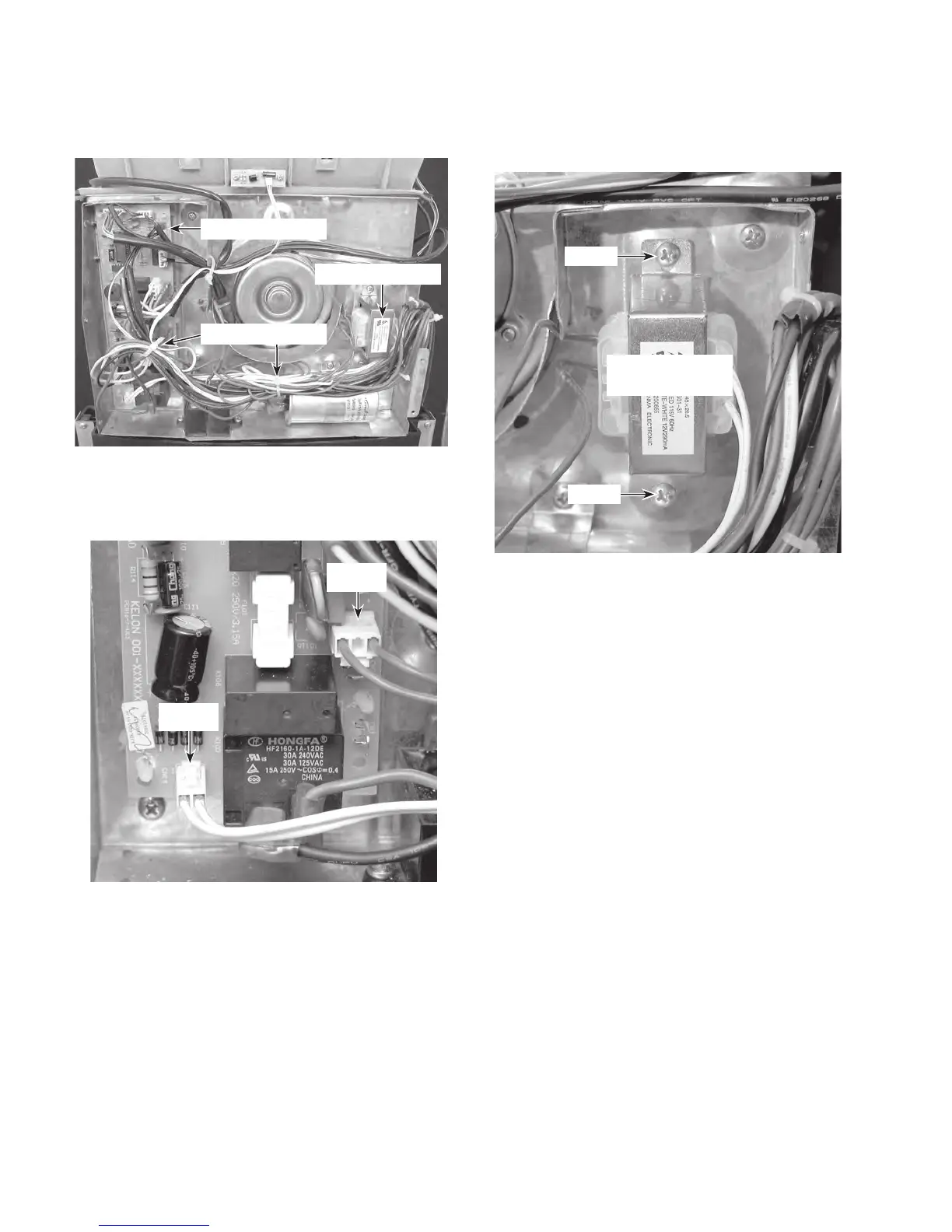
6. To remove the transformer:
a) Cut the two wire ties shown below.
Transformer
Cut 2 Wire Ties
b) Disconnect the transformer wire con-
nectors
CN12 (red wires) and CN14
(white wires) from the control board.
c) Remove the two transformer screws
and remove the transformer from the
unit.
CN14
CN12
Control Board
Transformer
Screw
Screw
REASSEMBLY NOTE: Be sure to replace the
wire ties that you removed with new ties, and
secure the wires neatly together.



 To Next Page