4-15
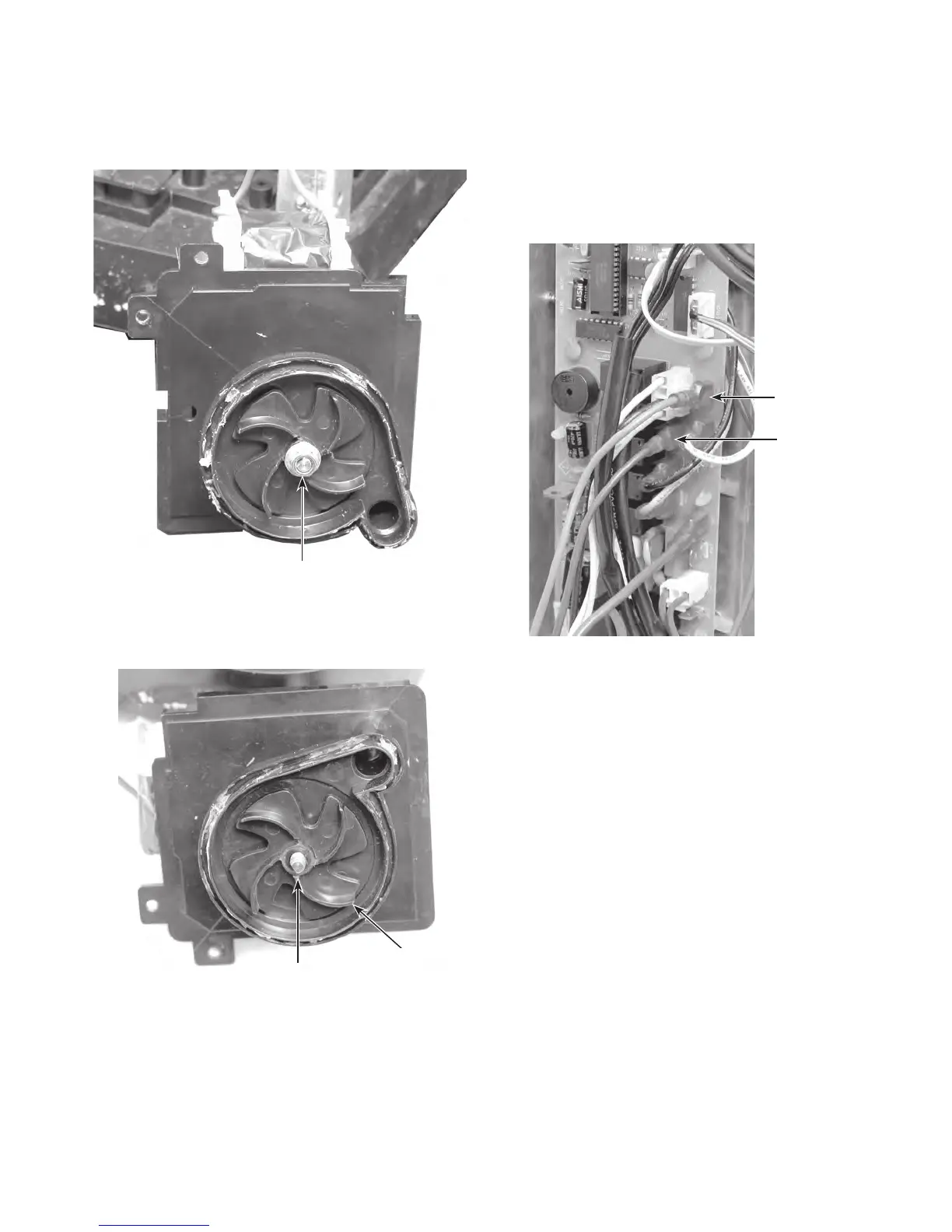
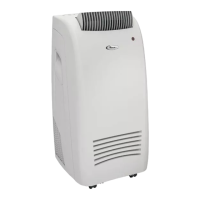
8. Remove the 5/16˝ nut from the impeller
and remove the impeller from the motor
shaft. NOTE: The thread is right-rotation.
9. Use a hammer, and tap the end of the
motor shaft to remove the water pump
motor from the impeller and housing.
10.
Cut the necessary wire ties to remove
the blue and red motor wires from the
chassis.
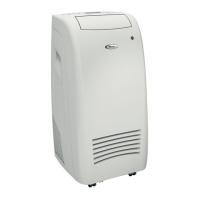
1
1. Disconnect the motor wires from the con-
trol board terminals CN8 (red) and CN9
(blue).
Impeller Nut
Motor Shaft
Impeller
CN9 (Blue)
CN8 (Red)
Control Board
REASSEMBLY NOTE: Be sure to replace all
of the wire ties that you removed with new
ties, (see page 4-13 for the locations), and
secure the wires neatly together.



 To Next Page