51
Combination
Button
Icon Function Descriptions
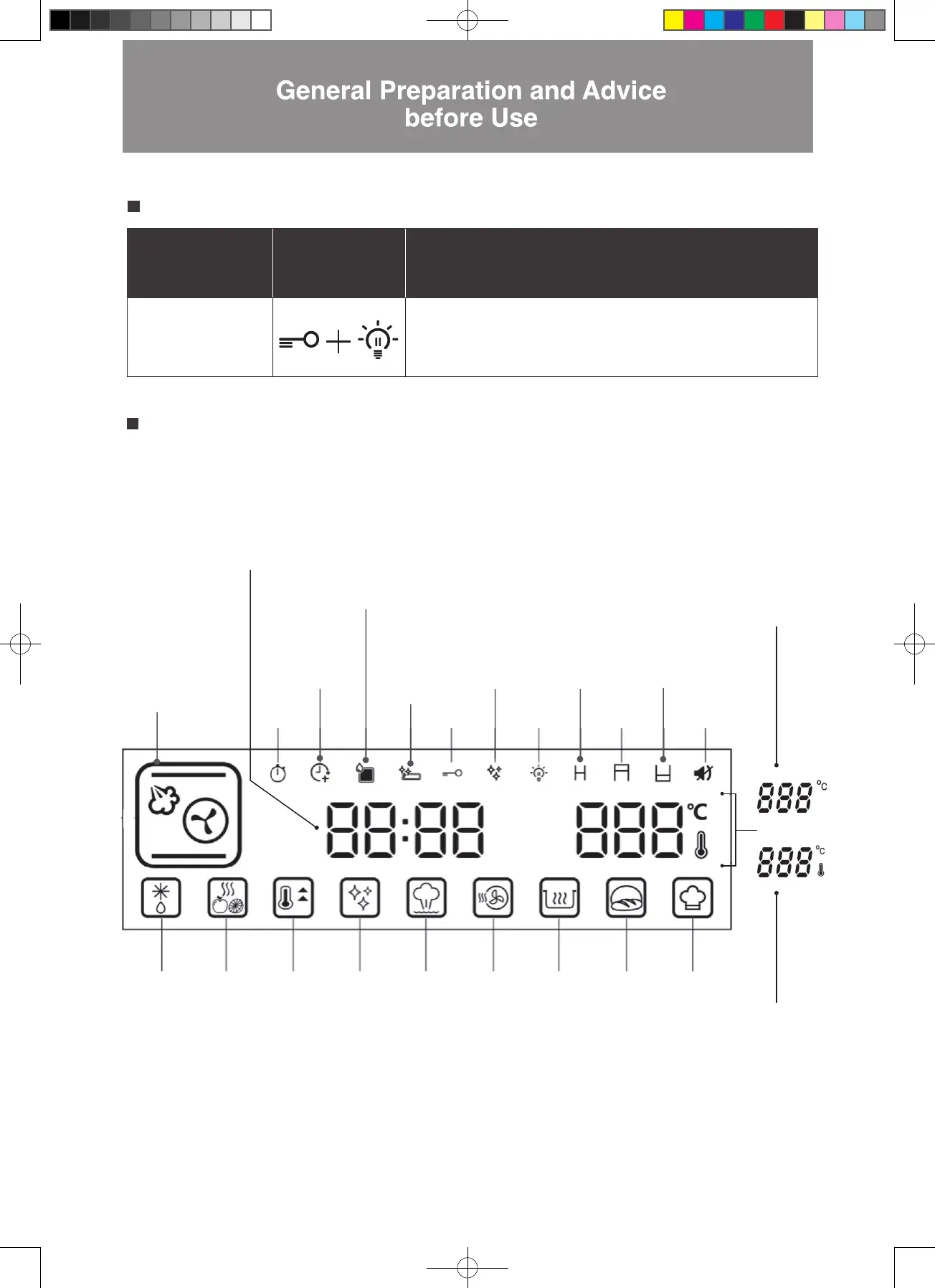
Combination Button:
Cavity temperature
display
To change temperature display to actual oven temperature, press the
【Child Lock】+【Oven Light】buttons simultaneously for 3 seconds
during operation.
Control Panel – Special Functions
Control Panel – Major Features
9 Main Cooking Modes
(For details see full
instructions in the “Control
Panel – Description of
Major Features” section)
Clock and Time
Clock: Clock is displayed in
standby: 24-hour clock
Display range: 00:00–23:59
Time: The duration of cooking time
Adjustable range: 00:05–12:59
Preset
Function
Proving
Mode
DIY Cooking
Mode
Preheat
Mode
Drying
Fruit
Mode
Keep
Warm
Mode
Descaling
Mode
Sterilization
Mode
Defrost
Mode
Cavity
Drying
Mode
Extended
Cooking
Time
Waste Water Tank
Cleaning Reminder
This icon lights
up after each
descaling
process
Water Tank Icon
Flashing icon indicates that
water tank is empty.
Child
Lock
Descaling
Reminder
Oven
Light
Upper
Grill
Lower Grill
Mute
Residual
Heat
Warning
Temperature Setting
Adjustment range:
30°C - 230°C
Actual Temperature
Setting
This indicates the actual
oven temperature during
cooking. When changed
to this temperature
display, the thermostat
icon lights up.
W3MS450_18Jan2022_OL.indd 51W3MS450_18Jan2022_OL.indd 51 18/1/2023 上午12:0718/1/2023 上午12:07




 To Next Page