62
Cooking time is shortened in this mode to bake and roast food quickly. It is suitable for baking large meat and cakes. It is
recommended to place aluminum foil or baking paper onto the baking tray before cooking.
Temperature Time
Default Setting 180℃ 25 mins
Setting Range 80℃ - 230℃ 5 mins - 3 hours and 59 mins
Example: Set the cooking time to 40 minutes; cooking temperature is 210°C.
Steps:
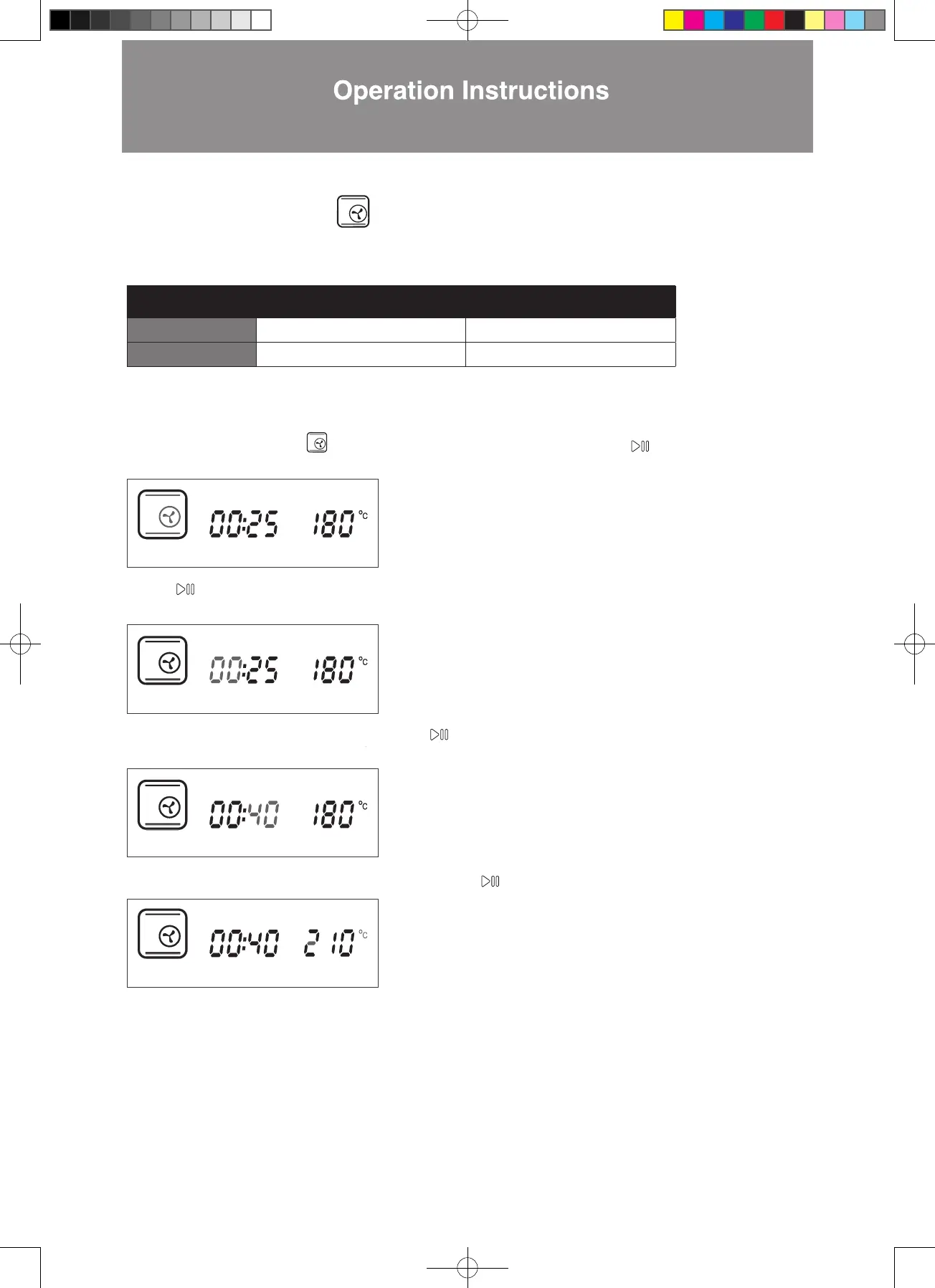
1. In standby mode, press > to Turbo Convection Mode. The icon will falsh. Press to confirm (as shown
2. Press to confirm the 00 hour setting. (as shown in the diagram below). The display will jump to minute setting
3. Press < > until the minute display shows 40. Press to confirm (as shown in the diagram below). The display will
4. Press < > until the temperature display shows 210°C. Press to confirm (as shown in the diagram below).
in the diagram below). The display will jump to hour setting automatically.
automatically.
jump to temperature setting automatically.
5. Setting is complete. The combi steamer will start cooking.
■
Turbo Convection Mode
W3MS450_18Jan2022_OL.indd 62W3MS450_18Jan2022_OL.indd 62 18/1/2023 上午12:0718/1/2023 上午12:07




 To Next Page