To customise thermostat settings, press the Menu button from the home screen. Use the or
buttons to highlight Settings and press Next. Use Next and Back to navigate through menu items.
Press or to change the setting.
Thermostat operation
Set Current Time and Day
Note: Time icons will flash at initial power up or after a reset.
1. Press Menu
2. The time icon will be flashing, Press Next to advance and set the time
3. Use or to set the correct time
4. Press Next and use or to set the correct day
5. Press Exit when finished.
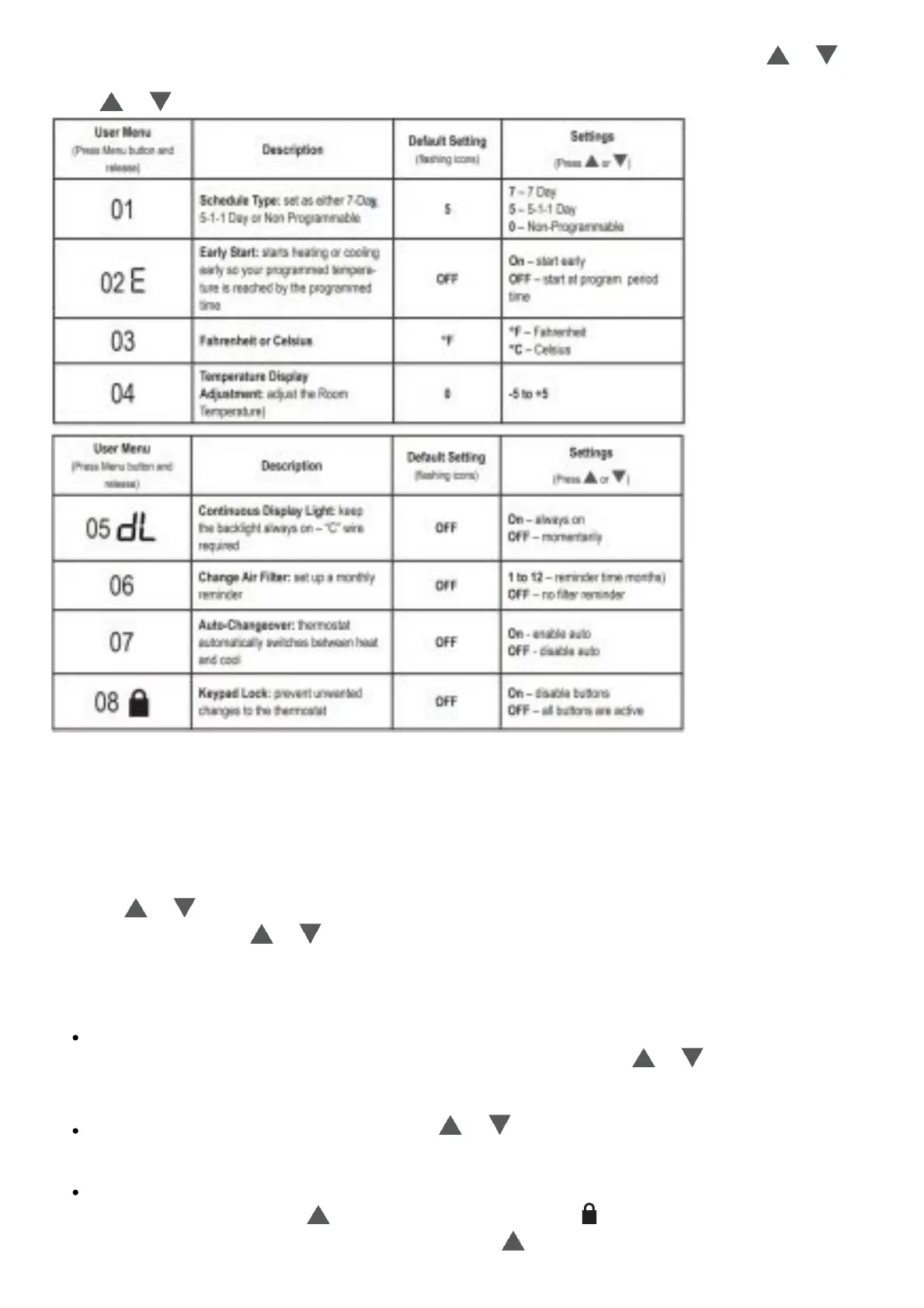
The default program is 5-1-1 Day, but can be setup as a 7-Day or Non Programmable
thermostat (refer to the User Menu on pages 25-26)
Hold Temperature (bypassing the schedule) – With the System set to Heat or Cool,
momentarily press the Hold/Run button. Hold will be displayed. Use or to adjust the
temperature. The thermostat will hold the room temperature at the selected setting until you
press Hold/Run again to start program operation (cancels permanent Hold).
Program Override (Temporary Hold) – Press or until the desired temperature is displayed.
The thermostat will override the schedule until the next programmed time period with a minimum
override of 2 hours. Then the thermostat will automatically revert to the program.
Keypad Lockout – To prevent unwanted changes, the buttons can be disabled. To turn this
feature On, press and hold and the Menu button until the icon appears (this can also be
turned on in the menu). To turn Off, press and hold and the Menu button for 3 seconds.














 To Next Page