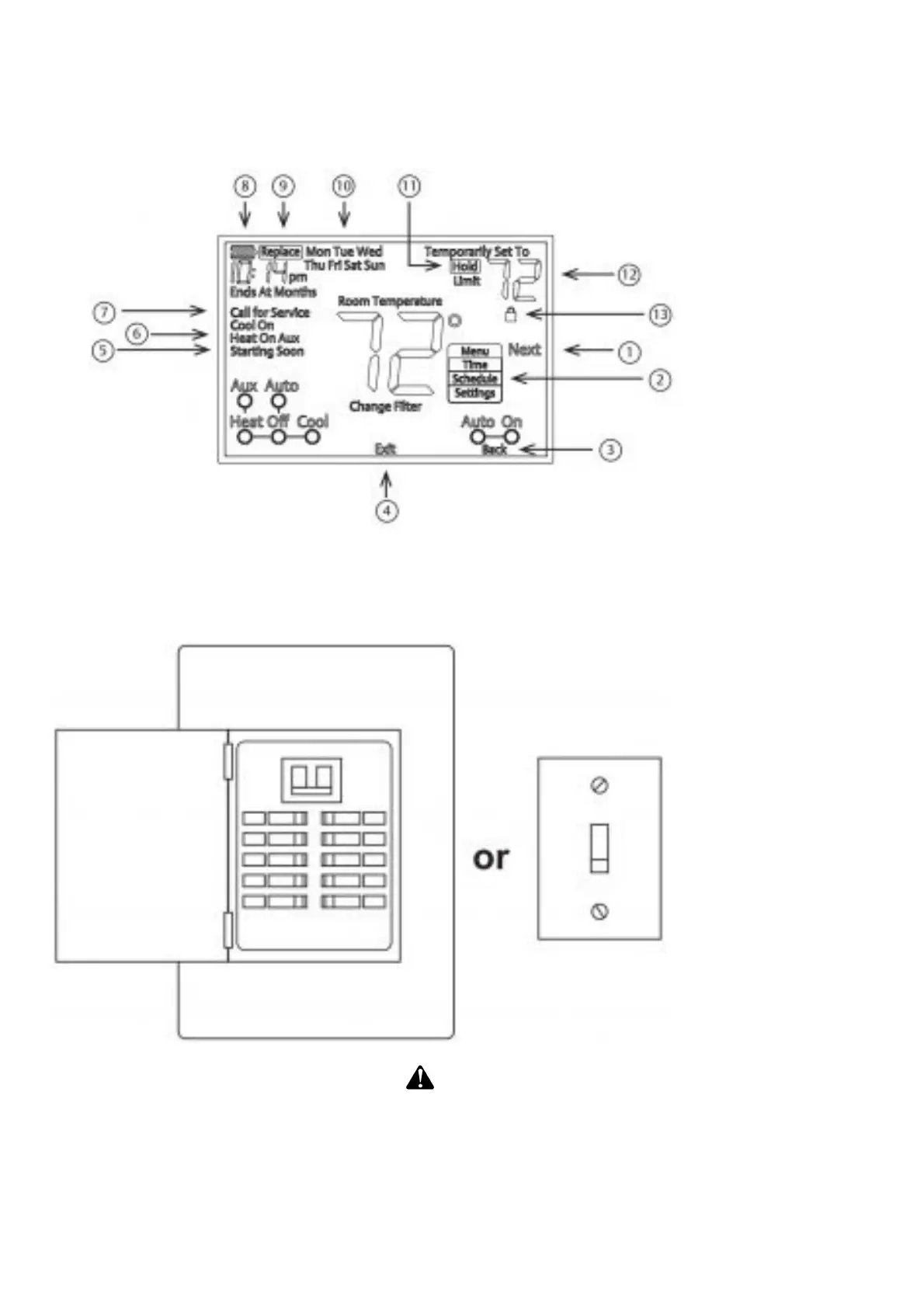
8. Battery status indicator
9. Replace battery indicator
10. Day of the week used when programming a schedule
11. Permanent hold (bypassing the schedule)
12. Temperature set point.
13. Appears when the keypad is locked (to prevent unwanted changes)
REMOVING OLD THERMOSTAT
Turn off power
WARNING
To prevent electrical shock and/or equipment damage, disconnect electrical power to the system at
the main fuse or circuit breaker box, or by flipping a switch at the air handler. Do not restore power
until installation is complete
To ensure the power to your heating and cooling system has been turned off, try to turn on heating or
cooling by changing the temperature on your old thermostat.
Remove the old thermostat cove














 To Next Page