Install the batteries and attach front cover
Install the included AA alkaline batteries and push the front cover on to the thermostat base until it’s
secure
CAUTION
Do not restore power to the heating and cooling system until instructed.
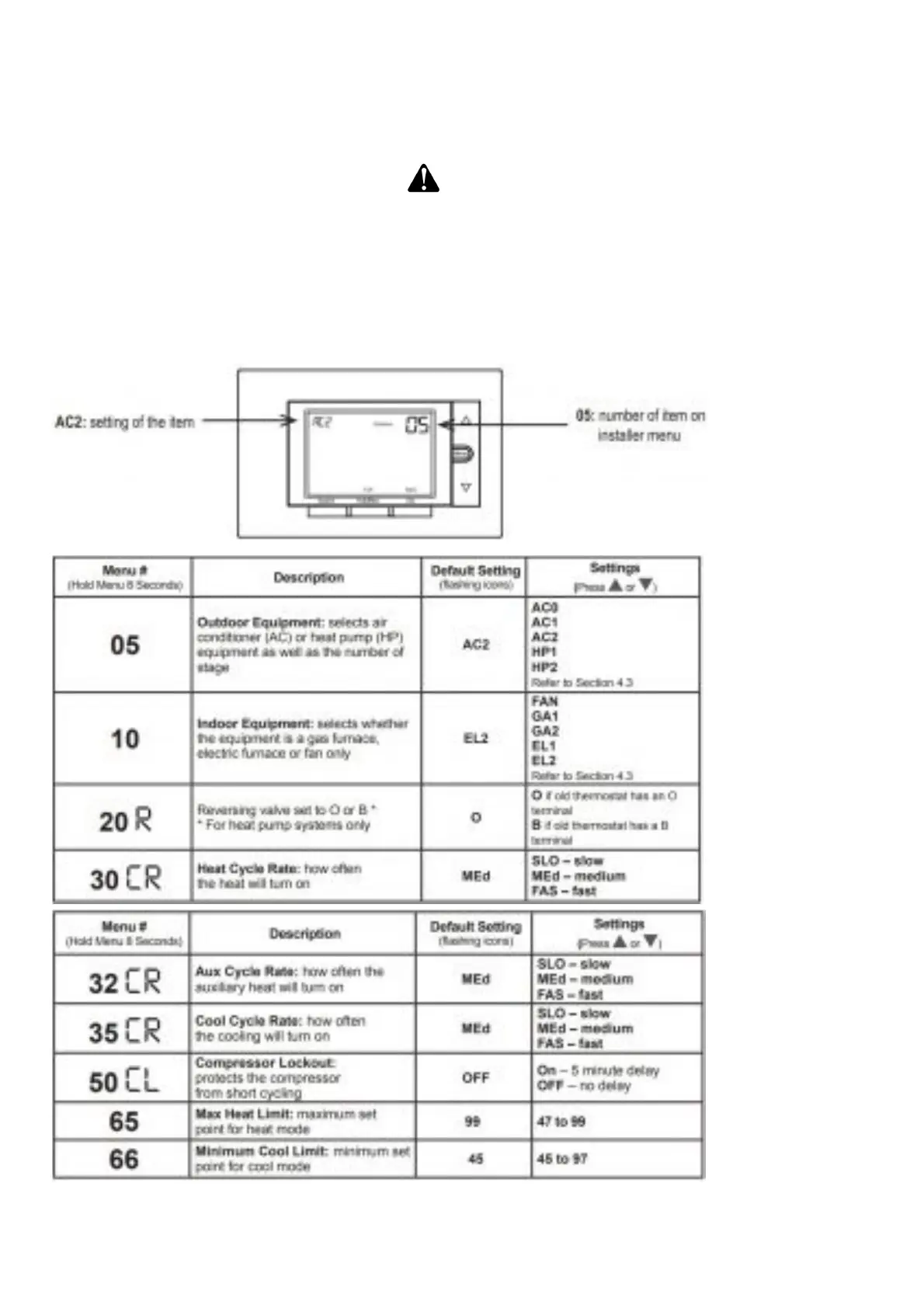
Configure thermostat
Hold the menu button down for 8 seconds to launch the installer menu. Your screen will change to the
configuration menu. Set the first 3 items (05, 10, 15) to match your equipment. Please refer to the
table in Section 4.3 and Section 3.3 to find out your equipment type and previous wiring
configuration.
Setting the reversing valve to “O” or “B” is necessary for heat pump systems only. Please refer to the
chart in section 3.3 for your old thermostat’s wiring.
On your OLD thermostat














 To Next Page