terminal)
Identify jumper wire
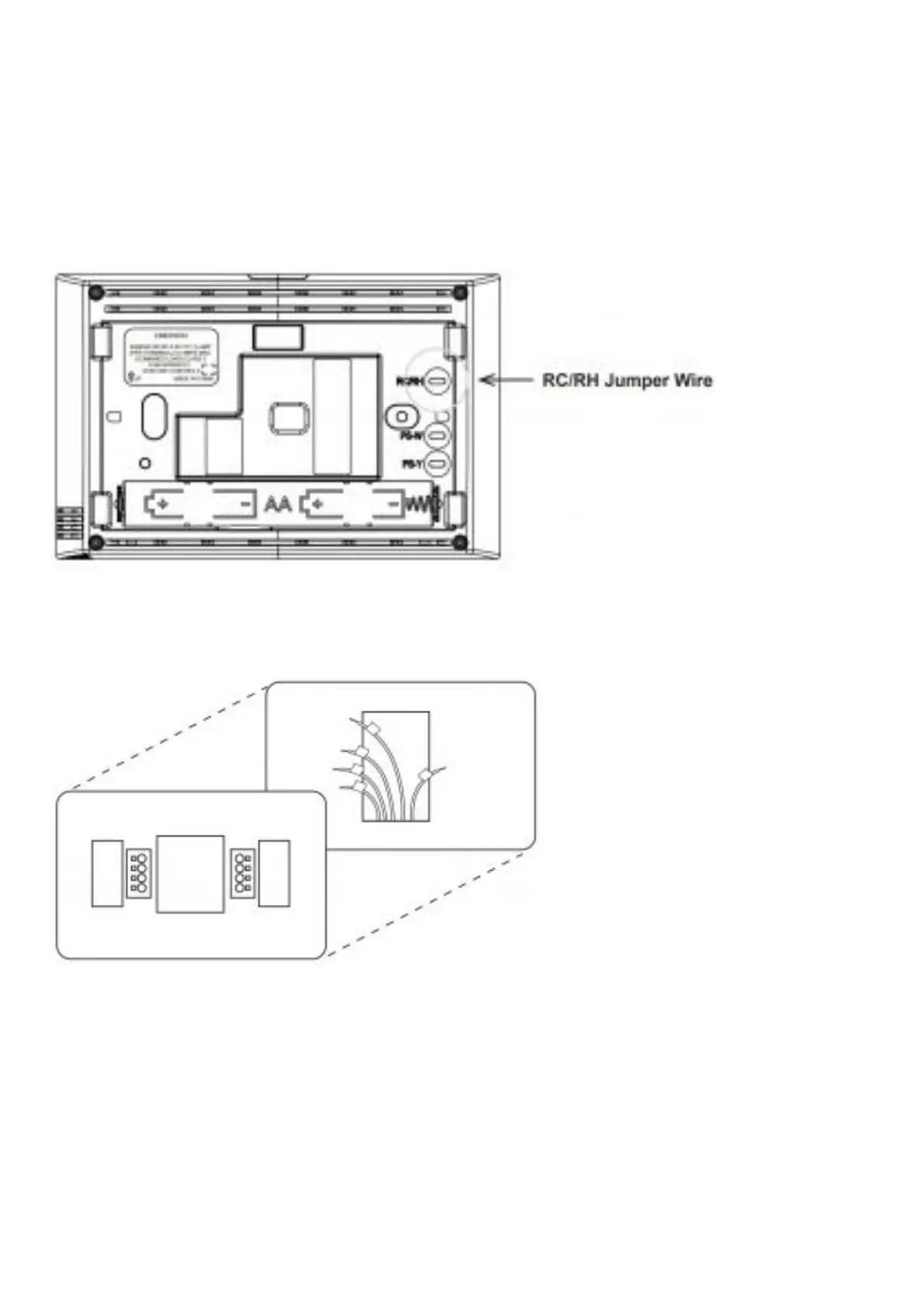
For terminal RC and RH:
On your old thermostat, if…: Then, on your new thermostat…
Terminal RC and RH are connected: with a jumper wire Leave the RC/RH jumper wire in its place
There’s only one R wire (RC, RH, R or R5): coming out of the wall Leave the RC/RH jumper wire in
its place
Two separate R wires come out of the wall, and they are NOT connected by a jumper wire:
Clip the jumper wire between RC and RH on the back of the new thermostat
Remove old thermostat base
With all of your wires disconnected and properly labeled, you may now safely remove the thermostat
base from your wall.
Tip: Worried about having your wires falling into your wall? Keep the wires secure by wrapping the
them around a pencil.
MOUNTING AND WIRING YOUR NEW THERMOSTAT
Install new thermostat base














 To Next Page