Kunststoffschweißtechnik
Maintenance and Repair Chapter 7
17.02.14 Working instructions WIDOS 5500 Page 30 of 48
7.6. Checking the Hydraulic Oil Level
Remove the red screw at the top of the aggregate.
Take out the oil dipstick, clean it with a dry tissue and insert it again.
The oil level must be between the two marks.
7.7. Venting the hydraulic cylinder
Venting the hydraulic cylinder is not
required, if
- the hoses have been disconnected from the quick-action couplings at the control unit
because the remaining oil in the hose is being kept by valves and for this reason no air
can enter.
The hydraulic cylinder must be vented if
- there has been too less oil in the tank and air has been attracted.
- there were leaky spots at the hoses or in the connections.
- the hoses were unscrewed from the basic machine.
Eliminate the cause of the air entrance.
Open the machine completely.
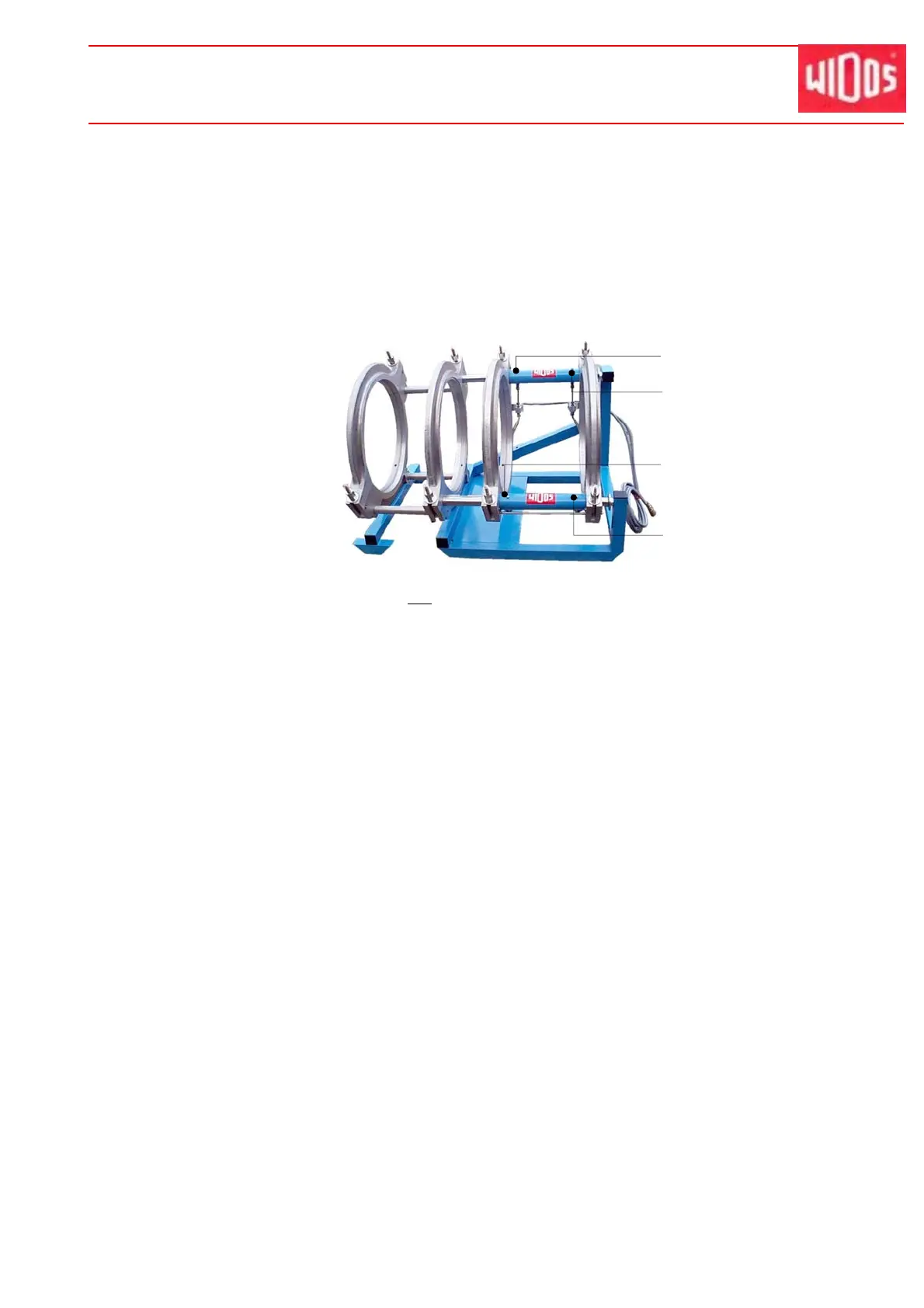
First unscrew the lower „vent screw (Z1) for closing“ (lefthand side).
Connect the transparent venting hose and insert it in the collecting vessel of the aggregate.
Close until there is no more air visible in the venting hose, then tighten again the vent
screw.
Close the machine completely.
Unscrew the lower „vent screw (A1) for opening“ (righthand side).
Connect the transparent venting hose and insert it in the collecting vessel of the aggregate.
Open until there is no more air visible in the venting hose, then tighten again the vent screw.
When the venting process at the lower vent screws is completed, repeat the process at the
upper „vent screw (Z2) for closing“ (lefthand side), as well as at the upper „vent screw (A2)
for opening“ (righthand side).
A2
Z2
Z1
A1



 To Next Page