WiDRIVE DX-325 User’s Guide
Copyright © 2010 EDSLAB Tech. Inc.
6
AP Mode Setup
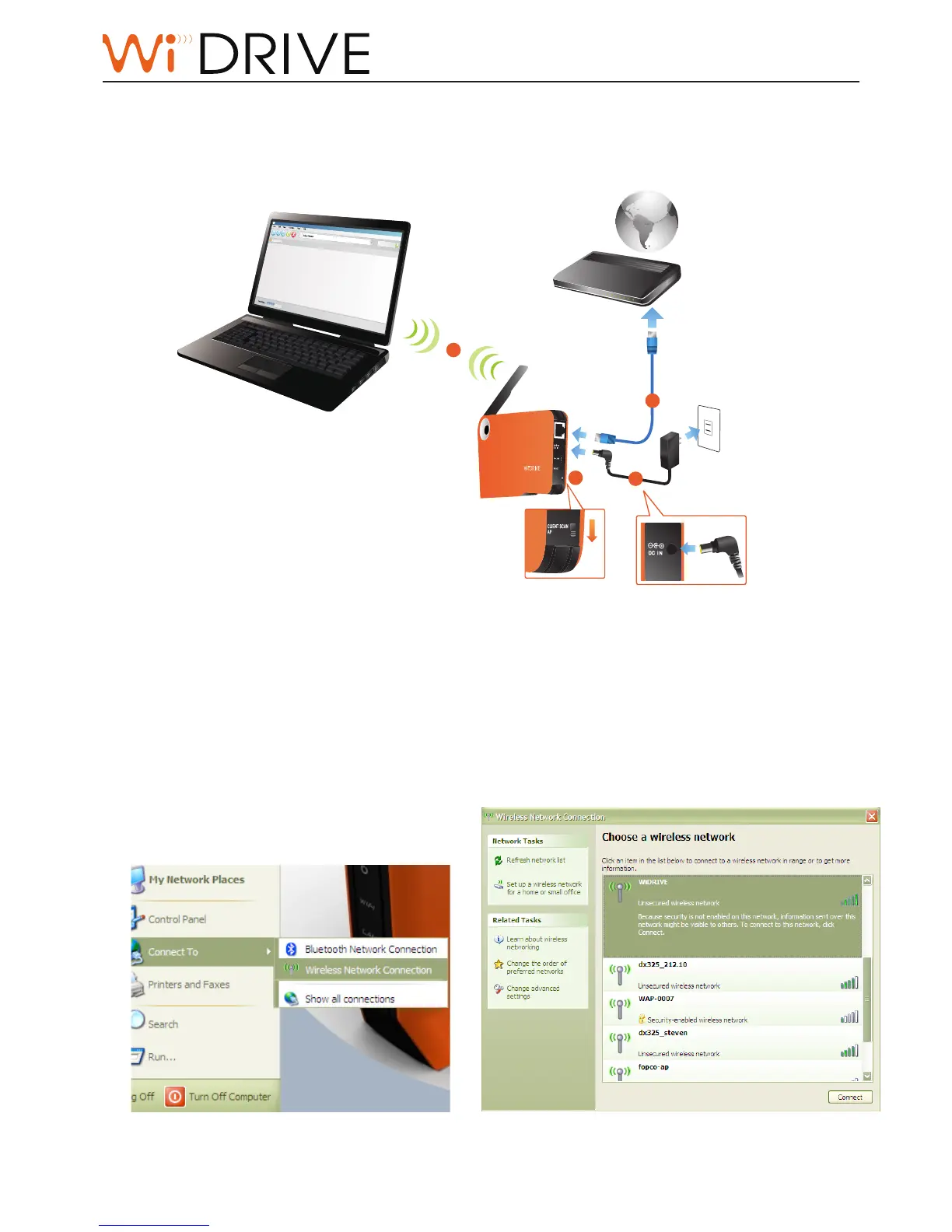
In AP mode, your WiDRIVE connects to and shares the internet. Your devices connects to
WiDRIVE wirelessly:
1. Slide the mode switch to AP mode.
2. Connect your WiDRIVE with internet/DSL/modem with an ethernet cable.
3. Connect the power cable to your WiDRIVE and power on your WiDRIVE.
4. Now your WiDRIVE behaves like an wireless router. Connect your WiDRIVE by Windows XP.
i. Open Windows Start Menu, select “Connect To”, le-click “Wireless Nerwork
Connecon”.
3
1
2
4
CLIENT SCAN
AP
Internet/modem/DSL



 To Next Page