WiDRIVE DX-325 User’s Guide
Copyright © 2010 EDSLAB Tech. Inc.
19
System Setting
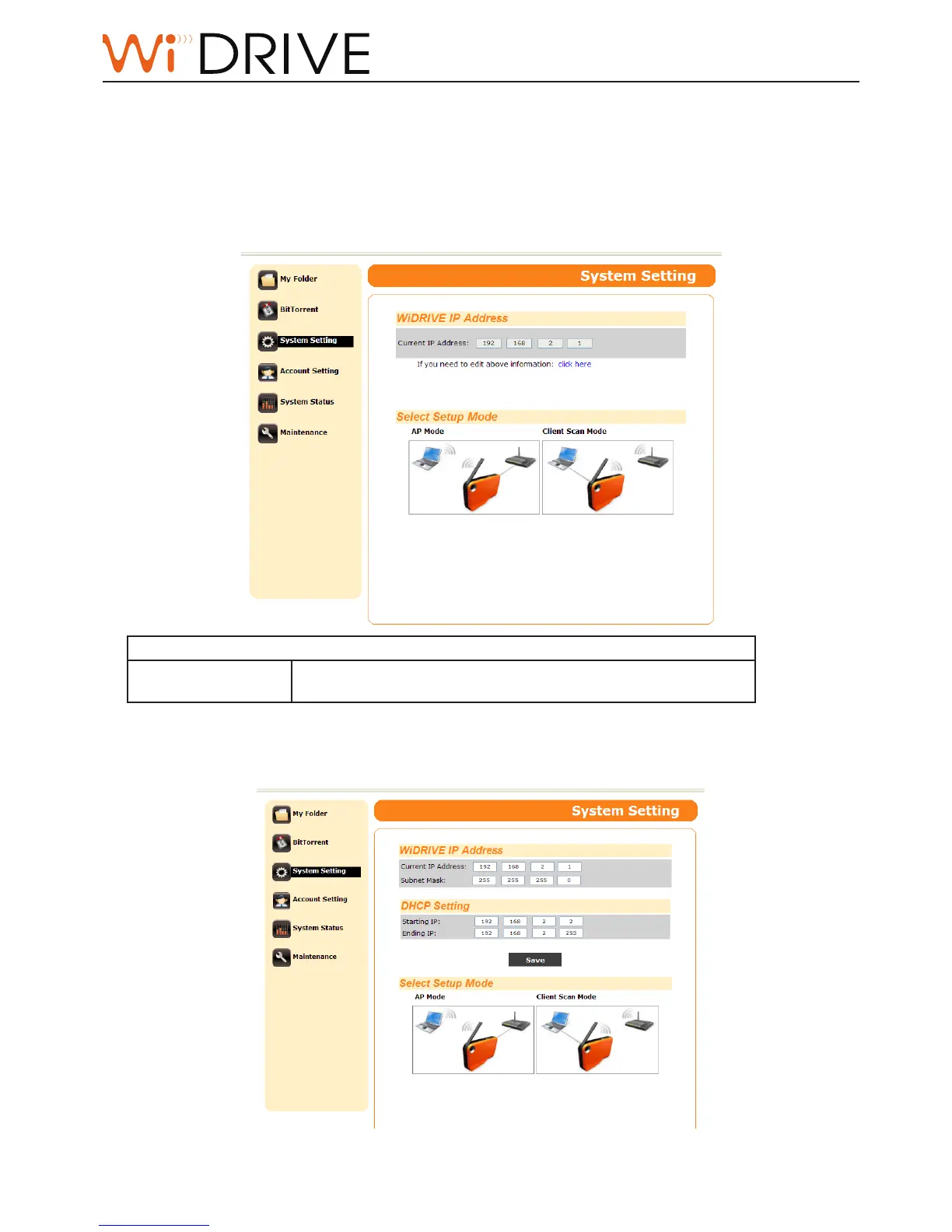
You can congure your WiDRIVE in the System Seng. Click on “Complete“ boon to save the sengs.
WiDRIVE IP Address
First, setup the IP address of your WiDRIVE in the entry page of System Seng:
• Basic LAN seng: setup the WiDRIVE IP address in the LAN.
WiDRIVE IP Address
Current IP Address
The default value is: 192.168.2.1, however you can always
manually assign the IP address to your WiDRIVE.
• Advanced LAN seng: click on Click Here link to extend the items from basic LAN sengs. The [DHCP
Sengs] pops up and you can dene the range of IP.



 To Next Page