WiDRIVE DX-325 User’s Guide
Copyright © 2010 EDSLAB Tech. Inc.
10
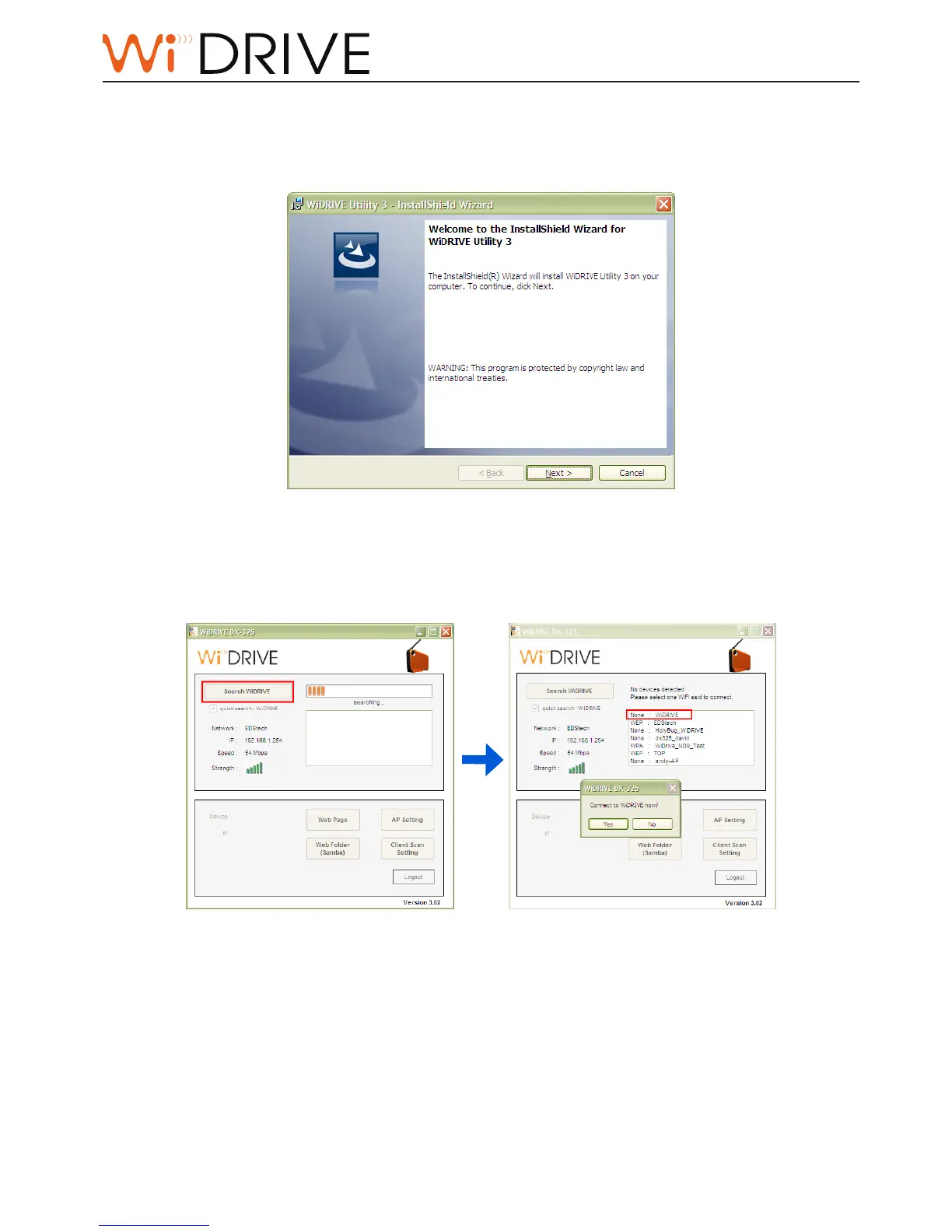
Install your WiDRIVE Utility
The setup program can be found in Ulity CD or ocial website. Double click on the setup icon
and follow the instrucons to install the Ulity.
To search and operate your WiDRIVE through Utility
Follow the instrucons to search and operate your WiDRIVE.
1. Click on Search buon, the WiDRIVE in your current network environment are listed down
for your selecon.
2. Select and then login to use your WiDRIVE through the Ulity.
Note:
The WiDRIVE Ulity memorizes the latest WiDRIVE connecon You can check on “quick search: WiDRIVE
SSID” opon to nd the latest connected WiDRIVE quicklier



 To Next Page