WiDRIVE DX-325 User’s Guide
Copyright © 2010 EDSLAB Tech. Inc.
12
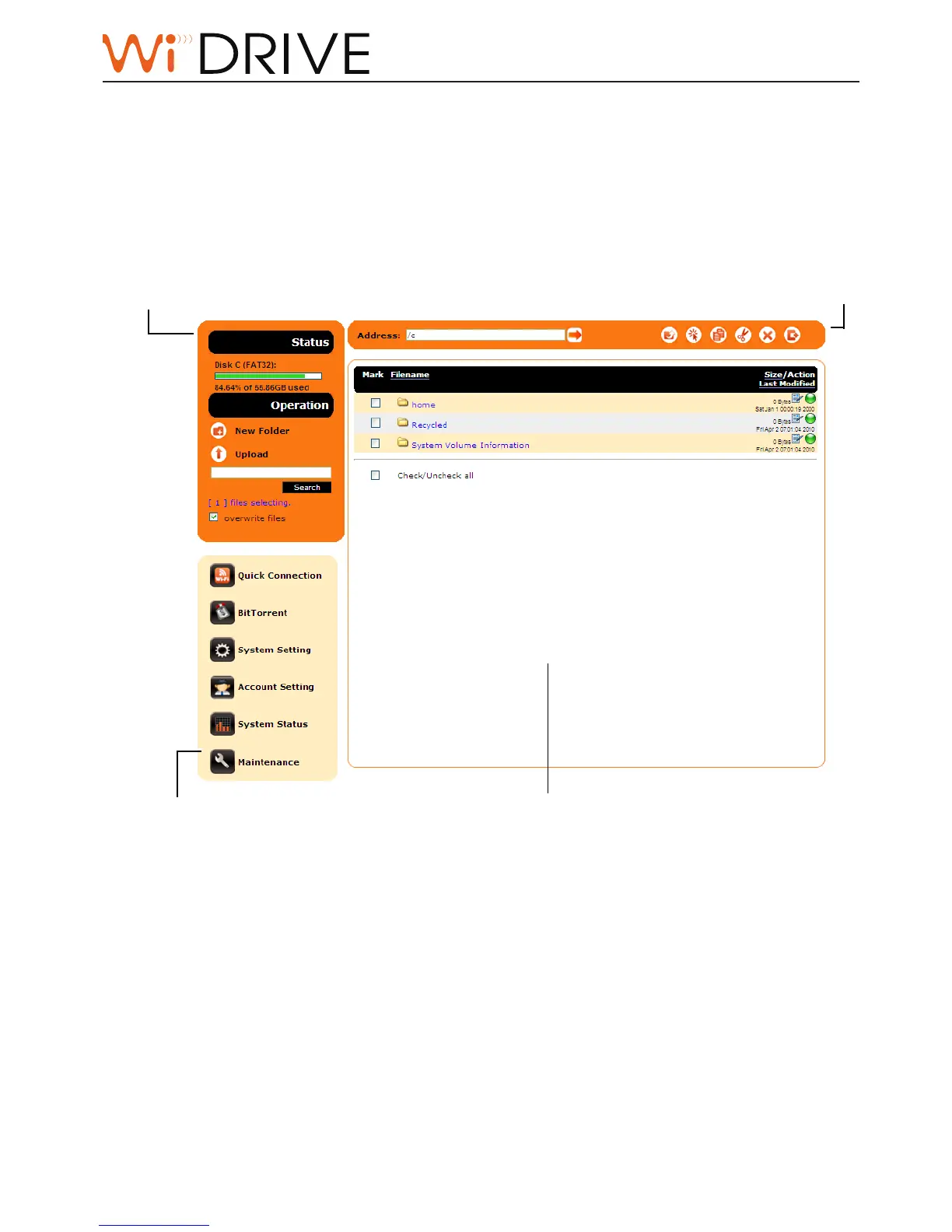
My Folder (Disk Management)
My Folder page is displayed once you have logged in. The navigaon menu is divided into four
main secons:
File Menu
The le menu lists down all les and folders in the
folder you are navigang.
Folder Operaon Bar
You can operate le selecon, copy,
move, delete on this bar. You can also
go to any allowed le locaon by typing
address directely.
Status and Operaon
This includes status of paron, volume,
and the le operaons such as create
new folder, upload le, search le, and
the selected le pool of your WiDRIVE.
Links
List down the links to applicaons and
system management pages.



 To Next Page