WiDRIVE DX-325 User’s Guide
Copyright © 2010 EDSLAB Tech. Inc.
26
Maintenance
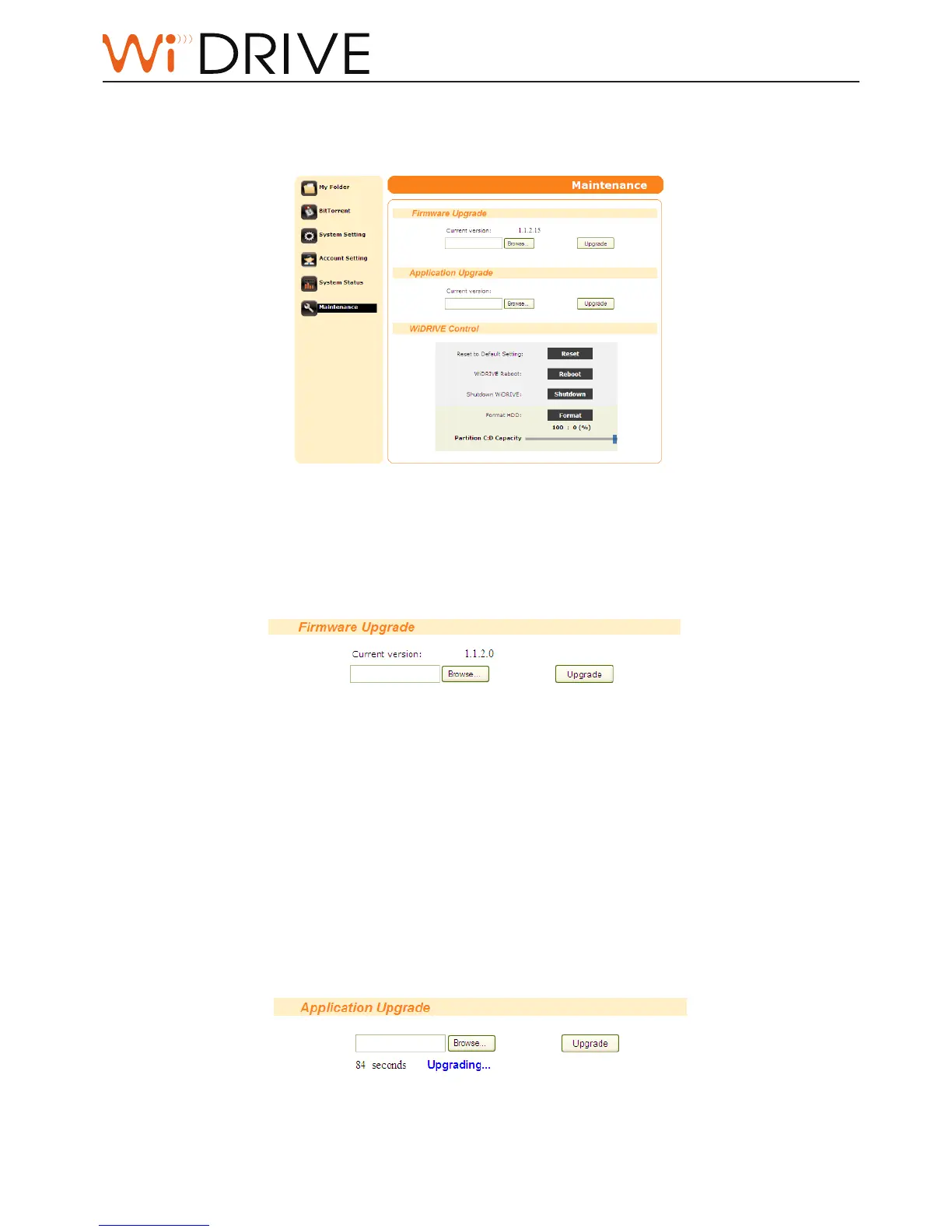
You can update the rmware to the latest version, upload the applicaon package, and inialize your
WiDRIVE in the Maintenance page.
Firmware Upgrade
You can update your WiDRIVE to the latest rmware to improve the performance.
1. Before upgrading rmware please make sure you have the latest rmware downloaded to the
device your browser runs on.
2. Click on the “Browse” buon to locate the rmware le on your device.
3. Click on the “Upgrade” buon and wait for your WiDRIVE to reboot. The System LED indicator
blinks between green and orange during upgrade.
Note!
You can always check the latest rmware from our support site:
hp://www.edslab.com/support_cat.php
Applicaon Upgrade
You can uplaod the applicaon package to expand the funconalies of your WiDRIVE.
1. Before uploading applicaon please make sure you have the applicaon package downloaded to
the device your browser runs on.



 To Next Page