WiDRIVE DX-325 User’s Guide
Copyright © 2010 EDSLAB Tech. Inc.
16
Quick Connection
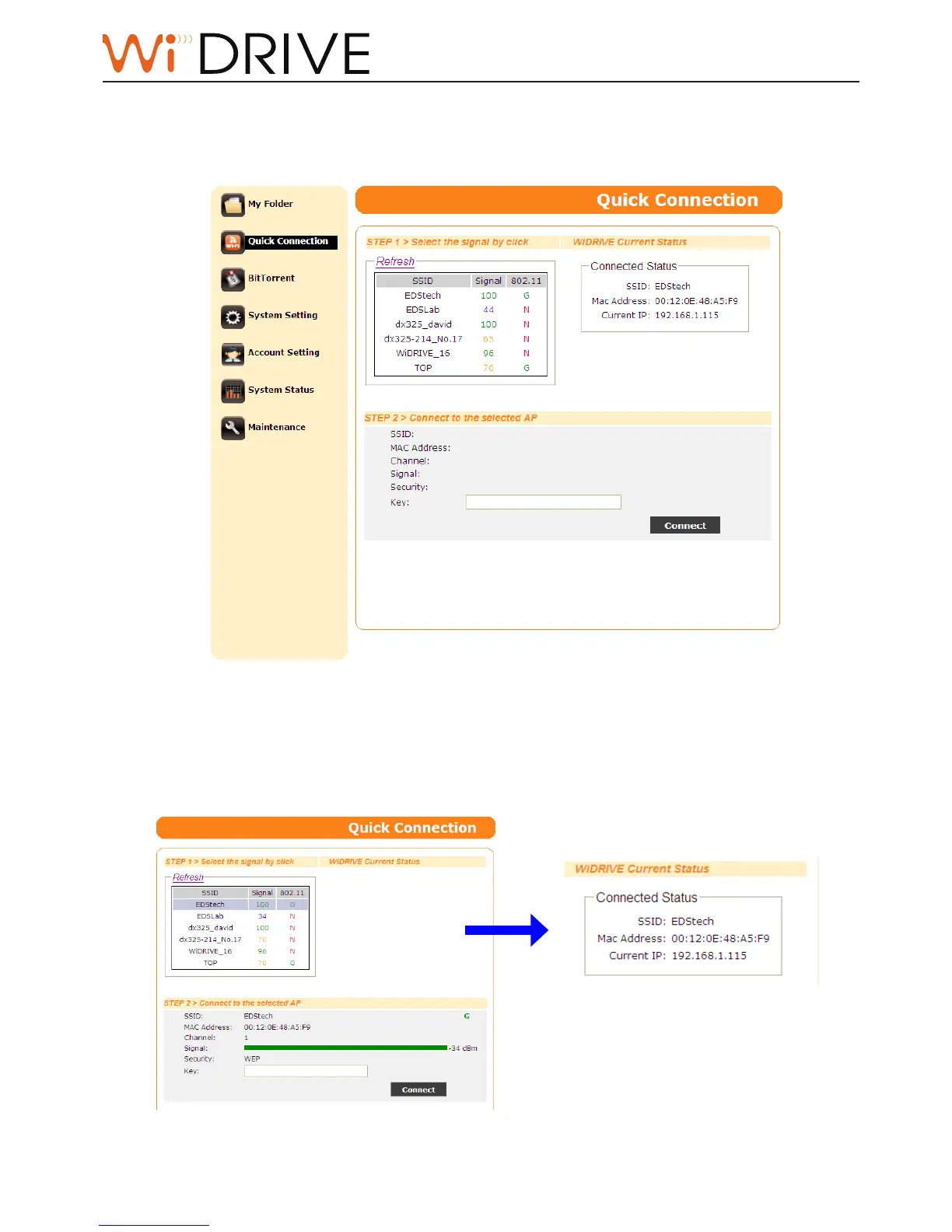
The Quick Connecon page helps you to connect your WiDRIVE (in Client Scan mode) to a wireless
router.
1. Select one router in the wireless signal table in [STEP1> Select the signal by click], the
informaon of the router appears in the [STEP2> Connect the selected AP] secon.
2. Enter the security key and then click on Connect buon to start connecon. The connecon
status shows in the [WiDRIVE Current Status] secon.
Noce!
Quick Connecon page is available in
Client Scan mode only.



 To Next Page