WiDRIVE DX-325 User’s Guide
Copyright © 2010 EDSLAB Tech. Inc.
15
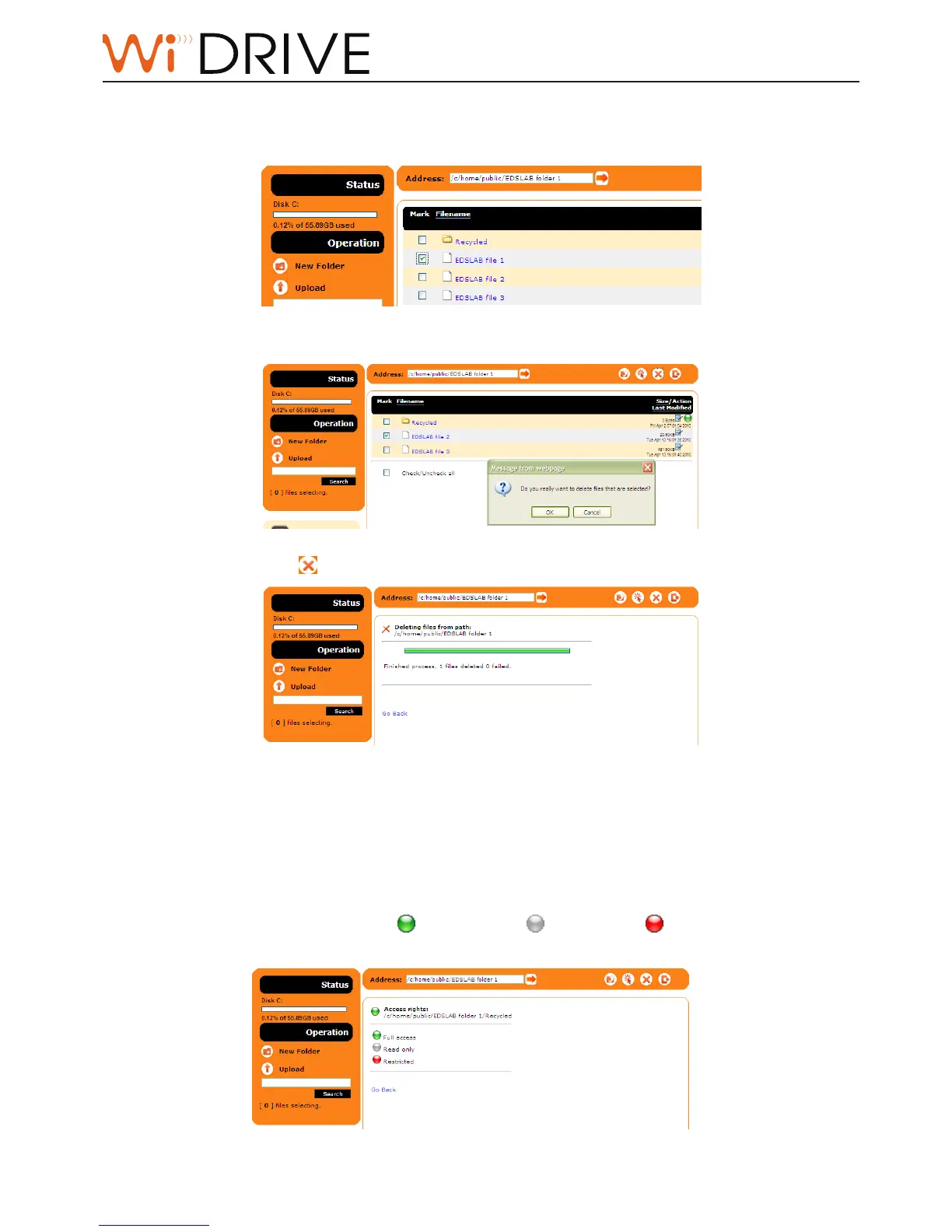
Delete les/folders
1. Navigate to the parent folder of the les/folders you want to delete.
2. Select the les/folders.
3. Click on Delete icon to delete les/folders selected.
Managing Access to Folders
To change the folder permission of user accounts:
1. You may click the Access Rights icon on the right hand side of the folder.
2. Click on one of the colored icons ( for full access, for readonly, for restricted access) to
change the access permission.
Noce!
Only administrator account has the authority of
changing the folder access permission.



 To Next Page