WiDRIVE DX-325 User’s Guide
Copyright © 2010 EDSLAB Tech. Inc.
18
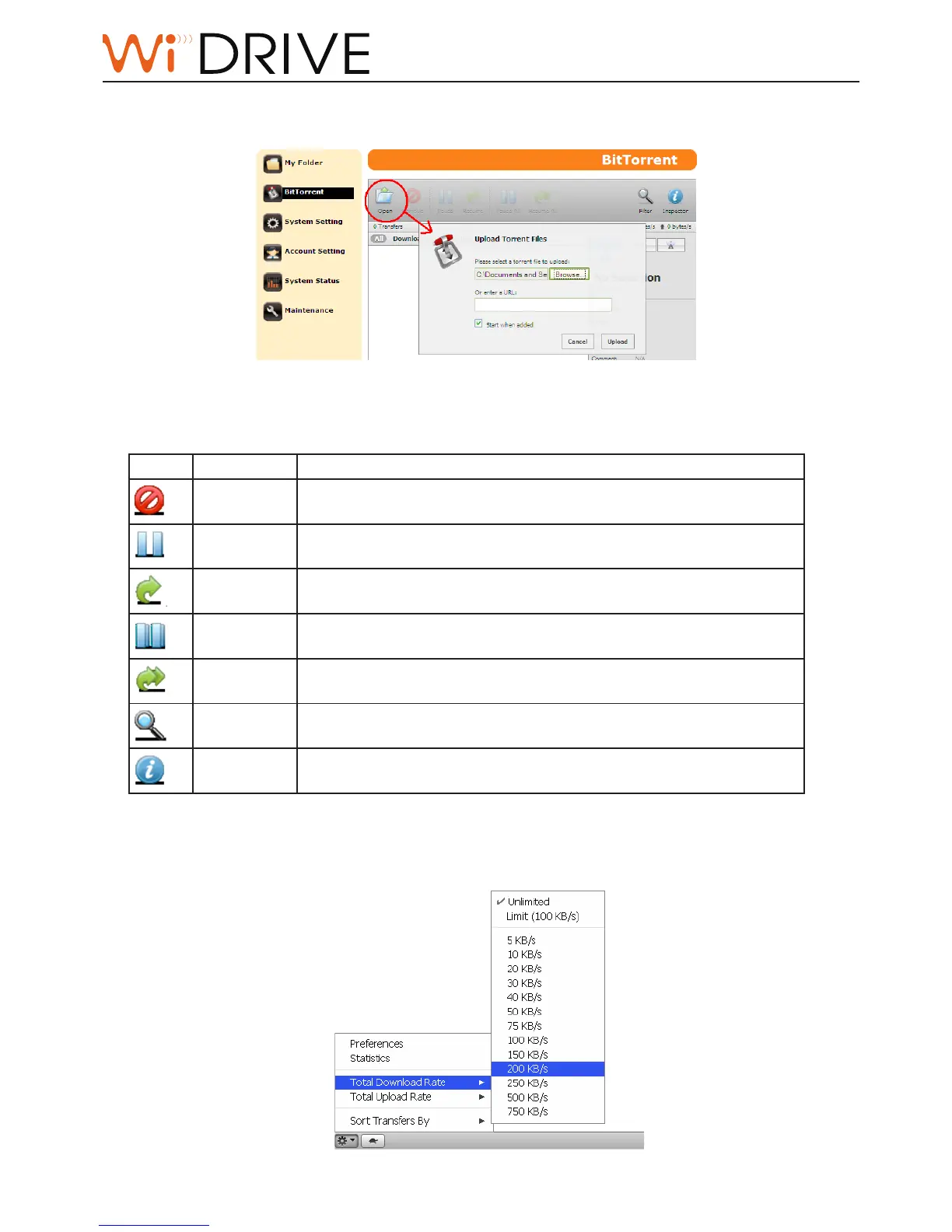
Upload a Torrent Seed and Start Download
Click on Open buon to upload torrent seed for le download.
BitTorrent operaons on the Control Bar
Buon Funcon Descripon
Remove Click to remove the selected torrent les.
Pause Click to pause the selected torrent les from downloading or seeding.
Resume Click to resume the downloading or seeding for the selected torrent
les.
Pause All Click to pause all torrent acons.
Resume All Click to resume all torrent acons.
Filter Click to hide/unhide the lter bar.
Inspector Click to see the detailed informaon of the selected torrent le.
Congure BitTorrent Parameter Through Preference Seng
You can congure BitTorrent parameter such as download folder, port, rate, etc in Preference Seng at
the le boom of the BitTorrent page.



 To Next Page