Williams Concerto
Digital Piano Users Manual
10
Digital Effects
The digital piano has 8 Reverb and 8 Chorus effects.
Reverb Effect
To adjust reverb type and levels:
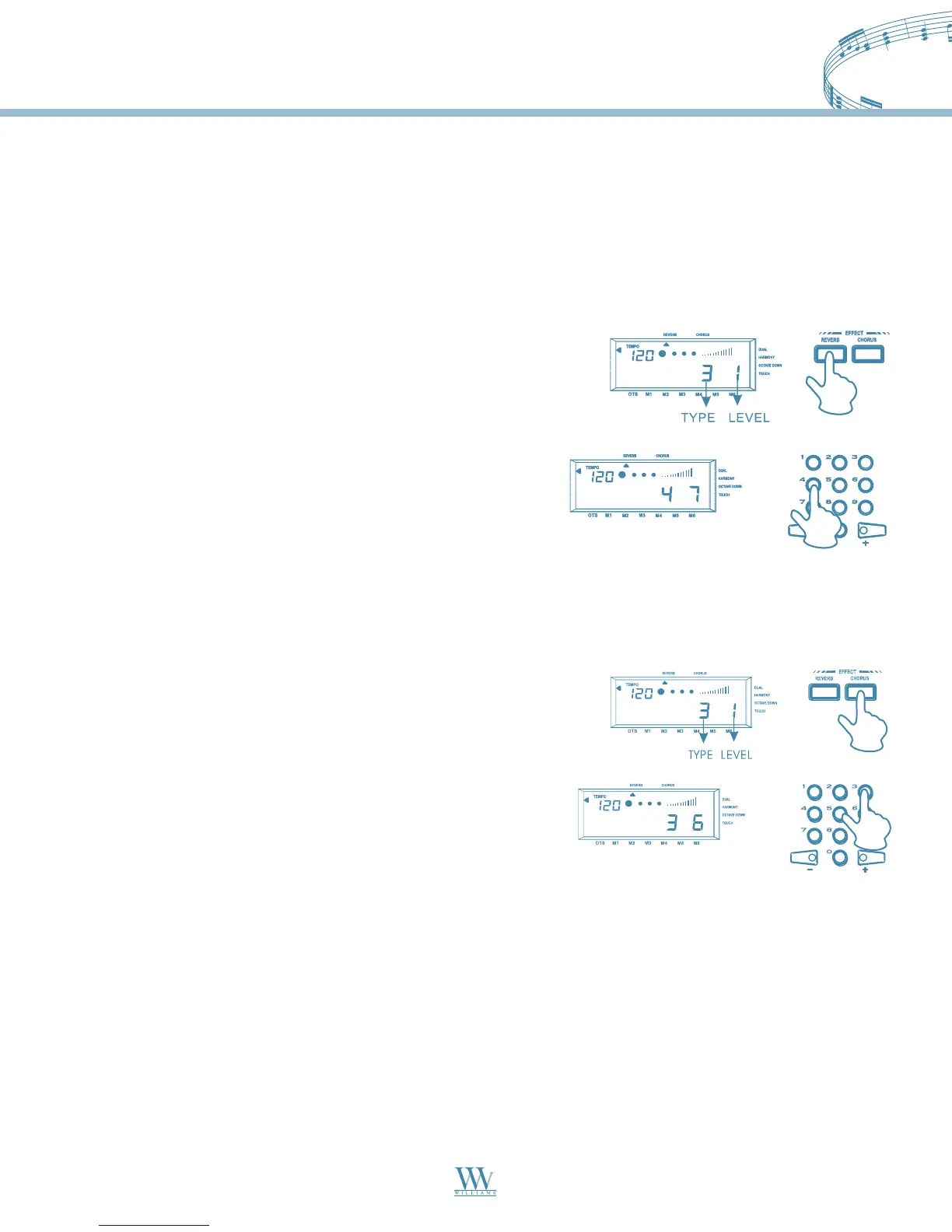
1. Press the CHORUS button, and two values will appear
on the display. The one on the left is chorus type, the
other is the chorus level.
2. Press and hold the CHORUS button, the chorus type
value will start to flash. You then can change the chorus
type by selecting a number (0-7) with the numeric keypad.
When the chorus type is selected, the chorus level will
start to flash. Now you can use the same method as selecting
chorus type to select chorus level (0-7).
Chorus Effect
To adjust chorus type and levels:
Note: When the Reverb and Chorus levels are set to “0”, the effects are turned off. The default Reverb type and
level are both set to 4; the default Chorus type and level are both set to “0”, as in “off” status.
1. Press the REVERB button, and two values appear on the
display. The one on the left is the reverb type, and the other
is the reverb level.
2. Press and hold the REVERB button, the reverb type will start to
flash, and you then can change the reverb type by selecting a
number(0-7) with the numeric keypad. When the reverb type is
selected, the reverb level will start to flash, now you can use the
same method as selecting reverb type to select reverb level (0-7).
Williams_Concerto-2_Q5.qxd 8/3/04 11:03 AM Page 10


 To Next Page