www.williamspianos.com
Digital Piano Users Manual
’
18
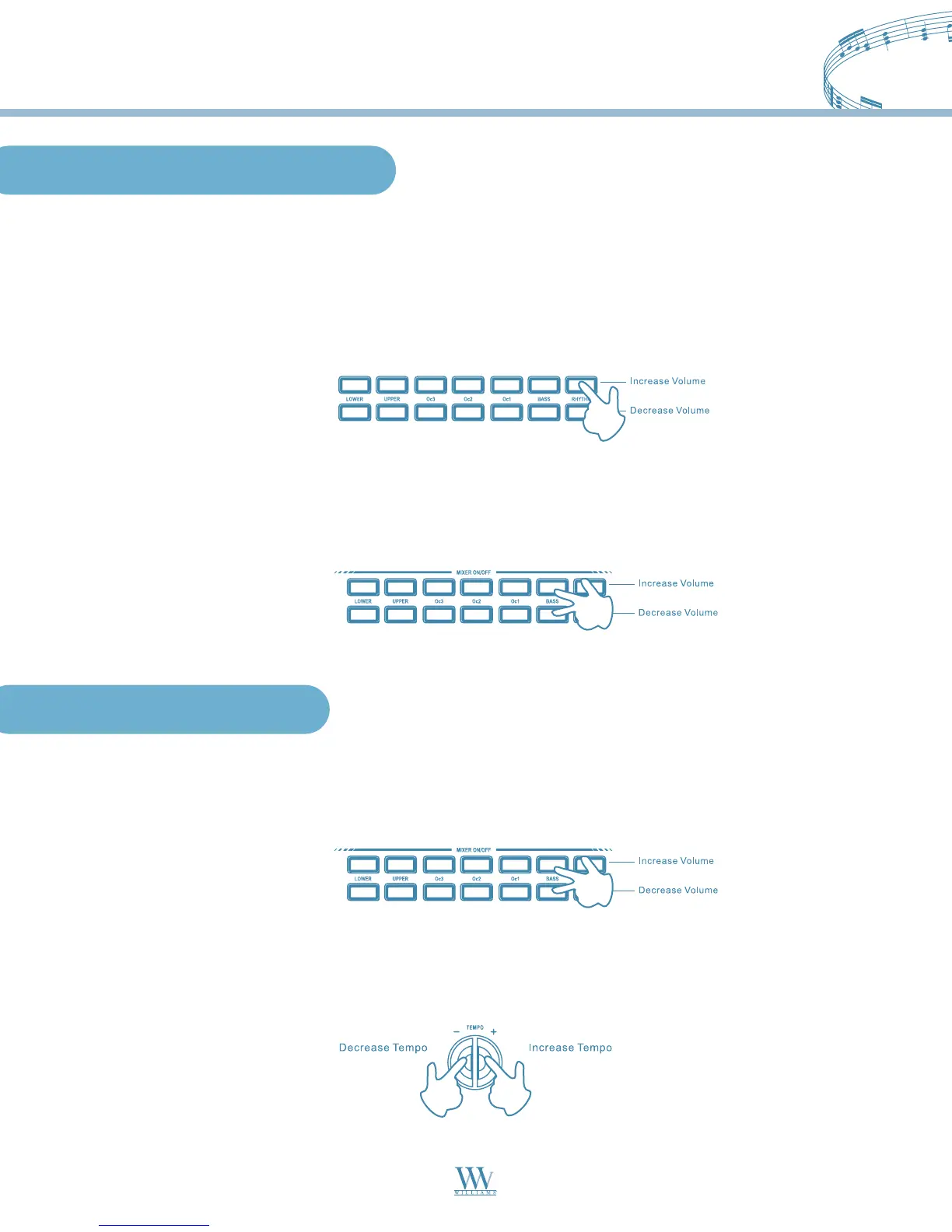
Mixer Volume Control
If you are playing in Normal mode with Voices on a Split keyboard, you may at some stage want to adjust the
volume of one section with respect to the other. Using the MIXER Volume controls, you can balance your
Upper and Lower easily. The mixer consists of 7 twin buttons organized in 2 rows. The top row of buttons
are INCREASE VOLUME controls while the bottom row are DECREASE VOLUME controls.
To increase the volume of each section, press and hold the INCREASE VOLUME button on the top row until
you reach the volume you desire. To decrease the volume, press and hold the DECREASE VOLUME
control button.
You can use the MIXER control buttons to turn off a section. Simply press both INCREASE VOLUME and
DECREASE VOLUME buttons simultaneously to mute sections. To restore the volume to normal, press both
the INCREASE VOLUME and DECREASE VOLUME buttons again at the same time.
Muting the Sections
Utility Functions
Changing the Tempo
You can speed up or slow down the tempo, before or after starting the Style by pressing the TEMPO (+)/(-)
buttons. Hold down either the (+) or (-) buttons to change the tempo speed.
Every time you select a Style, you also recall a memorized Tempo. This is displayed on the top left corner of
the display.
Williams_Concerto-2_Q5.qxd 8/3/04 11:03 AM Page 18


 To Next Page