EasyManua.ls Logo

Williams Concerto - User Manual

Williams Concerto
26 pages
Print Icon
To Next Page IconTo Next Page
Loading...
Williams Concerto
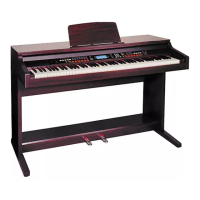
Digital Piano Users Manual
User’s Manual
Williams_Concerto-2_Q5.qxd 8/3/04 11:03 AM Page cvr1
Question and Answer IconNeed help?

Do you have a question about the Williams Concerto and is the answer not in the manual?

Summary

The Connectors

Using the AC Power Jack

Details connecting the power cable to the piano and outlet for operation.

Basic Operation

Power Switch & Volume

Covers turning the piano on/off and adjusting the master volume level.

Voices and Effects

Select a Voice

Guide on selecting different instrument sounds available on the piano.

Split Keyboard

Playing the Styles

Select a Style

How to choose from 99 available auto-accompaniment styles.

Accompaniment Control

Start;Stop and Sync

Controls for starting, stopping, and synchronizing style playback.

Metronome

One Touch Setting

Memorize Panel Settings

How to Store a Memorized Setting?

Steps to save custom panel configurations to memory buttons.

The Sequencer

Playback the Recorded Song

Instructions for listening to sequences recorded using the sequencer.

Record a New Song

Process for recording new songs and overwriting existing ones.

Mixer Volume Control

Utility Functions

Changing the Tempo

Adjusting the speed of styles and songs using tempo controls.

MIDI

Troubleshooting

Summary

The Connectors

Using the AC Power Jack

Details connecting the power cable to the piano and outlet for operation.

Basic Operation

Power Switch & Volume

Covers turning the piano on/off and adjusting the master volume level.

Voices and Effects

Select a Voice

Guide on selecting different instrument sounds available on the piano.

Split Keyboard

Playing the Styles

Select a Style

How to choose from 99 available auto-accompaniment styles.

Accompaniment Control

Start;Stop and Sync

Controls for starting, stopping, and synchronizing style playback.

Metronome

One Touch Setting

Memorize Panel Settings

How to Store a Memorized Setting?

Steps to save custom panel configurations to memory buttons.

The Sequencer

Playback the Recorded Song

Instructions for listening to sequences recorded using the sequencer.

Record a New Song

Process for recording new songs and overwriting existing ones.

Mixer Volume Control

Utility Functions

Changing the Tempo

Adjusting the speed of styles and songs using tempo controls.

MIDI

Troubleshooting

Williams Concerto Specifications

General IconGeneral
Headphone JackYes
TransposeYes
Tempo ControlYes
EffectsReverb, Chorus
USB ConnectivityUSB-MIDI
MIDIUSB-MIDI

Related product manuals