Williams Concerto
Digital Piano Users Manual
14
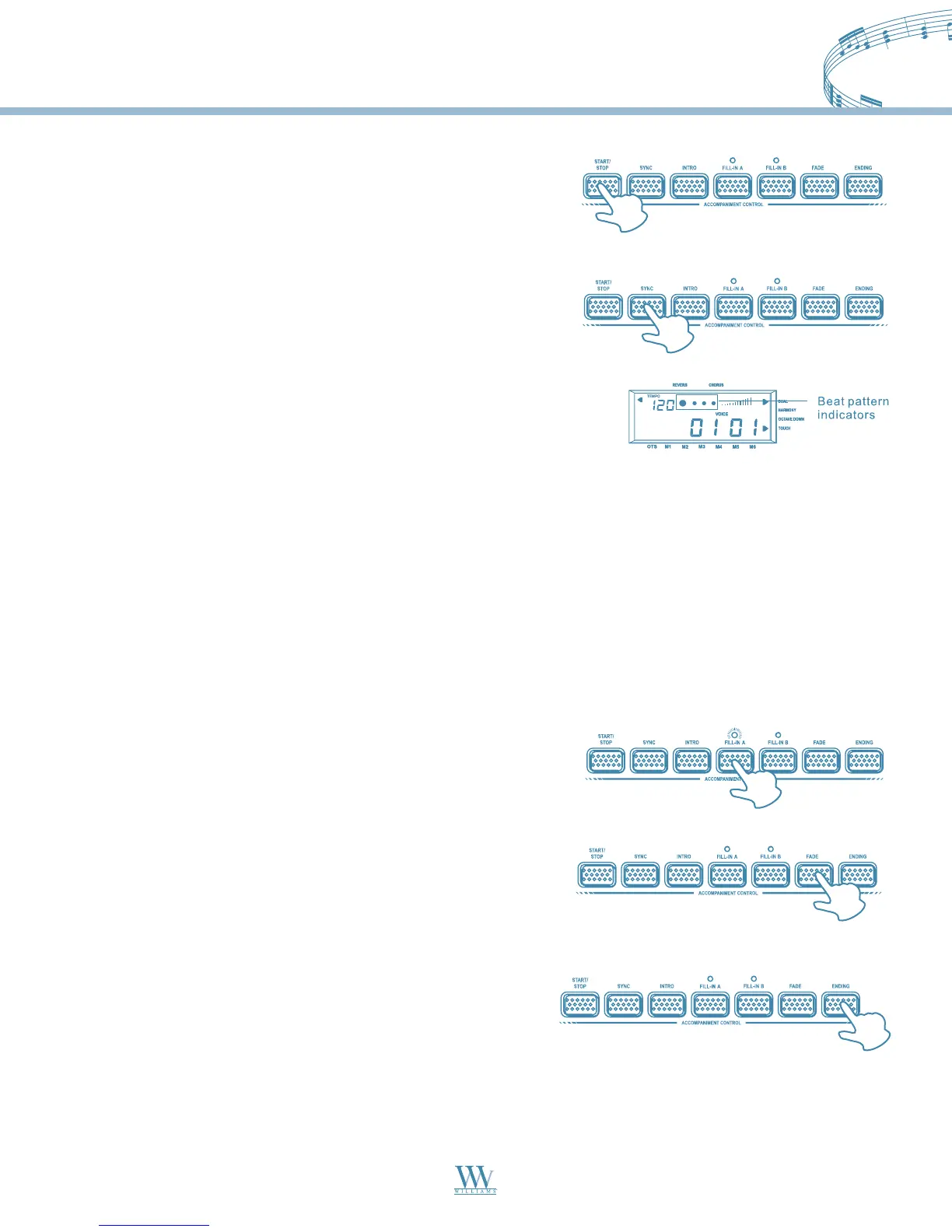
START/STOP
Press the START/STOP button to start/stop the style.
SYNC
1. The SYNC function allows you to synchronize the start of your
Style with a note or chord pressed on the keyboard without using
the START/STOP button. When you press the SYNC button, the
display shows the beat pattern and FILL-IN A indicators. This puts
the keyboard in standby mode.
2. If you are in Normal mode, you can start the style by playing any
key on the keyboard. If you are in Fingered, S.Finger or Split modes,
you have to play the chord that is corresponding to the style pattern
you selected.
3. To stop the style, press either the START/STOP button or the SYNC button. Before starting the Style, press
the INTRO button to place the piano on intro-start standby. The LED of the current Style pattern starts to flash
to indicate that the INTRO has been preset. Now press the START/STOP button and play a note or chord on
the lower part of the piano. The Style starts with an introductory pattern then it proceeds with the selected
auto accompaniment.
Each of the 99 styles have a standard fill FILL-IN A and variation FILL-IN B.
When you press the FILL-IN A or the FILL-IN B during playback,
the current pattern is interrupted by an appropriate Fill-in, then it
proceeds with the same pattern, depending on which button you press.
Fade
While playing your style, you can fade the overall volume down
simply by pressing the FADE button. After pressing the button,
the Style continues to play but the volume decreases gradually
until no volume is heard.
Ending
You can stop your Style automatically with a well-executed
ending pattern without using the START/STOP button.
While the style is playing, simply press the ENDING button.
The Style auto-accompaniment stops automatically with an
ending phrase.
Fill in A/B
Williams_Concerto-2_Q5.qxd 8/3/04 11:03 AM Page 14


 To Next Page