Williams Concerto
Digital Piano Users Manual
19
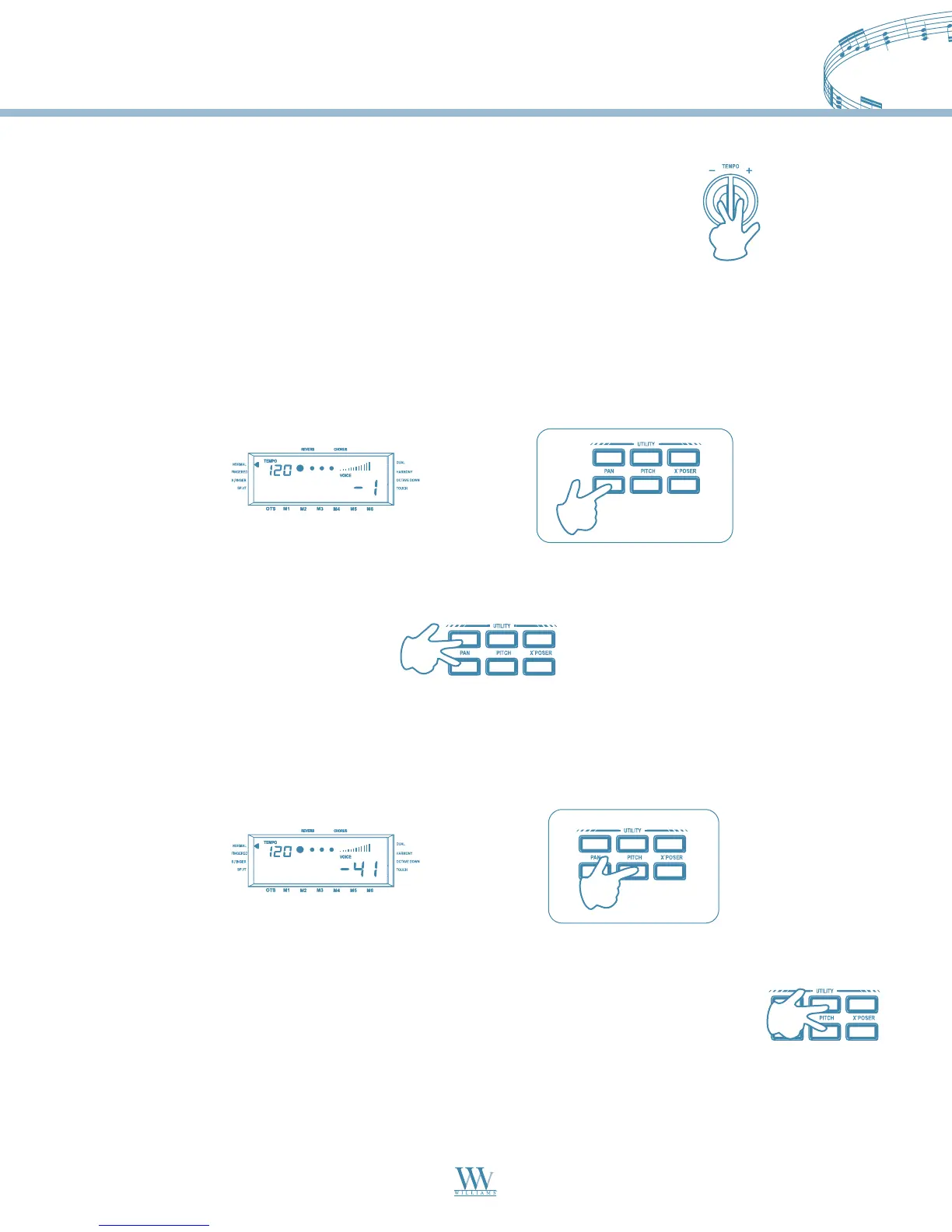
Restoring the Memorized Tempo
The Pan function allows you to change the stereo pan position of the overall sound, moving the sound at the
speakers either to the left or to the right.
If you press either the INCREASE or DECREASE PAN button once, the display will show the normal setting
corresponding to Pan at the center (00).
Press the INCREASE or DECREASE PAN repeatedly to pan the overall sound to the left
(max:07) or to the right (max:07).
To restore the normal Pan position (00), press both the INCREASE and DECREASE PAN buttons simultaneously.
To restore the Style’s memorized tempo, press both the Tempo (+) and (-)
buttons simultaneously.
The Pitch function allows you to fine tune the instrument.
Press the INCREASE or DECREASE PITCH buttons repeatedly to raise (max:50) or lower (min:50) the tuning
until you reach the value required.
To restore the normal Pitch position (00), press both the INCREASE and DECREASE
PITCH buttons simultaneously.
Williams_Concerto-2_Q5.qxd 8/3/04 11:03 AM Page 19


 To Next Page