Williams Concerto
Digital Piano Users Manual
16
Memorize Panel Settings
If you don’t want to use the factory style settings, you can save your own panel configurations to the MEMORY
buttons. This function allows you to store up to 6 user-defined configurations, including Style, Variation and
other selections, which you can then recall by simply pressing a button.
How to Store a Memorized Setting?
1. Voice values
Voice Variation setting
Mixer Control setting
Touch Response On/Off
Reverb, Chorus and
Level setting
Harmony effect setting
Octave Down setting
Split Keyboard setting
2. Accompaniment values
Accompaniment style number
Mixer Control setting
FILL-IN A/B setting
Intro, Ending, Fade setting
Split Point setting
3. Tempo setting
Mode configuration
(Normal, Fingered,
Single Finger, Split
Keyboard)
You are able to store the following values into your user-define settings:
You only need to change one aspect of any factory setting to be able to save as a new setting.
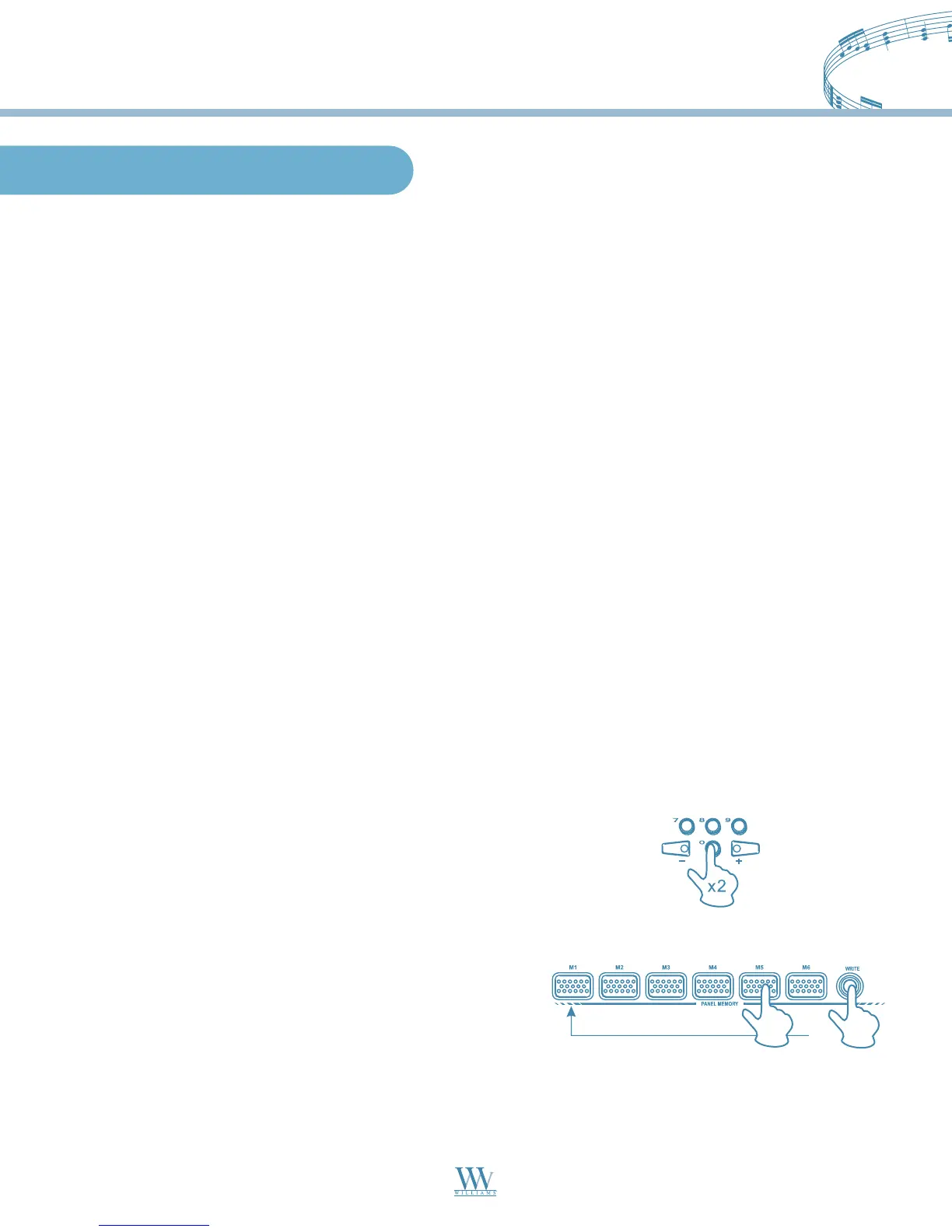
1. Press the STYLE button, then press the OTS button, use the numeric keypad or the (+)/(-) keys to choose
a style.
2. Press the VOICE button and select a different voice by using either the numeric keypad or the (+)/(-) keys.
3. Press the OTS button to deactivate the OTS function.
4. Hold down the WRITE button and press one of the
MEMORY button (M1-M6).
Williams_Concerto-2_Q5.qxd 8/3/04 11:03 AM Page 16


 To Next Page