15
When the LED display shows the track you wish to
record to, you may begin playing whenever you are
ready, and recording will automatically begin as soon
as you play the first note.
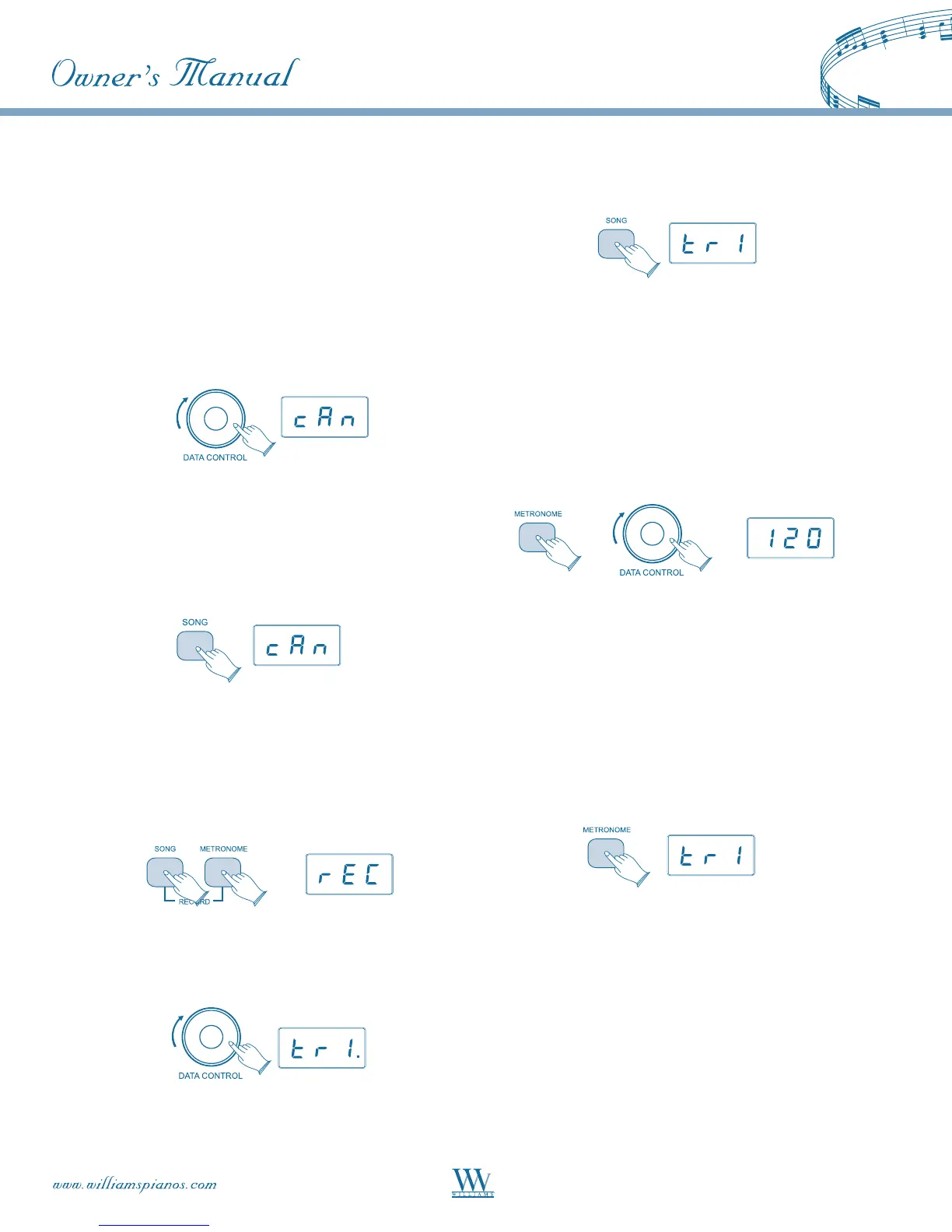
To Cancel Recording While in Record
Wait Mode:
Turn the [DATA CONTROL] knob until the LED
display shows: CAN.
Press the [SONG] button.
Record Wait Mode will exit, and the keyboard will be
back in Performance Mode, with no changes to the
contents of either track 1 or track 2.
To Erase a Single Track in the Song Recorder:
Press the [SONG] button and the [METRONOME]
button at the same time to enter Song Recording
Mode.
Use the [DATA CONTROL] knob to select the track
you wish to erase.
Press the [SONG] button twice.
The track will be erased, and the piano will be back in
Performance Mode.
To Change Metronome Tempo While in Record
Wait Mode:
The metronome tempo can be adjusted while in
Record Wait Mode by pressing and holding the
[METRONOME] button and using the [DATA
CONTROL] knob to select the desired value.
However, the metronome tempo can not be
adjusted during recording.
To Turn Off the Metronome While Recording:
Press the [METRONOME] button, and the
metronome will stop while recording continues.
Pressing the [METRONOME] button again will
turn the metronome on again. Note that the
metronome can also be turned on and off in the
same way while in Record Wait Mode, before
recording commences.
To Clear all Data in the Song Recorder:
Press the [SONG] button and the [METRONOME]
button at the same time to enter Song Recording
Mode. This will start the Metronome and place the
Song Recorder in Record Wait.















 To Next Page