Software | 4 | English
Operating instructions UC-Serie | 89014383; Version 2 | 23
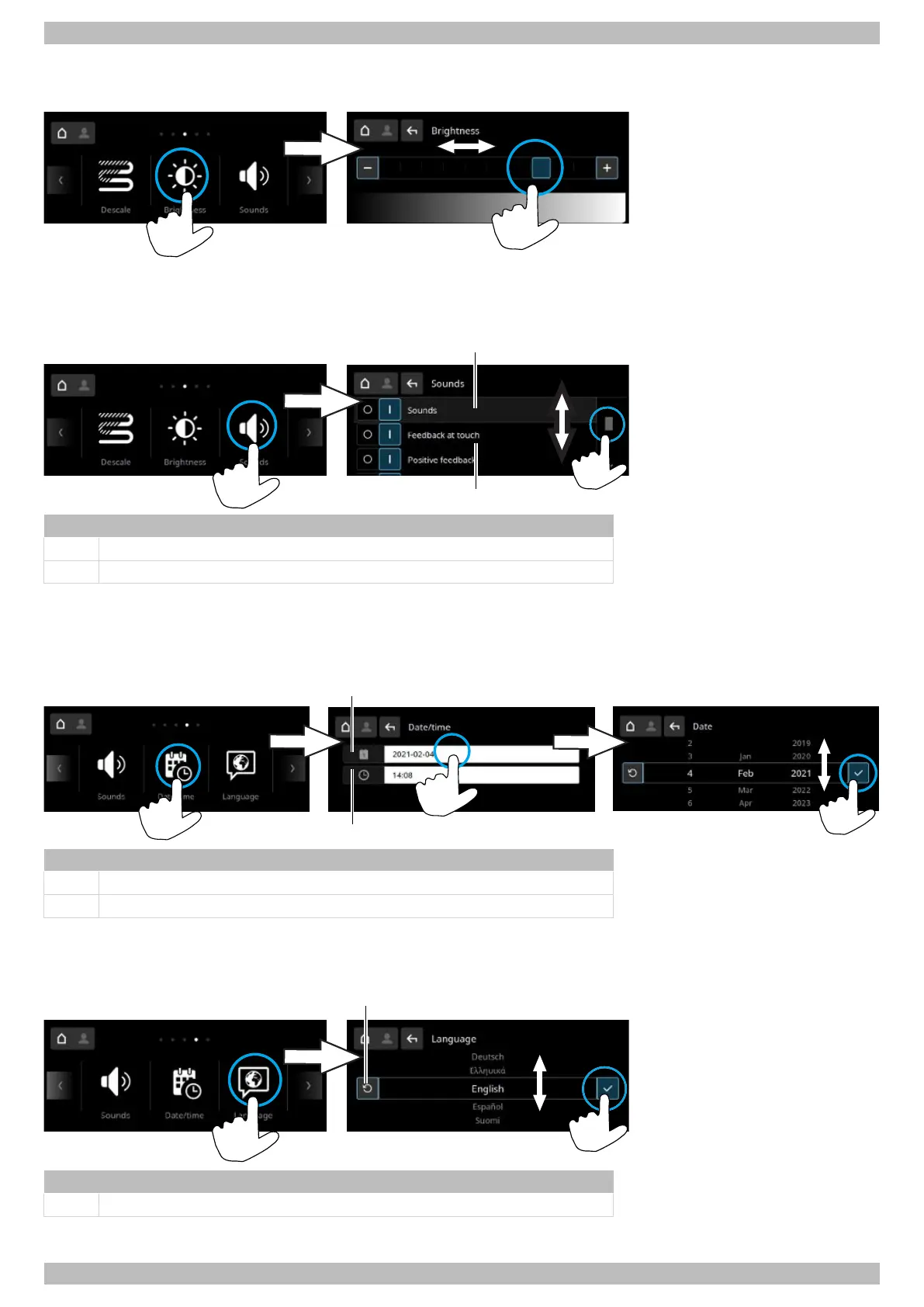
4.2.10 Brightness
In this menu, the brightness of the display is set.
4.2.11 Sounds
In this menu sounds are turned on or off.
Item Name
1 Turn all sounds on or off
2 Turn individual sounds on or off
4.2.12 Date / time
In this menu, the date and time are entered.
Note:Time must be changed for the summer/ winter time changeover.
Item Name
1 Set date
2 Set time
4.2.13 Language
In this menu the language of the display texts is set.
Item Name
1 Reset to last language set





 To Next Page