English | 4 | Software
24 | 89014383; Version 2 | Operating instructions UC-Serie
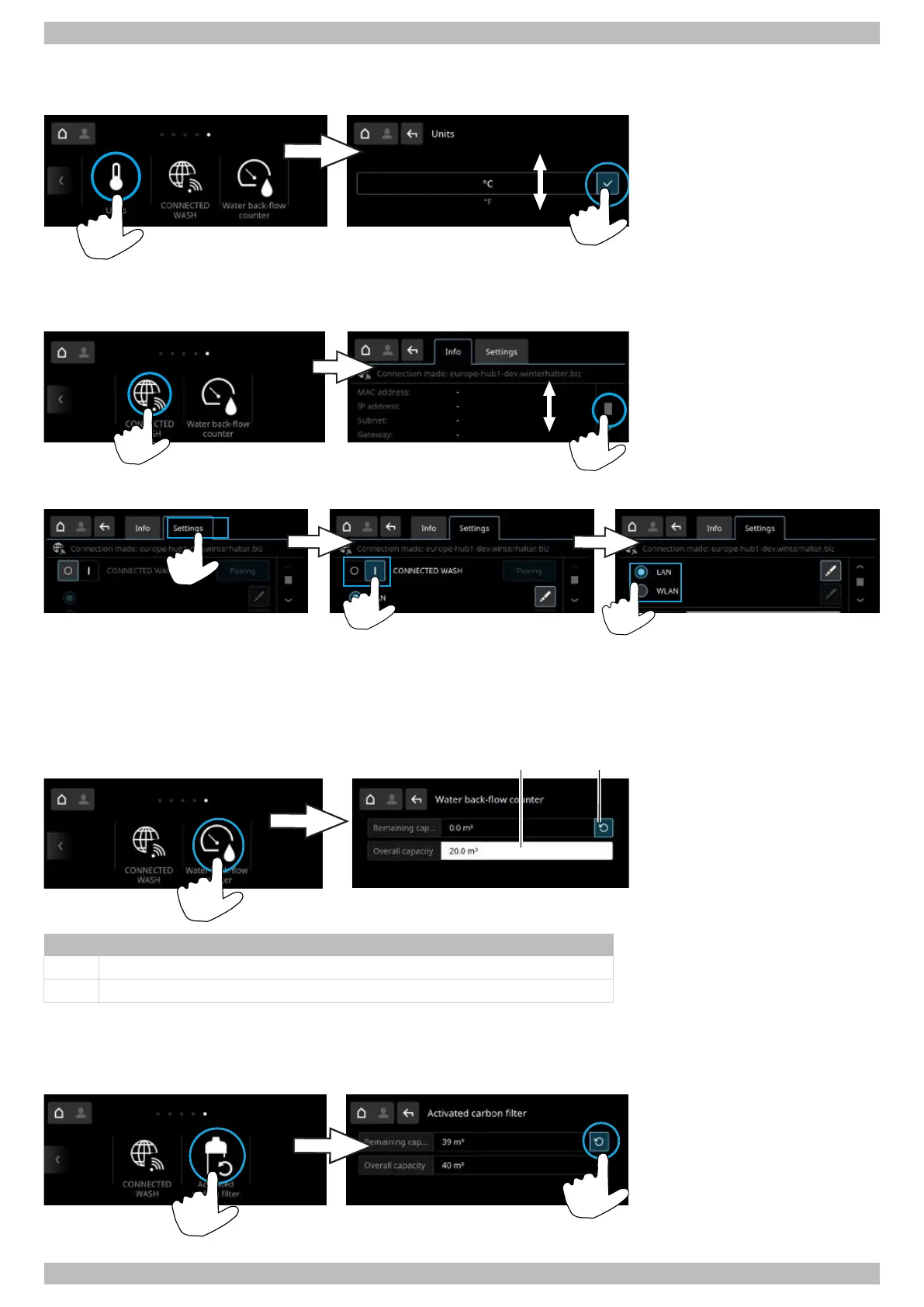
4.2.14 Units
In this menu the unit and temperature indicator are changed.
4.2.15 CONNECTED WASH
In this menu the link with CONNECTED WASH is configured.
Activating CONNECTED WASH
You will find detailed information and instructions on the website: } page 10
4.2.16 Water back-flow counter
The water back-flow counter must be reset if the set total capacity of an external water treatment device has reached the
value “0”.
Item Name
1 Set the total capacity
2 Reset the water back-flow counter
4.2.17 Activated carbon filter
Note:Only for Excellence-i(Plus) warewashers with an integrated reverse osmosis module.
In this menu, the counter must be reset after replacing the activated carbon filter.




 To Next Page