Retrieving the settings
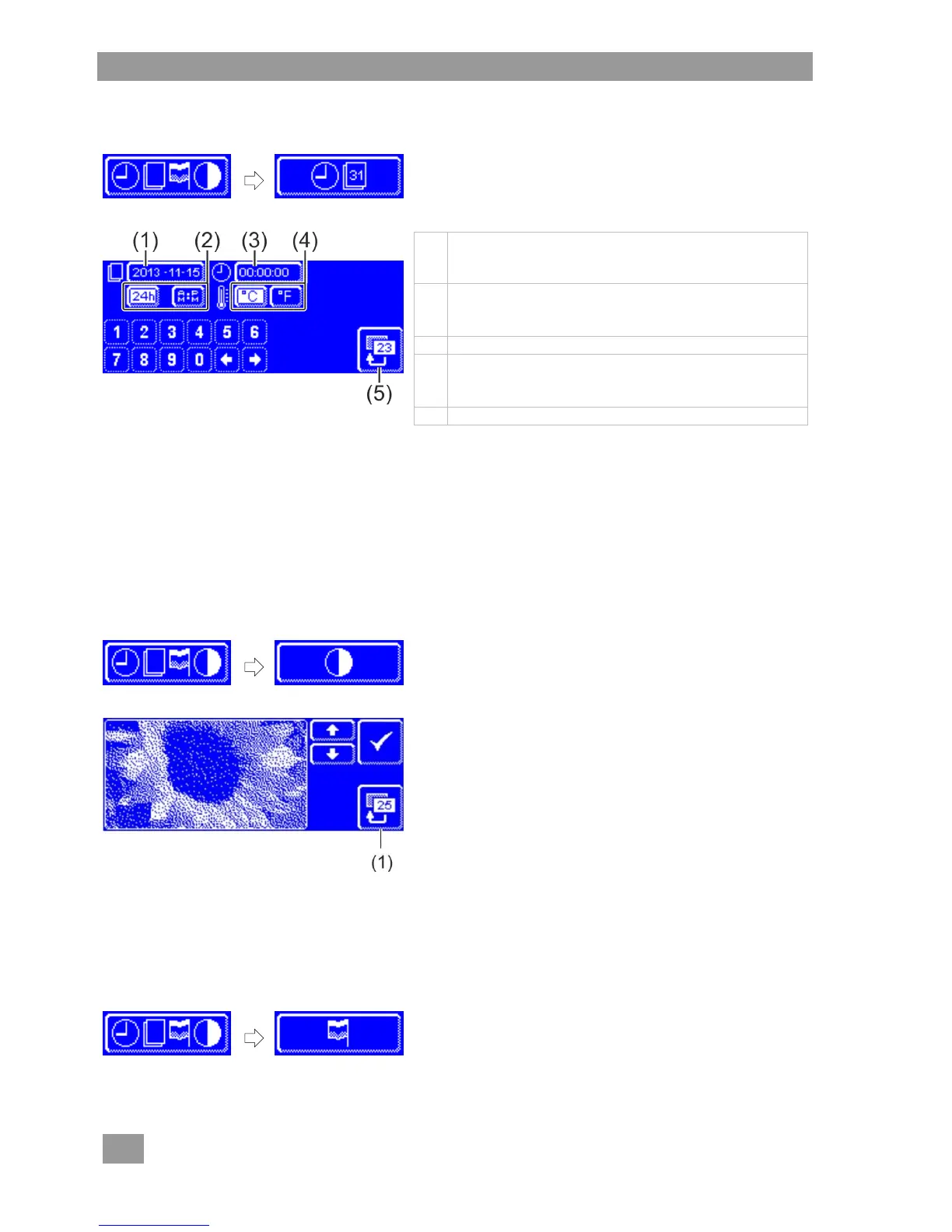
Tap the following buttons in turn:
Current date
(Format: YYYY-MM-DD (year-month-day))
INFO You can only enter only a plausible date.
Time format
AM/PM = 12-hour mode
24 h = 24-hour mode
Temperature unit
°C = degrees Celsius
°F = degrees Fahrenheit
Press the back button (5) to exit from the menu.
7.1.2 Setting the contrast
Here you can change the contrast to match the display of the screen to the lighting conditions in your
kitchen.
Retrieving the settings
Tap the following buttons in turn:
Change the setting with the and buttons until all of
the data on the display is readable.
Confirm with the button.
Press the back button (1) to exit from the menu.
7.1.3 Setting the language
Here you can set the language in which to display texts on the screen.
Retrieving the settings
Tap the following buttons in turn:
Select the required language.
Press the back button (1) to exit from the menu.



 To Next Page