7 PIN menu
INFO If you switch to the PIN menu, the machine switches off. After leaving the PIN menu, the machine
must be switched back on.
Accessing the PIN menu
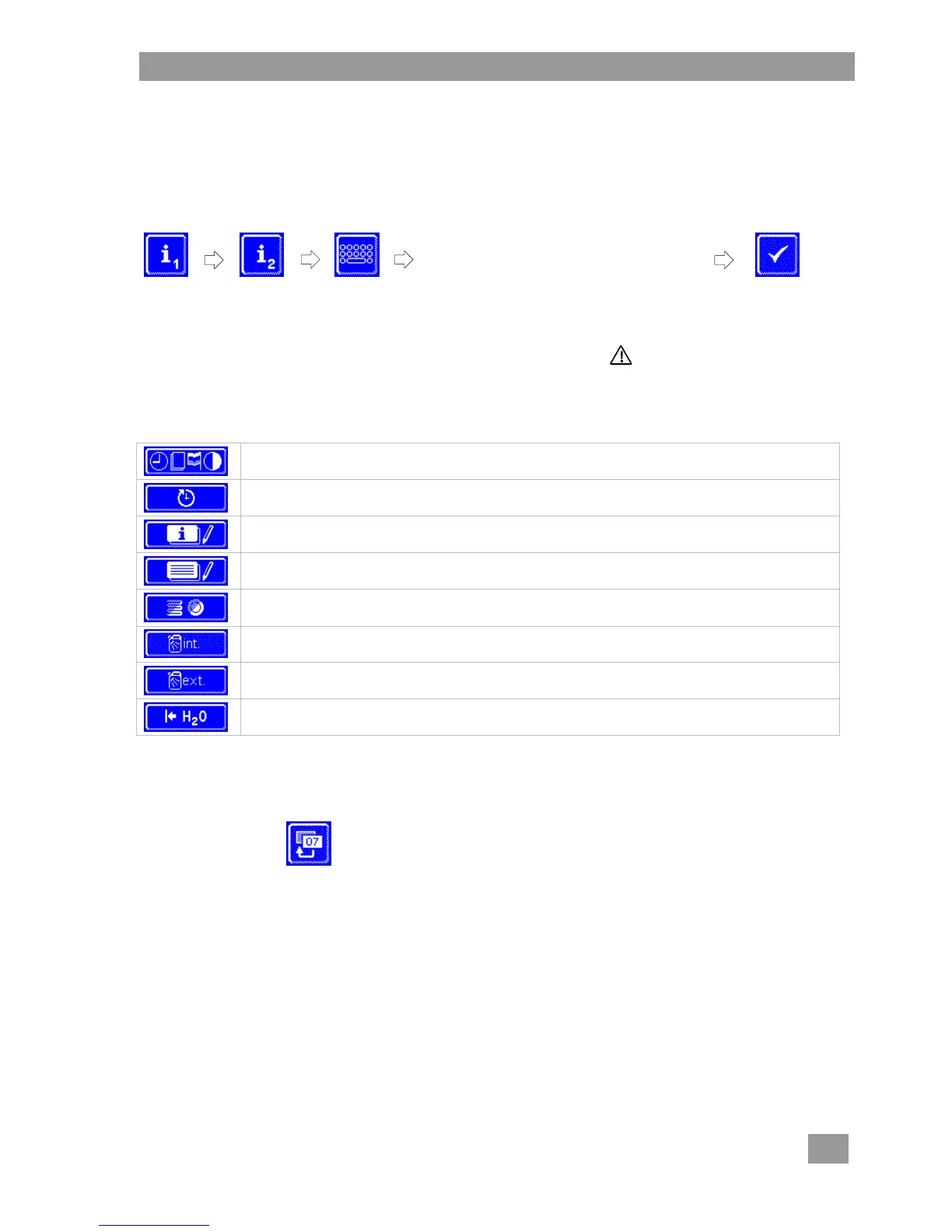
Tap the following buttons in turn:
INFO
Incorrectly entered digits can be corrected
with the button.
INFO An incorrectly entered PIN is displayed on the screen with the symbol. If you have entered
your PIN incorrectly five times, the input is locked for 2 minutes.
Overview
Enter general settings (time, date, language, contrast) ( 7.1)
Programme automatic switching On/Off ( 7.2)
Display the operating data ( 7.3)
Access the hygiene logbook ( 7.4)
Start descaling or basic cleaning programme ( 7.5)
Change dosing amount for detergent and rinse aid ( 7.6)
Set parameters for external dosing devices ( 16.3)
Reset the water back-flow counter ( 7.7)
7.1 General settings
7.1.1 Date, time, temperature unit
Here you can enter the current date and the current time, change the format of the time, and change the
temperature unit.
INFO The time must be changed for the summer/winter time changeover.



 To Next Page