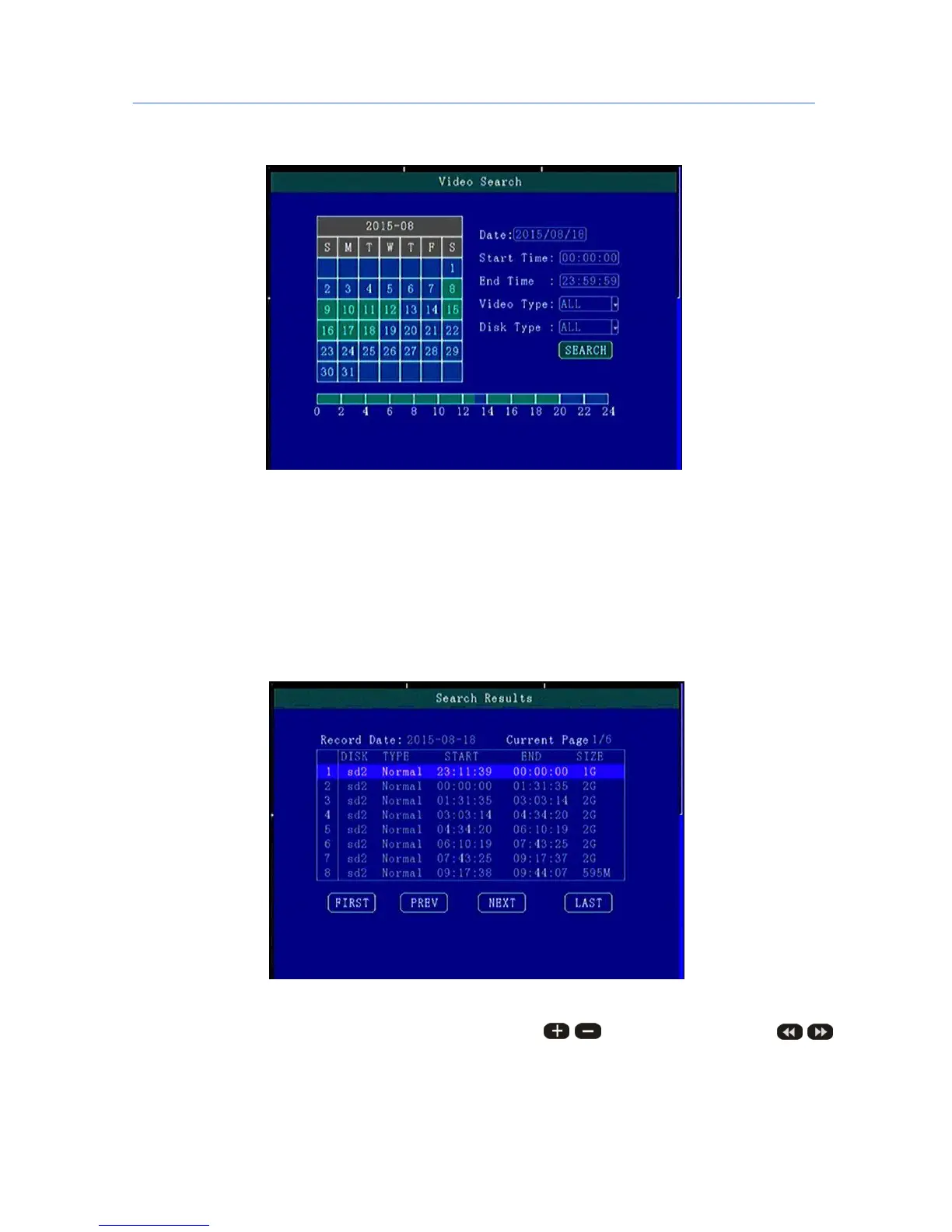
5.3.1 Video Search
**** Green color display indicates current day and time exist video file ****
“Search Date”: Press the number key to enter date, default is current date.
“Start Time”: Press the number key to enter date, default is 00:00.
“End Time”: Press the number key to enter date, default is 23:59.
“Record Type”: Press the [OK] button to select the query type: All videos \Alarm recording. Default is All
videos.
“Storage Media”: Press the [OK] button to select: all disks, disk 1, disk 2.
“Search”:Move the cursor to "Search" button, press the [OK] key to enter the search results interface.
Press the arrow keys to select the video you want, press the keys to quickly flip, press
to turn to first page or last page, press the play button to play the video, press [ESC] key to return to the
previous menu。



 To Next Page