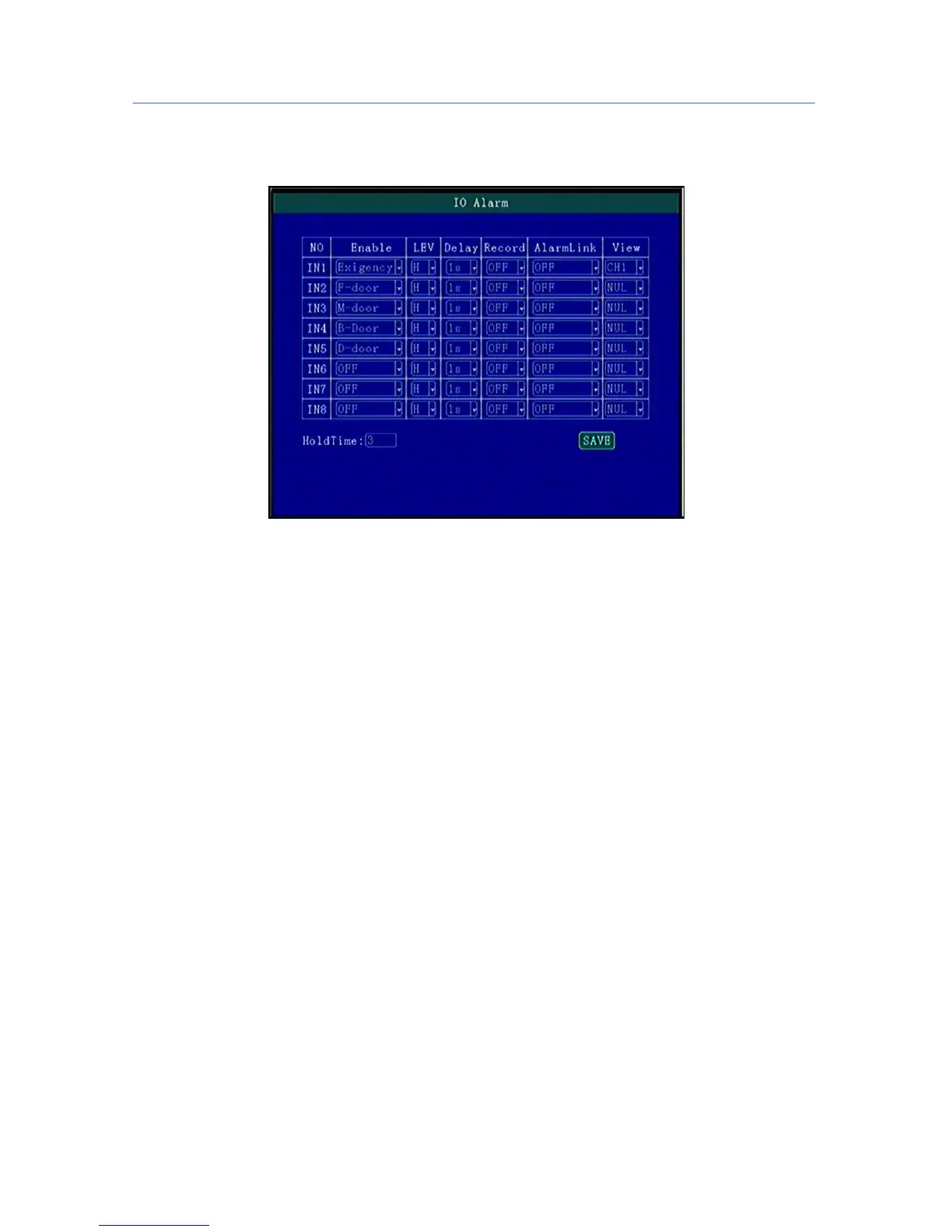
5.7.1 IO Alarm
Each channel alarm enable/level/time delay/Linkage information setting;
“Enable”:Alarm Trigger enable on/off and alarm type, press [OK] for changing;
“Level”:Choose Alarm trigger level,High/Low Level optional,press [OK] for optional;
“ Delay”:When alarm trigger,if need delay alarm trigger,time can be set to reduce error alarm, press [OK]
for changing;
“ Record”:Record set when alarm trigger, press [OK] for changing;
“ Linkage”:Linkage set when alarm trigger, press[OK] for changing;
“ Preview”:when alarm trigger the Channel will be full screen for preview,can realize Car Reversing,Door
open alarm etc, Press [OK] for changing;
“Alarm keeping”:Set the alarm triggering time delay, which can be used to reduce misinformation.
If there isn’t the specific function option you wanna display, you can choose the custom function, press
“INFO” to modify the display name by custom.



 To Next Page